# Collapsing
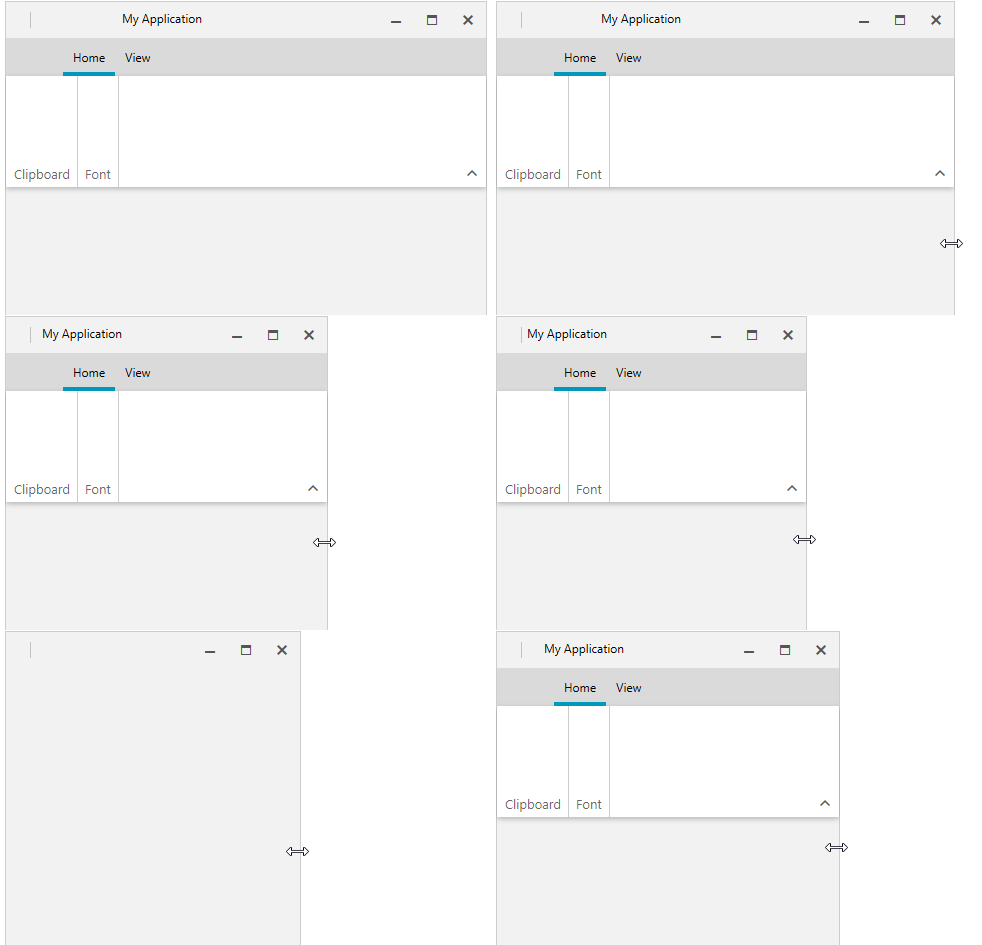
**RadRibbonView** supports collapsing, which means that the control will automatically set the **Visibility** of its main panel to **Collapsed** to save space. This happens when the window in which the control is hosted is resized to a size smaller than the **CollapseThresholdSize**.
> caption RadRibbonView collapsing functionality
## Properties
The following properties are related to the collapse functionality:
* **IsCollapsed**: A property of type **bool**, which gives information about the current state of the **RadRibbonView** control. This property is **read-only**.
* **CollapseThresholdSize**: A property of type [Size](https://docs.microsoft.com/en-us/dotnet/api/system.windows.size?view=netframework-4.8), which allows you to control the threshold for collapsing. The default value is **300, 250**.
**Example 1: Setting the CollapseThresholdSize**
```XAML
```
## Events
You can use the **CollapsedChanged** event to be notified when collapsed state of the ribbon is changed.
**Example 2: Adding a handler to the CollapsedChanged event**
```XAML
```
**Example 3: Handling the CollapsedChanged event**
```C#
private void radRibbonView_CollapsedChanged(object sender, Telerik.Windows.RadRoutedEventArgs e)
{
RadRibbonView ribbonView = sender as RadRibbonView;
bool isCollapsed = ribbonView.IsCollapsed;
}
```
```VB.NET
Private Sub radRibbonView_CollapsedChanged(sender As Object, e As Telerik.Windows.RadRoutedEventArgs)
Dim ribbonView As RadRibbonView = TryCast(sender, RadRibbonView)
Dim isCollapsed As Boolean = ribbonView.IsCollapsed
End Sub
```
> For more information about the events exposed by the **RadRibbonView**, check out the [Events - Overview](https://www.telerik.com/products/wpf/documentation/controls/radribbonview/events/overview) topic.