# AI Summarization for RadPdfViewer
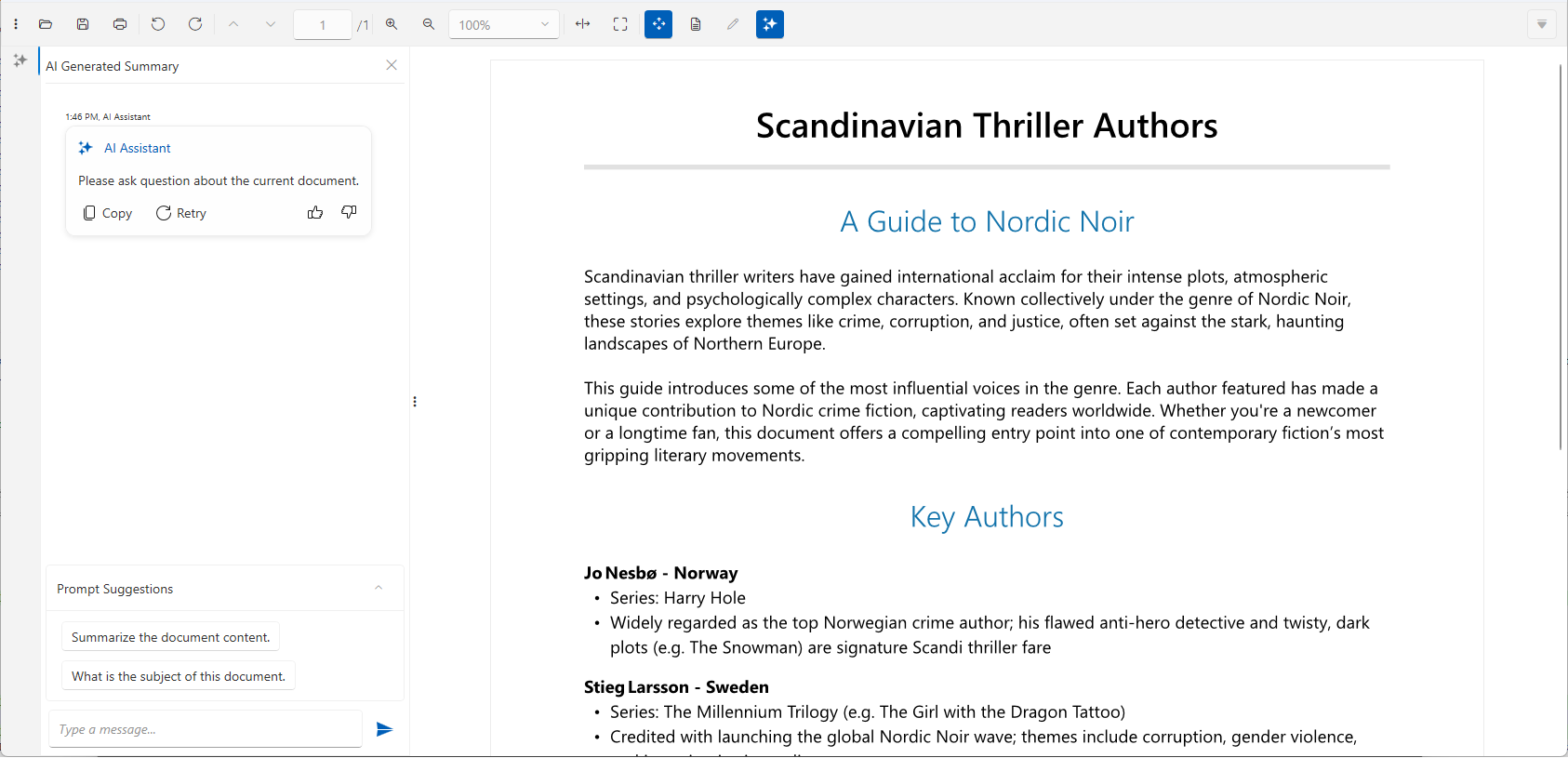
RadPdfViewer provides a smart summarization feature that allows you to use LLM services to analyze the content of the PDF document.
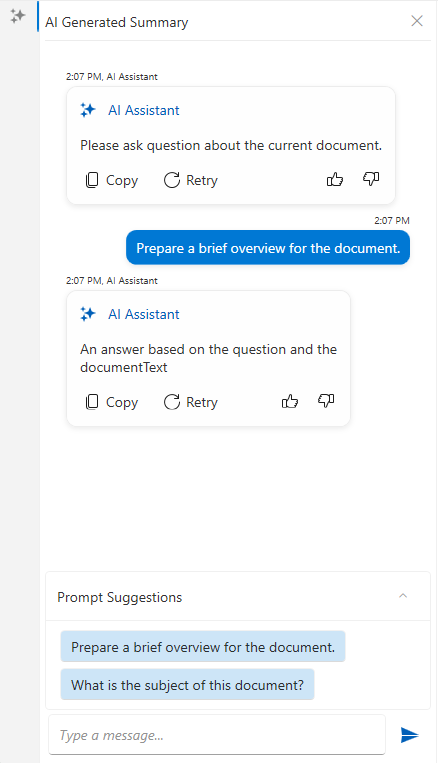
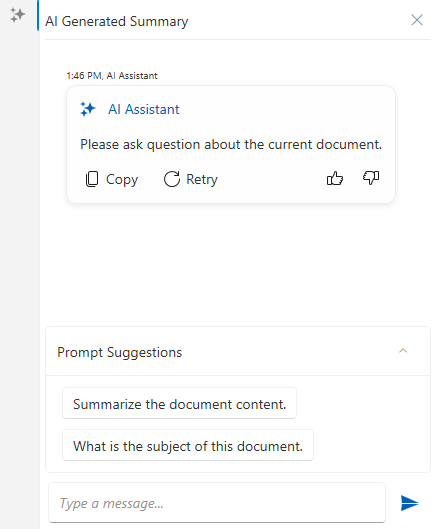
This is implemented via a chat element in the UI of the component. The component can be connected to an AI service which provides the summarization information. The chat can be used to construct a prompt related to the document content.
## Required NuGet Packages
The summarization feature requires you to install few more packages, aside from the [standard ones](https://www.telerik.com/products/wpf/documentation/controls/radpdfviewer/getting-started#adding-telerik-assemblies-using-nuget) for the RadPdfViewer control.
### Required Packages (.NET Framework)
* `Azure.AI.OpenAI`
* `OllamaSharp`
* `Microsoft.Extensions.AI.OpenAI`
* `SharpToken`
* `Telerik.Windows.Controls.ConversationalUI.for.Wpf.Xaml`
* `Telerik.Windows.Controls.FixedDocumentViewers.for.Wpf.Xaml`
* `Telerik.Windows.Controls.FixedDocumentViewersUI.for.Wpf.Xaml`
* `Telerik.Windows.Documents.AIConnector`
### Required Packages (.NET)
* `Azure.AI.OpenAI`
* `SharpToken`
* `Azure.Core`
* `Microsoft.Extensions.AI.OpenAI`
* `OllamaSharp`
* `Telerik.Windows.Controls.ConversationalUI.for.Wpf.Xaml`
* `Telerik.Windows.Controls.FixedDocumentViewers.for.Wpf.Xaml`
* `Telerik.Windows.Controls.FixedDocumentViewersUI.for.Wpf.Xaml`
* `Telerik.Windows.Documents.AIConnector`
### Using Assembly References
The recommended installation approach is to use the Telerik NuGet packages, but in case you cannot do this, the following list shows the required `.dll` files.
* `Telerik.Documents.AI.Core.dll`
* `Telerik.Documents.AI.RAG.dll`
* `Telerik.Windows.Documents.AIConnector.dll`
* `Telerik.Windows.Documents.Core.dll`
* `Telerik.Windows.Documents.Fixed.dll`
* `Telerik.Licensing.Runtime.dll`
* `Telerik.Windows.Controls.dll`
* `Telerik.Windows.Controls.ConversationalUI.dll`
* `Telerik.Windows.Controls.FixedDocumentViewers.dll`
* `Telerik.Windows.Controls.FixedDocumentViewersUI.dll`
* `Telerik.Windows.Controls.Input.dll`
* `Telerik.Windows.Controls.Navigation.dll`
* `Telerik.Windows.Controls.RibbonView.dll`
* `Telerik.Windows.Data.dll`
In this case, you should still install the third party AI-related libraries (like OpenAI and Ollama) using the corresponding NuGet packages.
## Showing the AI Summarization UI
The AI summarization is represented by a RadChat component that allows you to craft prompts and recieve reponses from the corresponding AI service. To the chat is part of the [RadPdfViewerNavigationPane](https://www.telerik.com/products/wpf/documentation/controls/radpdfviewer/default-ui) control. To enable it, set the `EnableAISummary` property to `true`. This will include an extra tab in the navigation pane.
```XAML
```
Additionally, the [RadPdfViewerToolBar](https://www.telerik.com/products/wpf/documentation/controls/radpdfviewer/default-ui) provides a button that can be used to show and hide the AI summarization tab from the `RadPdfViewerNavigationPane`. To display the button, set the `HasAISummary` property of the toolbar to `true`. То link the toolbar with the navigation pane, `RadPdfViewerNavigationPane` property of the toolbar should be set as well.
```XAML
```

The following example shows how to connect the `RadPdfViewerNavigationPane`, the `RadPdfViewerToolBar` and the `RadPdfViewer` components together.
```XAML
```
## Setting up the AI Provider
To connect the chat to an AI service, one of the built-in UI providers can be used. This setting is adjusted via the view model of the `RadPdfViewerNavigationPane`.
The view model is of type `RadPdfViewerNavigationPaneViewModel` which exposes an `ISummaryProvider` property named `SummaryProvider`.
```C#
// set the aiSummaryProvider beforehand
this.pdfViewerNavigationPanel.ViewModel.SummaryProvider = aiSummaryProvider;
```
### Using Azure OpenAI Provider
To enable the Azure OpenAI services, use the `AzureOpenAISummaryProvider` class.
```C#
string key = "your-azure-openai-key";
SecureString secureKey = new SecureString();
foreach (char c in key)
{
secureKey.AppendChar(c);
}
string endpoint = "https://your-resource-name.openai.azure.com/";
string model = "model-name"; //ex: "gpt-4o-mini"
var azureOpenAIprovider = new Telerik.Windows.Controls.FixedDocumentViewersUI.AIProviders.AzureOpenAISummaryProvider(secureKey, endpoint, model);
this.navigationPane.ViewModel.SummaryProvider = azureOpenAIprovider;
```
### Using OpenAI Provider
To enable the OpenAI services, use the `OpenAISummaryProvider` class.
```C#
string key = "your-openai-key";
SecureString secureKey = new SecureString();
foreach (char c in key)
{
secureKey.AppendChar(c);
}
string model = "model-name"; //ex: "gpt-4o-mini"
var openAIprovider = new Telerik.Windows.Controls.FixedDocumentViewersUI.AIProviders.OpenAISummaryProvider(secureKey, model);
this.navigationPane.ViewModel.SummaryProvider = openAIprovider;
```
### Using Ollama AI Provider (Local AI)
To use a local Ollama AI model, utilize the `LlamaSummaryProvider` class.
```C#
string endpoint = "localhost server"; //ex: "http://localhost:11434/"
string model = "model-name"; //ex: "llama3"
var ollamaProvider = new Telerik.Windows.Controls.FixedDocumentViewersUI.AIProviders.LlamaSummaryProvider(endpoint, model);
this.navigationPane.ViewModel.SummaryProvider = ollamaProvider;
```
### Get Summary Programmatically
To get a summarization of the document programmatically, the `GetSummary` method of the corresponding AI provider can be used.
```C#
var textDoc = this.pdfViewer.Document.ToSimpleTextDocument(null);
var summaryProvider = this.navigationPane.ViewModel.SummaryProvider;
Task.Run(() =>
{
string summary = summaryProvider.GetSummary(textDoc);
// this is required only if you want to update the WPF UI with the result
Application.Current.Dispatcher.Invoke(() =>
{
// update the UI if needed
});
});
```
To pass additional instructions to the prompt, set the `PromptAddition` property of the provider.
```C#
ISummaryProvider summaryProvider = this.navigationPane.ViewModel.SummaryProvider;
summaryProvider.PromptAddition = "Be concise and translate the summary to Bulgarian.";
```
The summary providers expose also an event called `SummaryResourcesCalculated` which is invoked before the actual summarization process begins (after the `GetSummary` method is invoked), providing information about the estimated resource usage. The `SummaryResourcesCalculatedEventArgs` provides the following properties:
* `EstimatedCallsRequired`— The number of API calls required
* `EstimatedTokensRequired`— The number of tokens to be processed
* `ShouldContinueExecution`— A boolean flag indicating whether to proceed with summarization. The default value is `true`.
```C#
private void SummarizationProvider_SummaryResourcesCalculated(object sender, SummaryResourcesCalculatedEventArgs e)
{
// set e.ShouldContinueExecution = false; to cancel the summarization process
}
```
### Adjusting the Max Number of Tokens
The maximum number of tokens allowed is set via the `MaxTokenCount` property of the summary provider.
```C#
var azureOpenAIprovider = new Telerik.Windows.Controls.FixedDocumentViewersUI.AIProviders.AzureOpenAISummaryProvider(secureKey, endpoint, model);
azureOpenAIprovider.MaxTokenCount = 1000;
```
## Implementing Custom Summary Provider
Aside from the built-in providers, a custom summarization behavior can be implemented. This is done by implementing the `ISummaryProvider` interface.
**Very basic summary provider implementation**
```C#
public class CustomSummaryProvider : ISummaryProvider
{
private string promptAddition = string.Empty;
public string PromptAddition { get => promptAddition; set => promptAddition = value; }
public string AskQuestion(string question, SimpleTextDocument simpleDocument)
{
string documentText = simpleDocument.Text;
// implement custom logic here
return "An answer based on the question and the documentText";
}
public string GetSummary(SimpleTextDocument simpleDocument)
{
string documentText = simpleDocument.Text;
// implement custom summarizaiton logic here
return "An answer based on the documentText";
}
}
```
**Setting the custom summary provider**
```C#
this.navigationPane.ViewModel.SummaryProvider = new CustomSummaryProvider();
```
## Customizing the Prompt Suggestions in the Chat
The default suggestions in the chat can be customized by replacing the UI element that displays them. This can be done via the `AdditionalContentTemplate` property of the `PdfChat` control.
```XAML
```