# MapBox Provider
RadMap has a built-in [MapBox vector tile services](https://docs.mapbox.com/data/tilesets/guides/vector-tiles-introduction/) provider that can be easily integrated in the application in order to show a detailed world map.
To use the MapBox services, assign a `MapBoxMapProvider` instance to the `Provider` property of `RadMap`.
In order to download data from the services, the provider needs to assign its `AccessToken` property. An access token can be acquired from the [MapBox tokens API](https://docs.mapbox.com/help/glossary/access-token/). Keep in mind that the token is related to a specific number of requests to the services. Read more on the [MapBox website](https://docs.mapbox.com/accounts/guides/invoices/#details-of-charges).
**Setting up MapBoxMapProvider**
```XAML
```
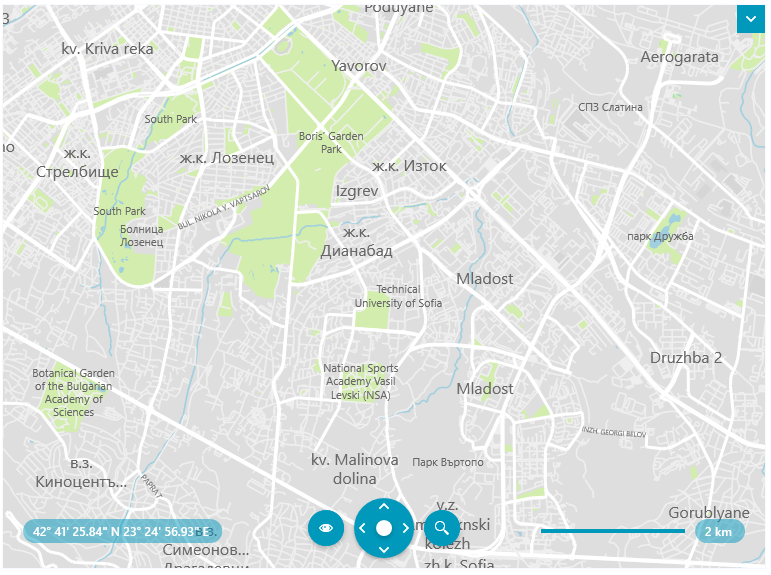
## Attribution Copyright Label
When using the MapBoxMapProvider, you have to display an attribution copyright label to the Mapbox services. To learn more about the accurate copyright label's content, please refer to the [MapBox Attribution](https://docs.mapbox.com/help/dive-deeper/attribution/) article.
> tip To learn how to customize the RadMap to allocate space for displaying an element containing a sample attribution copyright label, check this [article](https://www.telerik.com/products/wpf/documentation/knowledge-base/kb-map-copyright-label).
## Changing the Tile Set Mode
The MapBox services provide a set of different map layers ([tilesets](https://docs.mapbox.com/studio-manual/reference/tilesets/)). Telerik can make requests to several of the vector tilesets, but the built-in style source supports one of the available sets. To change the mode, set the `Mode` property of `MapBoxMapProvider` or use the UI.
The `Mode` property is a flag enum of type `MapboxVectorTileset` which allows you to set the mode to Streets, Terrain, Traffic or any combination of the modes. Currently, [the default style file source](https://github.com/mapbox/mapbox-gl-styles/blob/master/styles/basic-v9.json) deployed with the provider supports only the `Streets` mode. To visualize other modes, you should [provide a custom style file](https://www.telerik.com/products/wpf/documentation/controls/radmap/features/providers/mapboxprovider#loading-custom-styles).
**Setting the Mode property**
```XAML
```
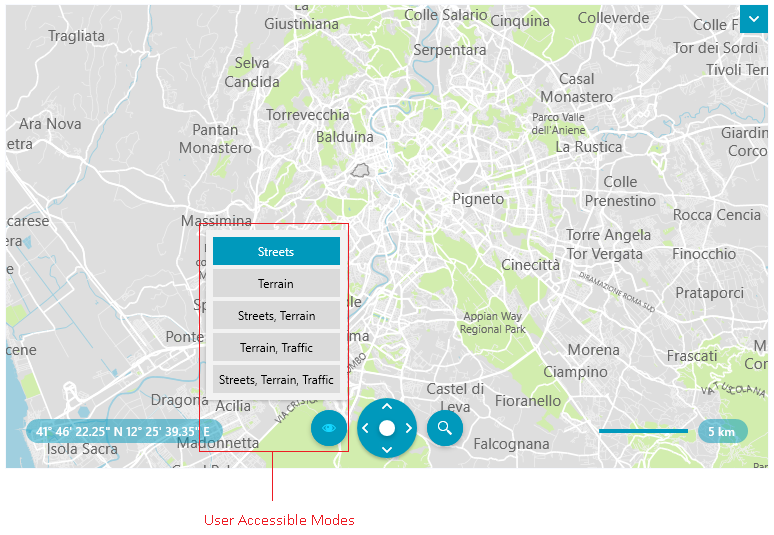
By default RadMap's navigation UI doesn't display any modes for the `MapBoxMapProvider`. To enable this, set the provider's `UserAccessibleModes` collection property.
**Setting up the tileset modes**
```XAML
Streets
Terrain
Streets,Terrain
Terrain, Traffic
Streets, Terrain, Traffic
```
## Loading Custom Styles
To assign a custom [style](https://docs.mapbox.com/mapbox-gl-js/style-spec/) `.json` file, set the `StyleFileSource` property of `MapBoxMapProvider`.
**Setting custom styles**
```XAML
```
## See Also
* [Vector Tile Providers](https://www.telerik.com/products/wpf/documentation/controls/radmap/features/providers/vectortileproviders)