# Distance and Scale
The **RadMap** uses two measure units for distance - mile and kilometer. The measure units are need for the placement of the **MapShapes**, as their width and height are measured in the selected unit. To choose the most suitable unit you have to set the **DistanceUnit** property of the **RadMap**.
> The default DistanceUnit is **Kilometer**.
```XAML
```
The **DistanceUnit** also affects the **Scale** control displayed at the lower right corner of the **RadMap**.
If you want to hide it, you just have to set the **ScaleVisibility** property to **False**.
```XAML
```
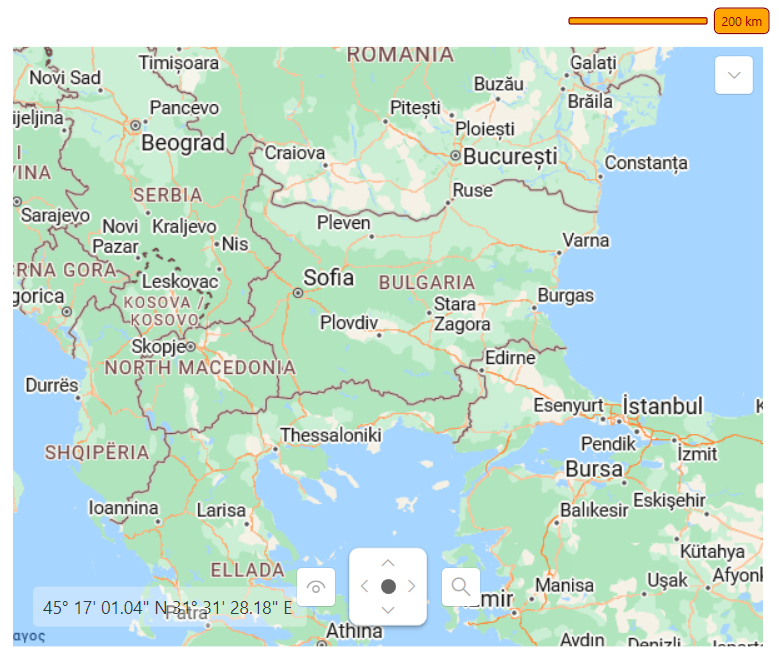
The UI control is represented by the **MapScale** control. You are able to use it outside the **RadMap** and place it somewhere around it. In this case you have to either hide the original one by using the **ScaleVisibility** property of the **RadMap** or the **UseDefaultLayout** one.
> tip Setting the **UseDefaultLayout** property to **False** will hide all of the UI controls inside the **RadMap**. To learn more read [here](https://www.telerik.com/products/wpf/documentation/controls/radmap/features/default-layout).
In order to use the **MapScale** outside the **RadMap** you have to set its **MapControl** property to the respective **RadMap** instance. Additionally you can modify its appearance.
Here is an example:
> When using an outside **MapScale** control, it's the value of the **DistanceUnit** property of this control that will be counted, not the one of the **RadMap's** **DistanceUnit** property.
```XAML
```
Here is a snapshot of the result:
## See Also
* [Navigation](https://www.telerik.com/products/wpf/documentation/controls/radmap/features/navigation)
* [Click Modes](https://www.telerik.com/products/wpf/documentation/controls/radmap/features/click-modes)
* [Zoom Modes](https://www.telerik.com/products/wpf/documentation/controls/radmap/features/zoom-modes)
* [Mouse Location](https://www.telerik.com/products/wpf/documentation/controls/radmap/features/mouse-location)
* [Default Layout](https://www.telerik.com/products/wpf/documentation/controls/radmap/features/default-layout)