# LayoutControlTabGroup
**LayoutControlTabGroup** is one of the few layout groups supported by the **RadLayoutControl**. **LayoutControlTabGroup** behaves a little differently than the other types of groups. Basically, it its children are displayed in a **tab control** and each tab item is represented by a **LayoutControlTabGroupItem** element.
**Example 1: Setting up LayoutControlTabGroup**
```XAML
```
> caption LayoutControlTabGroup
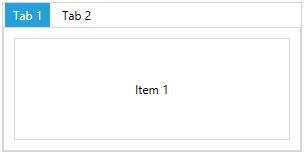
> If a UIElement is added as a direct child of a tab group, it will be automatically wrapped into a **LayoutControlTabGroupItem**.
The header of the tab group item can be set through its **Header** property. The property is of type **Object** which allows you to place any visual (or not) element in it.
**Example 2: Setting up the header of LayoutControlTabGroupItem**
```XAML
```
> caption LayoutControlExpanderGroup with UIElements in its header
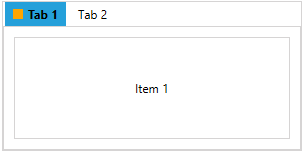
> **LayoutControlTabGroupItem** is also a layout group control which means that you can move and arrange it in the layout. In other words the item can be dragged outside of the tab control group. Also, you can drag an element from the layout and place it in the tab strip area which will automatically wrap it into a LayoutControlTabGroupItem.
## Selection
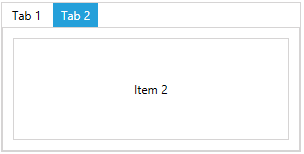
The tab group allows you to select its child tab items. The selection can be change through the **SelectedItem** property of **LayoutControlTabGroup** or the **IsSelected** property **LayoutControlTabGroupItem**.
**Example 3: Setting up the selection in LayoutControlTabGroup**
```XAML
```
> caption LayoutControlTabGroupItem selection
## See Also
* [Getting Started](https://www.telerik.com/products/wpf/documentation/controls/radlayoutcontrol/getting-started/getting-started)
* [Layout Groups Overview](https://www.telerik.com/products/wpf/documentation/controls/radlayoutcontrol/features/layoutgroups/overview)
* [LayoutControlGroup](https://www.telerik.com/products/wpf/documentation/controls/radlayoutcontrol/features/layoutgroups/layoutcontrolgroup)
* [LayoutControlExpanderGroup](https://www.telerik.com/products/wpf/documentation/controls/radlayoutcontrol/features/layoutgroups/layoutcontrolexpandergroup)