# LayoutControlGroup
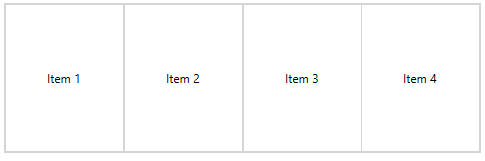
**LayoutControlGroup** is one of the few layout groups supported by the **RadLayoutControl**. When it comes to visual appearance **LayoutControlGroup** is the most simple of the groups. It displays only a border around its items.
> You can read the [Layout Panel](https://www.telerik.com/products/wpf/documentation/controls/radlayoutcontrol/getting-started/layout-panel) article to get better understanding on how the layout groups are arranging their children.
**Figure 1** shows how a LayoutControlGroup with few children looks. And **Example 1** demonstrates how to set up a group.
**Example 1: Setting up LayoutControlGroup**
```XAML
```
> caption LayoutControlGroup
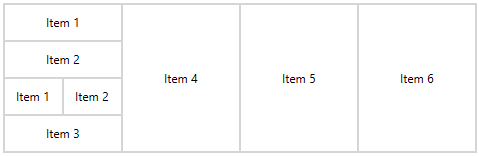
You can add **LayoutControlGroup** into another layout group (see **Example 2**).
**Example 2: Nesting LayoutControlGroups**
```XAML
```
> caption Nested LayoutControlGroups
## See Also
* [Getting Started](https://www.telerik.com/products/wpf/documentation/controls/radlayoutcontrol/getting-started/getting-started)
* [Layout Groups Overview](https://www.telerik.com/products/wpf/documentation/controls/radlayoutcontrol/features/layoutgroups/overview)
* [LayoutControlTabGroup](https://www.telerik.com/products/wpf/documentation/controls/radlayoutcontrol/features/layoutgroups/layoutcontroltabgroup)
* [LayoutControlExpanderGroup](https://www.telerik.com/products/wpf/documentation/controls/radlayoutcontrol/features/layoutgroups/layoutcontrolexpandergroup)