# Bound/Unbound Columns
When populating **RadGridView** with data two logical types of columns can be used - **bound and unbound**.
**Bound columns** represent the data from **RadGridView's** ItemsSource. They support data related functionality such as [sorting](https://www.telerik.com/products/wpf/documentation/controls/radgridview/sorting/basics), [filtering](https://www.telerik.com/products/wpf/documentation/controls/radgridview/filtering/basic), [grouping](https://www.telerik.com/products/wpf/documentation/controls/radgridview/grouping/basics), [aggregates](https://www.telerik.com/products/wpf/documentation/controls/radgridview/grouping/aggregates), etc. Typically the bound columns are of type **GridViewDataColumn** with its **DataMemberBinding** property set.
```XAML
```
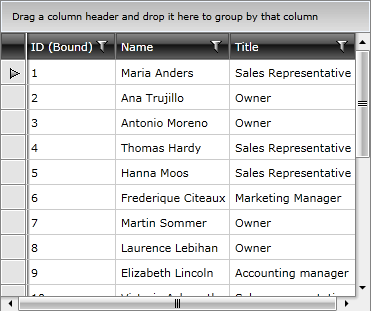
**Unbound** columns are used for displaying a custom content. Such custom content can be buttons which are not directly related to the underlying data, textbox for adding comments, images etc. The unbound column's content is defined by setting cell template. When using unbound columns you will be unable to perform filtering, sorting and grouping.
Here is an example for unbound column:
```XAML
```
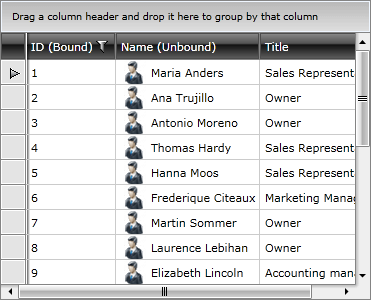
In the example above a **DataTemplate** containing a **StackPanel** with an **Image** and a **TextBox** is shown. In this case the **StackPanel** and the **Image** are not related to the data items. The **TextBox** is bound to the data item. In the same time the unbound column lacks such data functionalities as sorting, grouping and filtering.
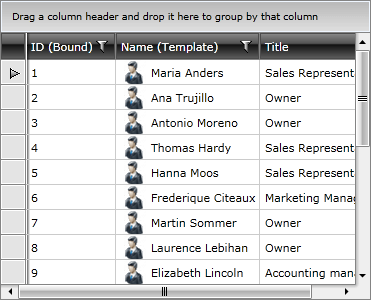
Using **GridViewDataColumn**, however, can give you the advantages of both the bound and unbound column allowing you to perform data operations like sorting, grouping and filtering. In this case you can simultaneously set **DataMemberBinding** and provide [CellTemplate](https://www.telerik.com/products/wpf/documentation/controls/radgridview/columns/celltemplate-and-celledittemplate), thus giving you the freedom to create rich visualizations.
Here is the above sample of an unbound column transformed into a template column.
```XAML
```
## See Also
* [Customizing Columns](https://www.telerik.com/products/wpf/documentation/controls/radgridview/columns/customizing-columns)
* [Data Formatting](https://www.telerik.com/products/wpf/documentation/controls/radgridview/columns/data-formatting)