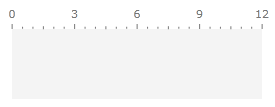
# Linear Scale
The **LinearScale** control allows you to display a scale of linear form. Typically the **LinearScale** is used in the **LinearGauge** control, but it can directly used in the other **Gauge** controls available or even on its own. This topic will explain you the specifics regarding the usage of the **LinearScale** control.
> tip As the scales provided by the **RadGauge** control share common functionality, you might found useful to read the [Base Scale](https://www.telerik.com/products/wpf/documentation/controls/radgauge/features/linear-and-radial-scales/basics) topic. In it you will find information regarding the features shared between the different scales.
> tip The scales derived from the **Graphic Scale** class, can use any of the indicators provided by the **RadGauge** control. To learn how read the [Base Scale](https://www.telerik.com/products/wpf/documentation/controls/radgauge/features/linear-and-radial-scales/basics) topic.
## Orientation
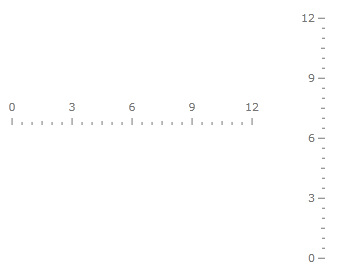
The LinearScale control can have either a horizontal or vertical orientation. The orientation could be defined using the appropriate container: the **RadVerticalLinearGauge** for vertical scale and the **RadHorizontalLinearGauge** for horizontal scale respectively.
Here is an example of a **LinearScale** with horizontal orientation:
```XAML
```
Here is an example of a **LinearScale** with vertical orientation:
```XAML
```
Both results can be seen below:
## Relative Size
The **Relative Size** feature allows you to specify the size of the scale towards its container. This can be done by using the **RelativeHeight** and **RelativeWidth** property of the **LinearScale**. For example a value of **RelativeHeight = 1** will make the scale have a scale equal to the height of the container and a value of **RelativeWidth = 1** will make the scale have a width equal to the width of the container.
> When using the LinearScale in horizontal mode, the value of the RelativeHeight property will get applied to the width of the container.
Here is an example:
```XAML
```
Here is a snapshot of the result:

## Placement
The **LinearScale** exposes the **RelativeX** and **RelativeY** properties, which allows you to position the scale towards its container. The values of these two properties are relative to the height and respectively to the width of the scale's container.
Here is an example:
```XAML
```
Here is a snapshot of the result: