# Styling the ToolWindow
[ToolWindow](https://www.telerik.com/products/wpf/documentation/controls/raddocking/features/tool-window) is the container control that hosts all panes that are in a floating state. This article will demonstrate how to create a style targeting ToolWindow.
## Targeting the ToolWindow Element
In order to style all **ToolWindows** in a RadDocking, you should create a style targeting **ToolWindow**.
**Example 1: Creating an implicit style targeting ToolWindow**
```XAML
```
> important It is important for the implicit style targeting ToolWindow to be placed in the Application's Resources as shown in **Example 1**. This is due to the fact that the ToolWindows are in a separate visual tree from the MainWindow.
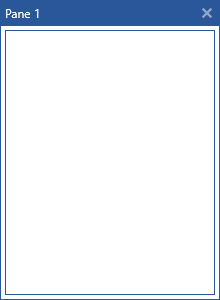
> caption ToolWindow with disabled close button in the Office2016 theme
> tip In order to learn how to further modify the control by extracting its ControlTemplate, read the [Editing Control Templates](https://www.telerik.com/products/wpf/documentation/styling-and-appearance/styling-apperance-editing-control-templates) article.
## See Also
* [Tool Window](https://www.telerik.com/products/wpf/documentation/controls/raddocking/features/tool-window)
* [Drag and Drop](https://www.telerik.com/products/wpf/documentation/controls/raddocking/features/drag-and-drop)
* [Docked/Floating Panes](https://www.telerik.com/products/wpf/documentation/controls/raddocking/features/panes/docked-floating-panes)