# Resizing
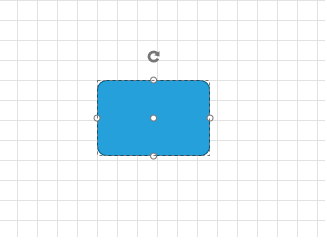
**RadDiagram** gives you the ability to resize shapes by dragging their **Resizing Thumbs**. You can also use the Shapes' **Width** and **Height** for this purpose.
> Please note that the examples in this tutorial are showcasing Telerik Windows8 theme. In the [Setting a Theme](http://www.telerik.com/help/wpf/common-styling-apperance-setting-theme-wpf.html#Setting_Application-Wide_Built-In_Theme_in_the_Code-Behind) article you can find more information on how to set an application-wide theme.
## Enable/Disable Resizing
By default the **RadDiagram** is enabled for resizing manipulation. In order to disable this functionality, you can set **IsResizingEnabled** to **False**
```XAML
```
## Width and Height
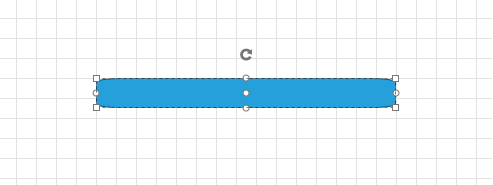
You can resize shapes by using their **Width** and **Height** properties:
```XAML
```
## See Also
* [Structure](https://www.telerik.com/products/wpf/documentation/controls/raddiagram/structure)
* [Getting Started](https://www.telerik.com/products/wpf/documentation/controls/raddiagram/getting-started)
* [Populating with Data](https://www.telerik.com/products/wpf/documentation/controls/raddiagram/populating-with-data/data-overview)
* [Shapes](https://www.telerik.com/products/wpf/documentation/controls/raddiagram/diagram-items/shape/raddiagrams-features-shapes)
* [Connections](https://www.telerik.com/products/wpf/documentation/controls/raddiagram/diagram-items/raddiagrams-features-connections)
* [Items Editing](https://www.telerik.com/products/wpf/documentation/controls/raddiagram/items-manipulation/raddiagrams-features-edit)
* [Rotation](https://www.telerik.com/products/wpf/documentation/controls/raddiagram/items-manipulation/raddiagrams-features-rotation)
* [ZOrder](https://www.telerik.com/products/wpf/documentation/controls/raddiagram/items-manipulation/raddiagrams-features-zorder)
* [Selection](https://www.telerik.com/products/wpf/documentation/controls/raddiagram/items-manipulation/raddiagrams-features-selection)