# Undo and Redo
> Please note that the examples in this tutorial are showcasing Telerik Windows8 theme. In the [Setting a Theme](http://www.telerik.com/help/wpf/common-styling-apperance-setting-theme-wpf.html#Setting_Application-Wide_Built-In_Theme_in_the_Code-Behind) article you can find more information on how to set an application-wide theme.
## Undo/Redo Overview
**Telerik Diagramming Framework** exposes Undo/Redo functionality. The framework allows you to keep track of the changes made in a Diagramming structure and trigger an undo or redo action using commands, methods or keyboard shortcuts.
### Undo/Redo Methods
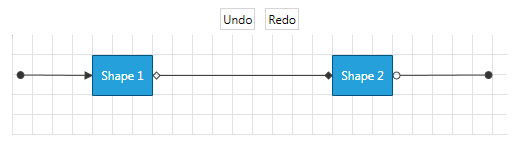
Telerik **RadDiagram** class exposes two methods that allow you to take advantage of the undo/redo functionality.
* **Undo()** - this method reverts the last operation in the **RadDiagram**.
* **Redo()** - this method reapplies the last operation that was undone in the **RadDiagram**.
```XAML
```
```C#
private void Undo(object sender, RoutedEventArgs e)
{
diagram.Undo();
}
private void Redo(object sender, RoutedEventArgs e)
{
diagram.Redo();
}
```
```VB.NET
Private Sub Undo(sender As Object, e As RoutedEventArgs)
diagram.Undo()
End Sub
Private Sub Redo(sender As Object, e As RoutedEventArgs)
diagram.Redo()
End Sub
```
### Undo/Redo Commands
**Telerik Diagramming Framework** exposes a set of commands that allow you to easily implement **RadDiagram** interaction logic in MVVM solutions. In order to trigger the Undo/Redo functionality you can use the **DiagramCommands.Undo** and **DiagramCommands.Redo** commands. Please keep in mind that in order to use those commands for reverting back and forward **RadDiagram** operations, you need to explicitly set the diagram as the target of the commands.
> For a full list of the Telerik **DiagramCommands**, please refer to the [Commands](https://www.telerik.com/products/wpf/documentation/controls/raddiagram/features/raddiagrams-commands) tutorial.
```XAML
```
### UndoRedoService
You can further extend the undo/redo functionality of your Diagramming solution using the **RadDiagram.UndoRedoService** property. It exposes the following properties:
* **RedoStack** - use it to get the **IEnumerable** collection of redid actions.
* **RedoBufferSize** - use it to get or set the redo actions buffer size.
* **UndoStack** - use it to get the **IEnumerable** collection of undid actions.
* **UndoBufferSize** - use it to get or set the undo actions buffer size.
The **UndoRedoService** also exposes undo/redo methods:
* **CanRedo()** - this method determines if the **RadDiagram** instance can redo operations.
* **Redo()** - this method reapplies the last operation that was undone in the **RadDiagram**.
* **CanUndo()** - this method determines if the **RadDiagram** instance can undo operations.
* **Undo()** - this method reverts the last operation in the **RadDiagram**.
* **ExecuteCommand()** - this method allows you to execute a custom command. It takes as an argument a **Telerik.Windows.Diagrams.Core.ICommand** command and it also allwos you to pass a state parameter as its second argument.
You can use the **UndoRedoService UndoStack/RedoStack** properties to create a DropDownMenu displaying the list of undid or redid actions in your application. You can find a solution showcasing this approach in our online [demos](https://demos.telerik.com/wpf/#Diagrams/FirstLook).
### Keyboard Support
You can also trigger an undo or redo action using a keyboard combination:
* **Ctrl+Z** - this key combination will trigger an Undo action.
* **Ctrl+Y** - this key combination will trigger a Redo action.
> More information about the **Telerik Diagramming Framework** keyboard shortcuts you can find in the [Shortcuts](https://www.telerik.com/products/wpf/documentation/controls/raddiagram/features/raddiagrams-shortcuts) tutorial.
## See Also
* [Getting Started](https://www.telerik.com/products/wpf/documentation/controls/raddiagram/getting-started)
* [Populating with Data](https://www.telerik.com/products/wpf/documentation/controls/raddiagram/populating-with-data/data-overview)
* [Shapes](https://www.telerik.com/products/wpf/documentation/controls/raddiagram/diagram-items/shape/raddiagrams-features-shapes)
* [Connections](https://www.telerik.com/products/wpf/documentation/controls/raddiagram/diagram-items/raddiagrams-features-connections)
* [Items Editing](https://www.telerik.com/products/wpf/documentation/controls/raddiagram/items-manipulation/raddiagrams-features-edit)
* [Commands](https://www.telerik.com/products/wpf/documentation/controls/raddiagram/features/raddiagrams-commands)
* [Keyboard Support](https://www.telerik.com/products/wpf/documentation/controls/raddiagram/features/raddiagrams-shortcuts)
* [Pan and Zoom](https://www.telerik.com/products/wpf/documentation/controls/raddiagram/features/raddiagrams-pan-zoom)
* [Align and Snap ](https://www.telerik.com/products/wpf/documentation/controls/raddiagram/features/raddiagrams-snap)