# Thumbnail
This article will get you familiar with the **RadDiagramThumbnail** control that is part of **Telerik Diagramming Framework**.
The **RadDiagramThumbnail** control provides a preview of the overall layout of the **RadDiagram**. It allows you to easily keep track of your current viewport and its position in the **RadDiagram**
> In order to use the **RadDiagramThumbnail** control along with the **RadDiagram** in your projects you have to add references to the following assemblies:
>
> * **Telerik.Windows.Controls**
> * **Telerik.Windows.Controls.Diagrams**
> * **Telerik.Windows.Controls.Diagram.Extensions**
> * **Telerik.Windows.Controls.Input**
> * **Telerik.Windows.Controls.Navigation**
> * **Telerik.Windows.Data**
> * **Telerik.Windows.Diagrams.Core**
## Define a RadDiagramThumbnail
You can define the **RadDiagramThumbnail** in xaml or in your code-behind. In both cases, in order to synchronize it with your diagram, you need to set its **Diagram** property accordingly.
```XAML
```
```C#
RadDiagramThumbnail xDiagramThumbnail = new RadDiagramThumbnail() { Diagram = this.xDiagram };
this.LayoutRoot.Children.Add(xDiagramThumbnail);
```
```VB.NET
Dim xDiagramThumbnail As New RadDiagramThumbnail() With { .Diagram = Me.xDiagram }
...
Me.LayoutRoot.Children.Add(xDiagramThumbnail)
```

> Please note that the examples in this tutorial are showcasing Telerik Windows8 theme. In the [Setting a Theme](http://www.telerik.com/help/wpf/common-styling-apperance-setting-theme-wpf.html#Setting_Application-Wide_Built-In_Theme_in_the_Code-Behind) article you can find more information on how to set an application-wide theme.
If you need to update the **RadDiagramThumbnail** viewport, you can take advantage of the **RefreshThumbnail()** method.
## Viewport
The **RadDiagramThumbnail** indicates the current viewport of the **RadDiagram** through a **Red Rectangle** element. You can change the style of this rectangle by applying a custom style on it. The **RadDiagramThumbnail** control exposes a **ViewportStyle** property which you can use to change the **Stroke** and the **StrokeThickness** of the Viewport rectangle.
```XAML
```
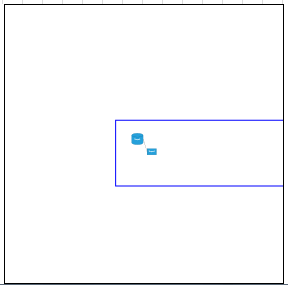
If you want to get the size and the position of the **RadDiagramThumbnail's** Viewport you can use the **RadDiagramThumbnail.ViewportRect** property. You can also get the zoom factor applied in the diagram through the **RadDiagramThumbnail.Zoom** property.
## Styling and Templates
The **RadDiagramThumbnail** can be styled by creating an appropriate Style and setting it to the Style property of the control. You have two options:
* To create an empty style and set it up on your own.
* To copy the default style of the control and modify it.
In order to implement the second one, you have to load your project in Expression Blend and open the view that holds the **RadDiagramThumbnail**. In the 'Objects and Timeline' pane select the thumbnail you want to style.

From the menu choose *Object -> Edit Style -> Edit a Copy*. You will be prompted for the name of the style and where to be placed.

> tip If you choose to define the style in Application, it would be available for the entire application. This allows you to define a style only once and then reuse it where needed.
After clicking 'OK', Expression Blend will generate the default style of the **RadDiagramThumbnail** control in the Resources section of your view. The properties available for the style will be loaded in the 'Properties' pane and you will be able to modify their default values.
You can modify these properties to achieve the desired appearance. However most of the visual parts of the **RadDiagramThumbnail** have to be styled in its template. To modify it select the style in the *'Objects and Timeline'* pane, right-click on it and choose *Edit Template -> Edit Current*. In the same pane the element parts for the **RadDiagramThumbnail's** template will get loaded.

## See Also
* [DiagramNavigationPane](https://www.telerik.com/products/wpf/documentation/controls/raddiagram/extensions/navigationpane)