# Chart Title
The **ChartTitle** is a content control placed at the top of each chart control. It is used to display any title information regarding the visualized chart.
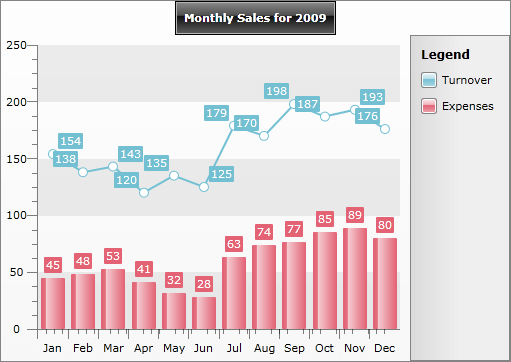
You can specify the content of the default **ChartTitle** control from XAML or code-behind, like this:
```XAML
```
```C#
this.radChart.DefaultView.ChartTitle.Content = "Monthly Sales for 2009";
```
```VB.NET
radChart.DefaultView.ChartTitle.Content = "Monthly Sales for 2009"
```
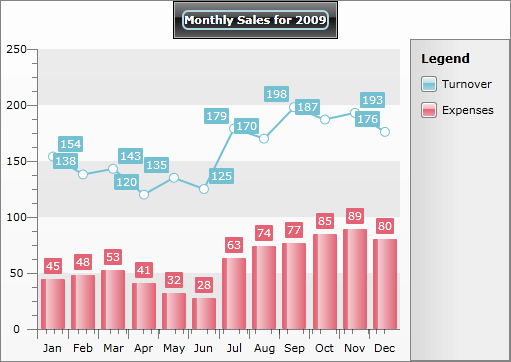
Since **ChartTitle** is a content control, you can set as its content not only textual data but also any other type of controls. The following example demonstrates how to create custom chart title with **TextBlock** in a **Border** control.
```XAML
```
```C#
Telerik.Windows.Controls.RadChart radChart = new Telerik.Windows.Controls.RadChart();
//....
Border border = new Border();
border.BorderThickness = new Thickness( 2 );
border.CornerRadius = new CornerRadius( 5 );
border.BorderBrush = new SolidColorBrush(Color.FromArgb( 255, 173, 216, 230 ));
border.Child = new TextBlock(){ Text = "Monthly Sales for 2009" };
radChart.DefaultView.ChartTitle.Content = border;
```
```VB.NET
Dim radChart As New Telerik.Windows.Controls.RadChart()
'....'
Dim border As New Border()
border.BorderThickness = New Thickness(2)
border.CornerRadius = New CornerRadius(5)
border.BorderBrush = New SolidColorBrush(Color.FromArgb(255, 173, 216, 230))
border.Child = New TextBlock()
'Set the content of the ChartTitle'
radChart.DefaultView.ChartTitle.Content = border
```
And here is the final result:
If you want to learn more about styling the **ChartTitle** take a look at the [Customizing Title](https://www.telerik.com/products/wpf/documentation/controls/radchart/styles-and-templates/styling-and-appearance-styling-chart-title) topic.
## See Also
* [Styling the Chart Title](https://www.telerik.com/products/wpf/documentation/controls/radchart/styles-and-templates/styling-and-appearance-styling-chart-title)
* [RadChart Visual Structure](https://www.telerik.com/products/wpf/documentation/controls/radchart/general-information/visual-structure)
* [Chart Area](https://www.telerik.com/products/wpf/documentation/controls/radchart/features/chart-area)
* [Chart Legend](https://www.telerik.com/products/wpf/documentation/controls/radchart/features/chart-legend)
* [DefaultView](https://www.telerik.com/products/wpf/documentation/controls/radchart/features/default-view)