# Calculator Picker
The `RadCalculatorPicker` control is a drop down button with a `RadCalculator` in its drop down content. The button content shows the calculated value of the calculator.
**Defining RadCalculatorPicker**
```XAML
```
> caption RadCalculatorPicker example
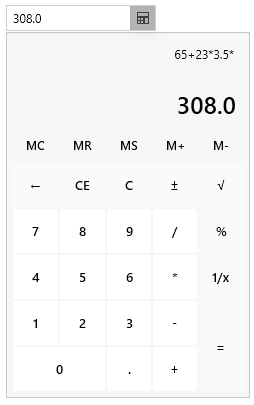
The drop down state can be controlled manually with the `IsDropDownOpen` property of `RadCalculatorPicker`.
**Opening the drop down content in code**
```C#
this.calculatorPicker.IsDropDownOpen = true;
```
## DataGrid Integration
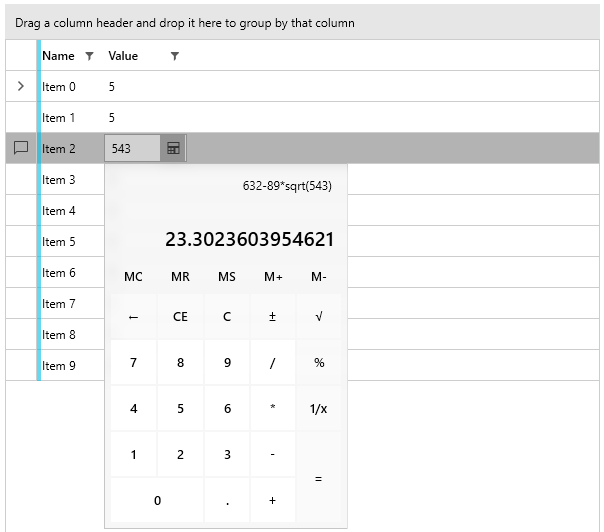
The following example shows how to utilize the `RadColorPicker` control as the cell editing element of a `RadGridView` column. To do so, define a custom `CellEditTemplate` for the column and in the `DataTemplate` add the calculator.
**Defining a model for the RadGridView rows**
```C#
public class RowInfo
{
public string Name { get; set; }
public double Value { get; set; }
}
```
**Populating the data source**
```C#
public void Example()
{
InitializeComponent();
var source = new ObservableCollection();
for (int i = 0; i < 10; i++)
{
source.Add(new RowInfo() { Name = "Item " + i, Value = 5 });
}
DataContext = source;
}
```
**Defining the RadGridView and setting up the RadCalculatorPicker as the cell edit element**
```XAML
```
> caption Using RadCalculatorPicker as a cell editor of RadGridView
## See Also
* [Getting Started](https://www.telerik.com/products/wpf/documentation/controls/radcalculator/getting-started)