# Report Viewer and Web Designer in Vue.js
## Environment
Product
Progress® Telerik® Reporting R3 2022+
Framework
Vue
## Description
The [HTML5 Report Viewer](https://www.telerik.com/products/reporting/documentation/embedding-reports/display-reports-in-applications/web-application/html5-report-viewer/overview) and [Web Report Designer](https://www.telerik.com/products/reporting/documentation/designing-reports/report-designer-tools/web-report-designer/overview) are built upon HTML5, CSS, and JavaScript. This allows using them in virtually any JavaScript framework including [Vue.js](https://vuejs.org/).
The solution we are about to examine is a very basic approach to create a new Vue application, include the viewer and designer dependencies, and display them in separate views.
## Solution
The following guide assumes previous knowledge of Vue:
1. Start by creating a new Vue application using the following CLI command:
```PowerShell
npm init vue@latest
```
2. Next, include the necessary JS dependencies of the viewer and designer in `index.html`. This includes the [jQuery](https://jquery.com/) library, [Kendo](https://www.telerik.com/kendo-ui). For this example, we will be retrieving the Report Viewer and Report Designer JS resources from the [online demos](https://demos.telerik.com/reporting):
```HTML
```
3. Then, add the default Kendo SASS theme again in `index.html`, inside the `head` element, to style the report viewer and designer:
```HTML
```
4. Create a new report viewer component(e.g. `ReportViewer.vue`) and configure the routes accordingly.
The new component contains a `div` element to hold the report viewer object and applies CSS to this element.
The component calls the [`telerik_ReportViewer`](https://www.telerik.com/products/reporting/documentation/embedding-reports/display-reports-in-applications/web-application/html5-report-viewer/api-reference/overview) method to create the report viewer with the specified configuration options.
It is important that the `serviceUrl` option points to the URL of a working [Reporting REST Service](https://www.telerik.com/products/reporting/documentation/embedding-reports/host-the-report-engine-remotely/overview):
```HTML
loading...
```
5. Create a new report designer component((e.g. `ReportDesigner.vue`)) and configure the routes accordingly.
The new component contains a `div` element to hold the report designer object and applies CSS to this element.
The component calls the [`telerik_WebReportDesigner`](https://www.telerik.com/products/reporting/documentation/designing-reports/report-designer-tools/web-report-designer/web-report-designer-initialization) method to create the report viewer with the specified configuration options.
It is important that the `serviceUrl` option points to the URL of a working [Report Designer REST Service](https://www.telerik.com/products/reporting/documentation/designing-reports/report-designer-tools/web-report-designer/how-to-set-up-in-dotnet#setting-up-the-report-designer-rest-service).
```HTML
...
```
6. Run the `dev` script to start the application in development mode:
```PowerShell
npm run dev
```
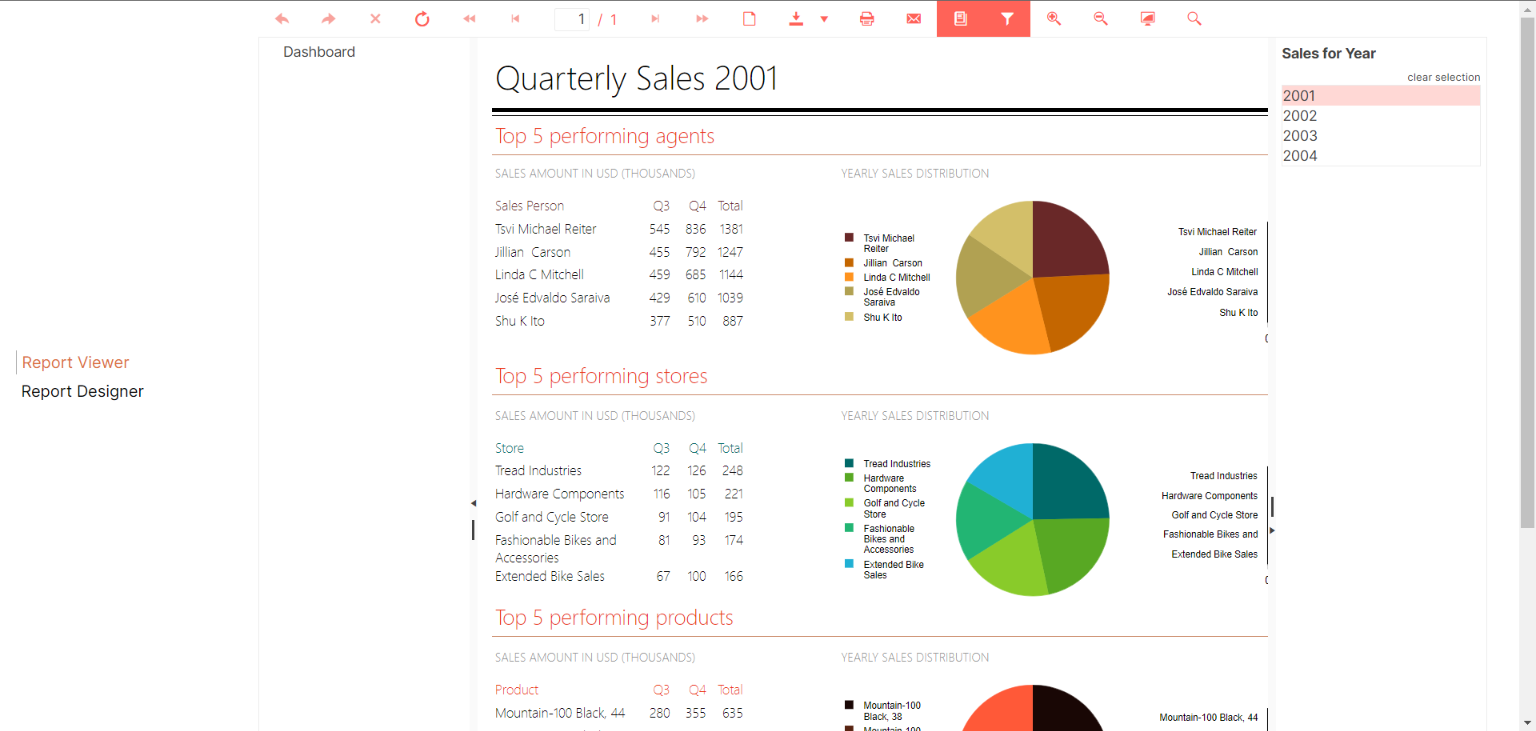
Here is how the starting page of the application should look like:
## Additional resources
Download the final Vue.js application from [Sample Vite + Vue3 Application](https://github.com/telerik/reporting-samples/tree/master/reporting-vue).
## See Also
* [HTML5 Report Viewer](https://www.telerik.com/products/reporting/documentation/embedding-reports/display-reports-in-applications/web-application/html5-report-viewer/overview)
* [Web Report Designer](https://www.telerik.com/products/reporting/documentation/designing-reports/report-designer-tools/web-report-designer/overview)
* [Reporting REST Service](https://www.telerik.com/products/reporting/documentation/embedding-reports/host-the-report-engine-remotely/overview)
* [Telerik Reporting online demos](https://demos.telerik.com/reporting)
* [Vue.js](https://vuejs.org/)