# How to Edit a Report Template
| Minimum Version: | Q4 2025 |
| ---------------- | ------- |
To edit an existing Report Template (.trtx file), follow the steps:
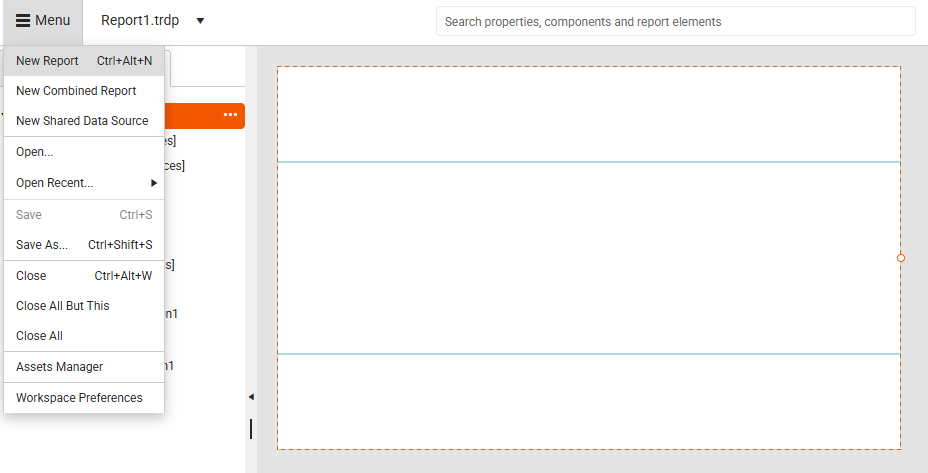
1. Select the `New Report` option from the Menu:
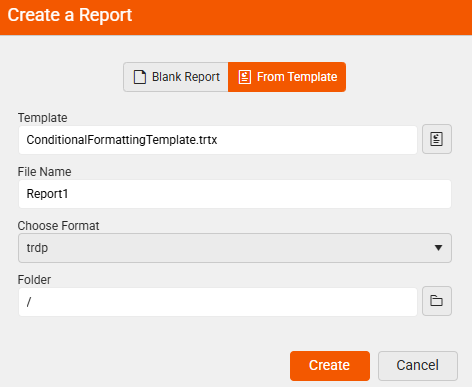
 1. Create a Report **From Template**:
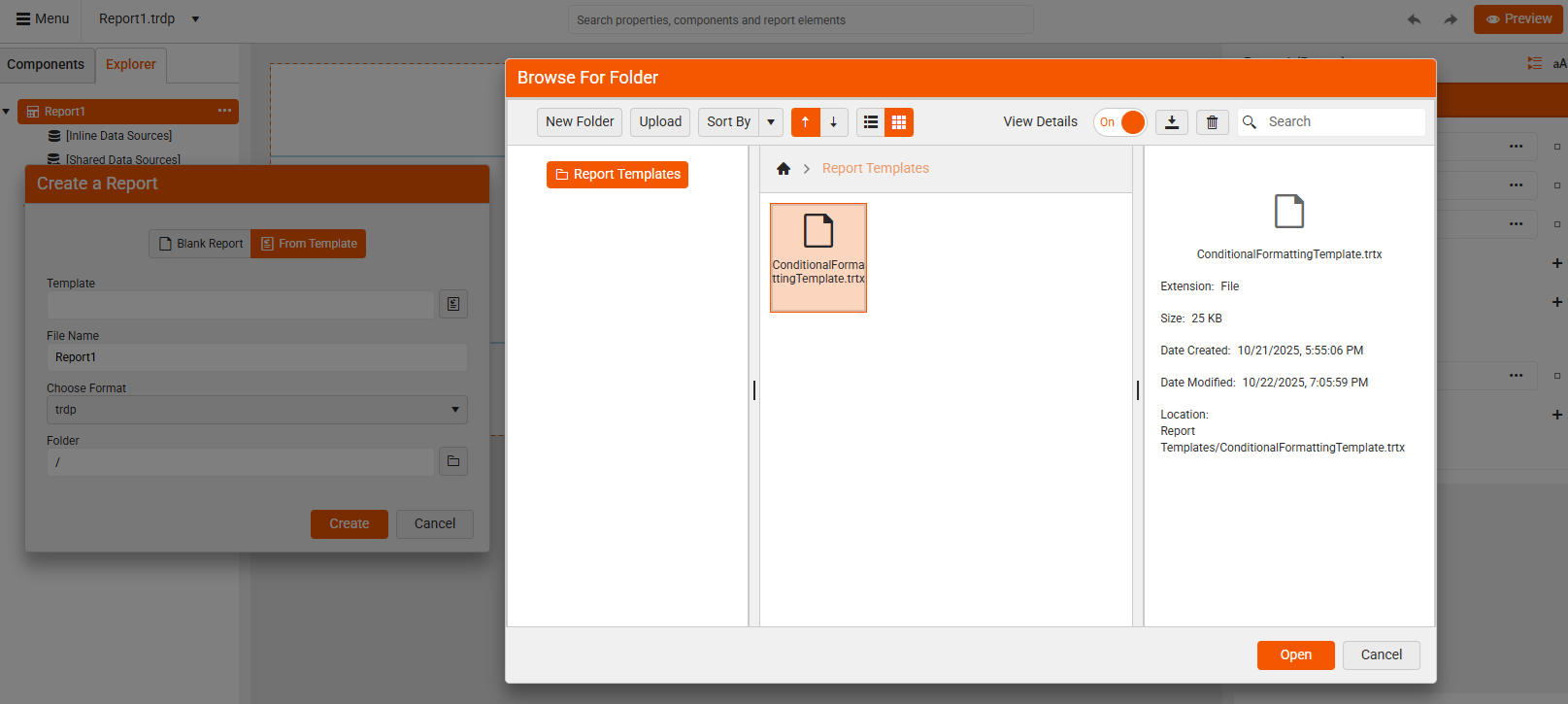
 1. Select the Report Template (.trtx file) you want to edit:
 1. Make the desired changes to the loaded predefined report
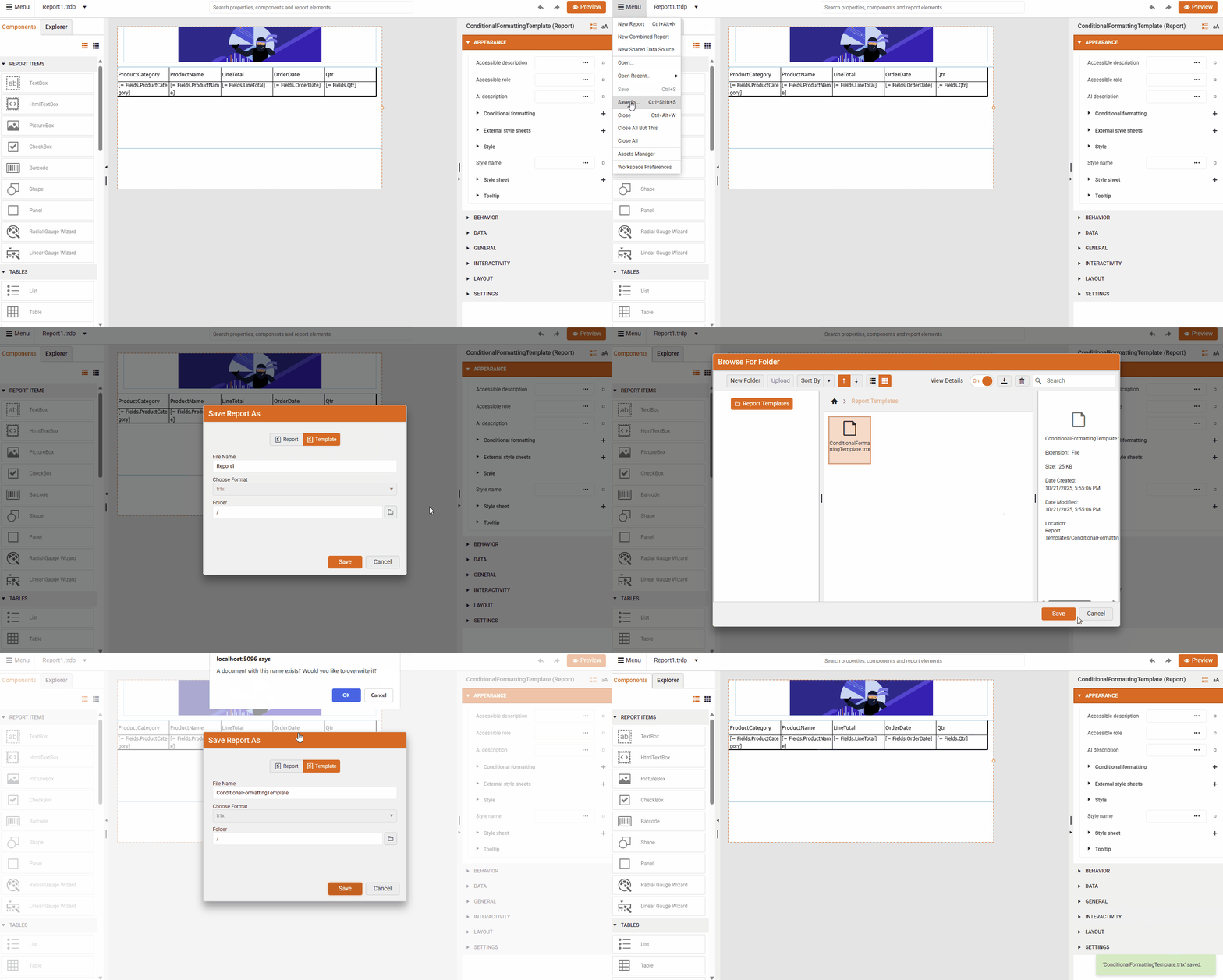
2. Save as a **Template** overwriting the previously selected .trtx file:
 ## See Also
* [Setting up the Web Report Designer in .NET applications](https://www.telerik.com/products/reporting/documentation/designing-reports/report-designer-tools/web-report-designer/how-to-set-up-in-dotnet)
* [Web Report Designer Customization](https://www.telerik.com/products/reporting/documentation/designing-reports/report-designer-tools/web-report-designer/customize-web-designer)
* [Report Templates in Standalone Report Designer](https://www.telerik.com/products/reporting/documentation/designing-reports/report-designer-tools/desktop-designers/standalone-report-designer/report-templates)