# Getting Started Overview
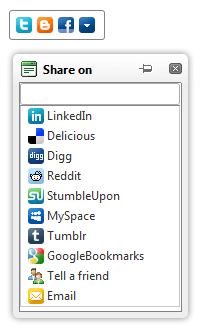
The following tutorial demonstrates how a simple **RadSocialShare** control can be used to share an URL. The end result will be similar to the following image once the **CompactButtons** are shown:
1. In a new AJAX-Enabled Web Application add a **RadSocialShare** control to the default web page:
**ASP.NET**
```
```
2. Set the **UrlToShare** property to **** .
3. Set the **TitleToShare** property to **ASP.NET AJAX Controls, .NET Web UI Components | Telerik** .
4. Add some buttons to the **MainButtons** collection. You can choose the social network which they target via the **SocialNetType** property. For example add a Facebook share button, a Twitter tweet button and a Blogger button. The last button is the **RadCompactButton** so that you can pop up a **RadWindow** with the rest of the networks:
**ASP.NET**
```
```
5. Press F5 to run the application. You will see a simple bar in the top left corner of the browser. If you click the last button the popup with the rest shows up.