# set_visible
Sets the RadEditor visible on the client.
| **function** **set_visible (isVisible)** | | |
| ----------------------------------------- | ----------- | ---------------------------------------------------- |
| **isVisible** | **boolean** | If **true** RadEditor will be visible on the client. |
The following example places a standard ASP checkbox input control on the form to toggle RadEditor visibility.
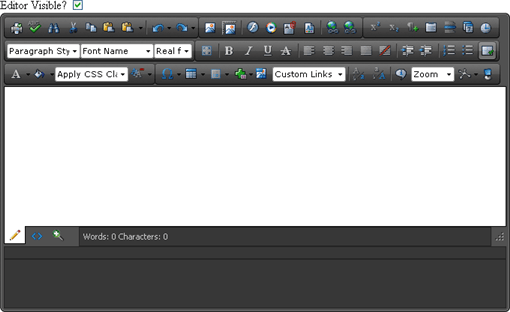
In the form's declaration, the checkbox input control references a "myCheckboxClick()" method called each time the checkbox is toggled.
```ASP.NET
Editor Visible?
```
In the script for the checkbox click handler, you can [return a reference to the RadEditor client object](https://www.telerik.com/products/aspnet-ajax/documentation/controls/editor/client-side-programming/getting-a-reference-to-radeditor), get a reference to the checkbox DOM object, then call set_visible() passing the current checkbox "checked" value:
```ASP.NET
```