# Selection Mode
The ChipList provides options for setting its selection mode that will either prevent selecting the Chip items, allow selecting only one Chip item at a time, or allow selecting them all at the same time.
This option can be controlled through the `Selectable` property. The available options are:
* [`None`](https://www.telerik.com/products/aspnet-ajax/documentation/controls/chiplist/selection-mode#none-selection) (default)
* [`Single`](https://www.telerik.com/products/aspnet-ajax/documentation/controls/chiplist/selection-mode#single-selection)
* [`Multiple`](https://www.telerik.com/products/aspnet-ajax/documentation/controls/chiplist/selection-mode#multiple-selection)
## None Selection
The `None` selection mode disables the Chip selection.
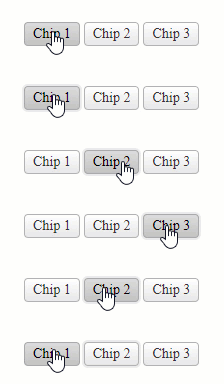
Example
```ASP.NET
```
## Single Selection
The `Single` selection mode enables selection for only one Chip at a time.

Example
```ASP.NET
```
## Multiple Selection
The `Multiple` selection mode enables selection for one or more Chips at the same time.

Example
```ASP.NET
```
## Next Steps
* [Removable](https://www.telerik.com/products/aspnet-ajax/documentation/controls/chiplist/removable)
* [Client-side Programming](https://www.telerik.com/products/aspnet-ajax/documentation/controls/chiplist/client-side-programming/overview)
* [Server-side Programming](https://www.telerik.com/products/aspnet-ajax/documentation/controls/chiplist/server-side-programming/overview)
## See Also
* [Overview](https://www.telerik.com/products/aspnet-ajax/documentation/controls/chiplist/overview)
* [Getting Started with the ChipList](https://www.telerik.com/products/aspnet-ajax/documentation/controls/chiplist/getting-started)
* [Change the Appearance](https://www.telerik.com/products/aspnet-ajax/documentation/controls/chiplist/appearance)
* [Customize the ChipList](https://www.telerik.com/products/aspnet-ajax/documentation/controls/chiplist/customization)
* [Removable](https://www.telerik.com/products/aspnet-ajax/documentation/controls/chiplist/removable)
* [Client-side Programming](https://www.telerik.com/products/aspnet-ajax/documentation/controls/chiplist/client-side-programming/overview)
* [Server-side Programming](https://www.telerik.com/products/aspnet-ajax/documentation/controls/chiplist/server-side-programming/overview)