# Show AjaxLoadingPanel on Initial Page Load
Instructions to display **RadAjaxLoadingPanel** at Initial Page Load.
Although Telerik designed **RadAjaxLoadingPanel** so that you can display a progress indicator when an AJAX-enabled control updates, AJAX requests are triggered upon making PostBacks, however, you can also show the loading panel on initial page load as well.
> caption DEMO
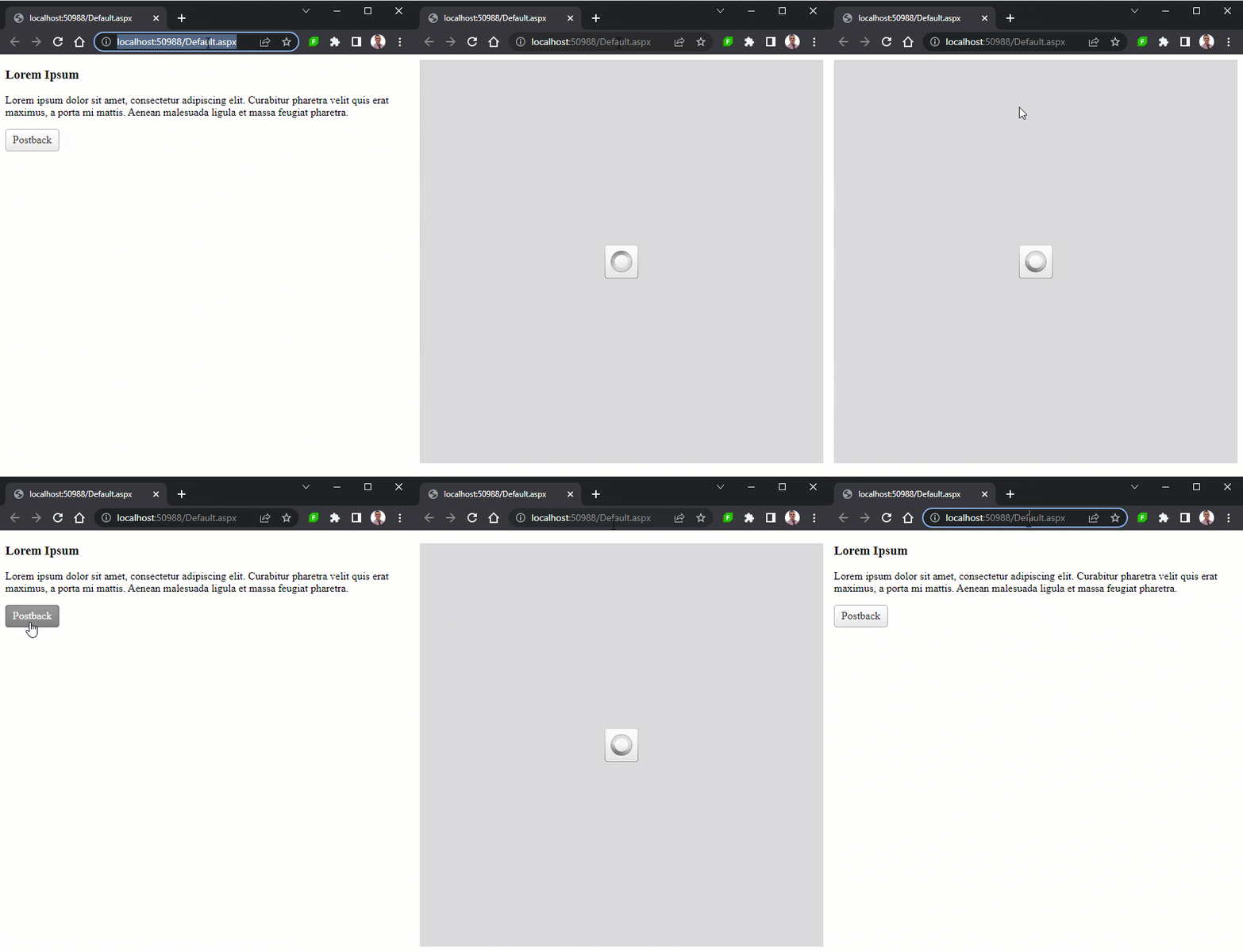
This functionality is not natively supported, however, the implementation is straightforward.
Overall, this example shows how to use the [Sys.Application.load Event](https://learn.microsoft.com/en-us/previous-versions/bb383829\(v=vs.100\)?redirectedfrom=MSDN) to trigger an **AJAX request** from the client by calling the [ajaxRequest(arguments)](https://www.telerik.com/products/aspnet-ajax/documentation/controls/ajaxmanager/client-side-programming/methods/ajaxrequest) method of [RadAjaxManager](https://www.telerik.com/products/aspnet-ajax/documentation/controls/ajaxmanager/overview).
Key points:
* Add a nested `asp:Panel` with some content in it & set the **Visible** property to **False** for the inner `asp:Panel`
* Add RadAjaxLoadingPanel
* Add a RadAjaxManager
* attach an event handler to its [AjaxRequest](https://www.telerik.com/products/aspnet-ajax/documentation/controls/ajaxmanager/server-side-programming/events/onajaxrequest) server event.
* add the main panel (ID="Panel1") to the AjaxSettings and set the AjaxManager (ID="RadAjaxManager1") as the AjaxControl
* add the main panel (ID="Panel1") to the AjaxSettings and set (ID="Panel1") as the AjaxControl
* Add a couple of CSS rules to apply height, width to the Panel as well a background-color to the AjaxLoadingPanel
* Add a ScriptBlock or CodeBlock containing the Script the will access the the [AjaxManager and will send an AjaxRequest](https://www.telerik.com/products/aspnet-ajax/documentation/controls/ajaxmanager/client-side-programming/methods/ajaxrequest) in the [Sys.Application.load Event](https://learn.microsoft.com/en-us/previous-versions/bb383829\(v=vs.100\)?redirectedfrom=MSDN).
> caption Example
```ASP.NET
Lorem Ipsum
Lorem ipsum dolor sit amet, consectetur adipiscing elit. Curabitur pharetra velit quis erat maximus, a porta mi mattis. Aenean malesuada ligula et massa feugiat pharetra.
```
> caption C#/VB code for demonstration
```C#
protected void RadAjaxManager1_AjaxRequest(object sender, Telerik.Web.UI.AjaxRequestEventArgs e)
{
if (e.Argument == "InitialPageLoad")
{
//simulate longer Page Load
System.Threading.Thread.Sleep(2000);
Panel2.Visible = true;
}
}
protected void RadButton1_Click(object sender, EventArgs e)
{
//simulate longer PostBack
System.Threading.Thread.Sleep(2000);
}
```
```VB
Protected Sub RadAjaxManager1_AjaxRequest(ByVal sender As Object, ByVal e As Telerik.Web.UI.AjaxRequestEventArgs)
If e.Argument = "InitialPageLoad" Then
'simulate longer Page Load
System.Threading.Thread.Sleep(2000)
Panel2.Visible = True
End If
End Sub
Protected Sub RadButton1_Click(ByVal sender As Object, ByVal e As EventArgs)
'simulate longer PostBack
System.Threading.Thread.Sleep(2000)
End Sub
```
## See Also
* [Overview](https://www.telerik.com/products/aspnet-ajax/documentation/controls/ajaxloadingpanel/overview)