# .NET MAUI Editor Inside ScrollView
## Environment
| Product | Author |
| -------------------- | ----------------------------------------------------------------------------- |
| Editor for .NET MAUI | [Dobrinka Yordanova](https://www.telerik.com/blogs/author/dobrinka-yordanova) |
## Description
I want the Editor for .NET MAUI to scroll on Android when added inside a ScrollView.
This KB article also answers the following questions:
* How to use the .NET MAUI Editor, so the Editor scrolls when having more input elements on the page?
* How to use the .NET MAUI Editor, so the Editor resizes to accommodate new input?
* How to make the scenarios described above work correctly when wrapping the .NET MAUI Editor inside a border?
## Solution
To scroll the .NET MAUI Editor on Android when the Editor is inside a ScrollView:
1. Use the Editor handler to access the native Android control.
2. Call the `RequestDisallowInterceptTouchEvent` with parameter `false` to the parent view where the Editor is placed.
To scroll the .NET MAUI Editor on iOS and on Android when the Editor is inside a ScrollView and wrapped in a border:
1. Use the Telerik .NET MAUI [`RadBorder`](https://www.telerik.com/maui-ui/documentation/controls/border/overview) with a nested Editor to enable the Editor to resize when the content changes.
2. Use the Telerik .NET MAUI [`RadBorder`](https://www.telerik.com/maui-ui/documentation/controls/border/overview) with a nested Editor to enable the Editor to scroll when the content grows.
Here is an example that implements the suggested solution:
**1.** Define the custom Editor in C#:
```C#
public class CustomEditor : Editor
{
}
```
**2.** Define the Editor handler:
```C#
public class CustomEditorHandler : EditorHandler
{
#if ANDROID
protected override AppCompatEditText CreatePlatformView()
{
var platfromView = base.CreatePlatformView();
platfromView.SetOnTouchListener(new CustomTouchListener());
return platfromView;
}
class CustomTouchListener : Java.Lang.Object, IOnTouchListener
{
public bool OnTouch(Android.Views.View? v, MotionEvent? e)
{
v?.Parent?.RequestDisallowInterceptTouchEvent(true);
if ((e.Action & MotionEventActions.Up) != 0 &&
(e.ActionMasked & MotionEventActions.Up) != 0)
{
v?.Parent?.RequestDisallowInterceptTouchEvent(false);
}
return false;
}
}
#endif
}
```
**3.** To resize the Editor to accommodate new input, set its `AutoSize` property to `TextChanges`.
```XAML
```
**4.** Wrap the .NET MAUI Editor in a [`RadBorder`](https://www.telerik.com/maui-ui/documentation/controls/border/overview) control and place the border inside ScrollView:
```XAML
```
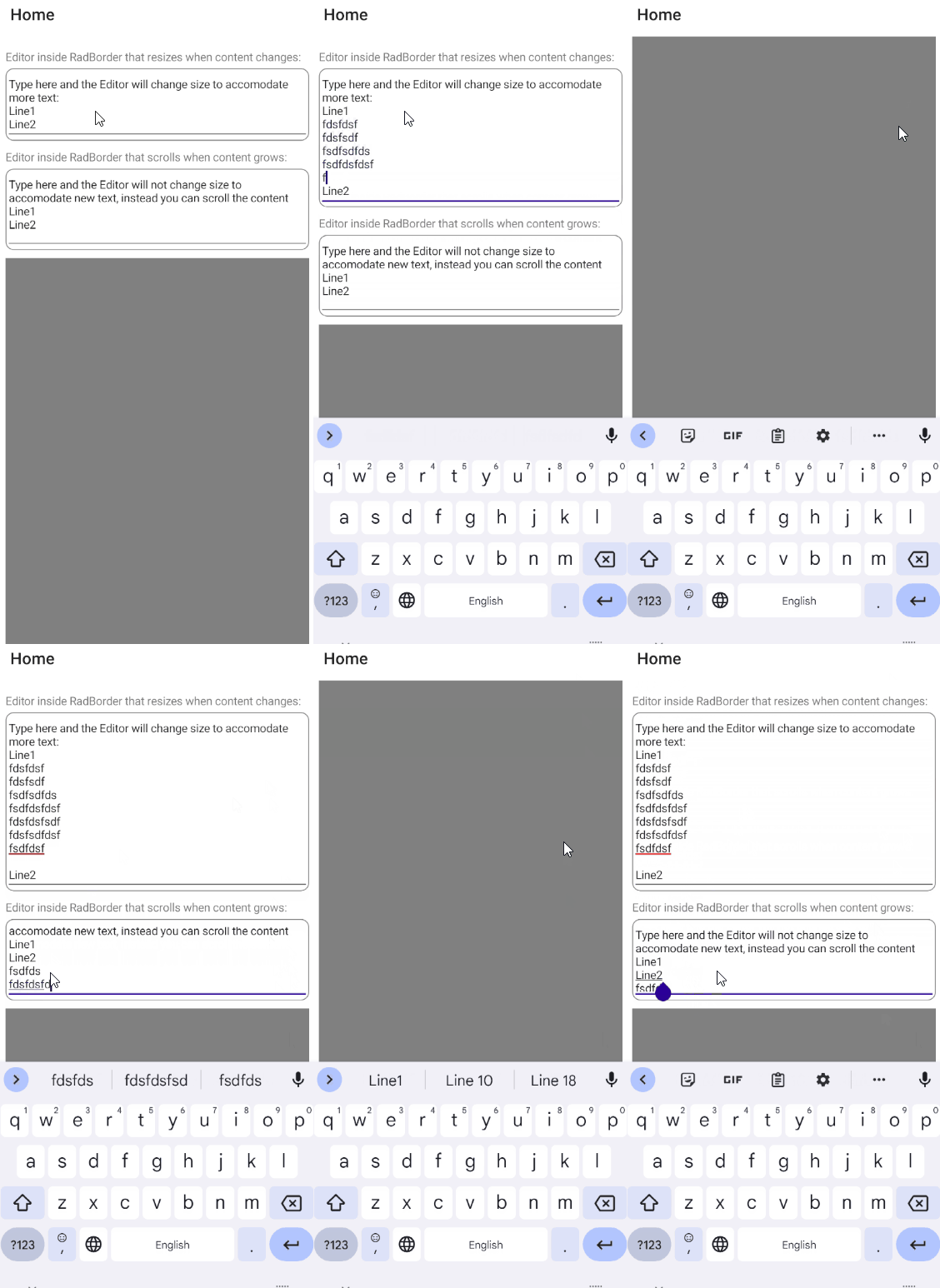
This is the result: