# Welcome to Telerik UI for .NET MAUI

**Telerik UI for .NET MAUI** provides controls for building mobile and desktop applications. You can target Android, iOS, macOS, and Windows from a shared codebase.

This comprehensive UI library includes controls, [working sample applications](https://www.telerik.com/maui-ui/documentation/demos-and-sample-apps/overview), and regular updates aligned with the latest Microsoft .NET MAUI versions.

<CtaPanelIntroduction></CtaPanelIntroduction>

## Getting Started Quickly

Choose a path based on what you need:

* **New to Telerik UI for .NET MAUI?** Start with the [Telerik UI for .NET MAUI quick-start guide](https://www.telerik.com/maui-ui/documentation/get-started/quickstart).
* **Migrating from Xamarin?** Follow the [Xamarin-to-.NET MAUI migration resources](https://www.telerik.com/maui-ui/documentation/introduction#migration-paths) to upgrade your existing apps.
* **Looking for a specific component?** Browse the [complete .NET MAUI control catalog](https://www.telerik.com/maui-ui/documentation/introduction#list-of-net-maui-ui-controls) below.
* **Want to see working examples?** Explore the [Telerik UI for .NET MAUI sample applications](https://www.telerik.com/maui-ui/documentation/demos-and-sample-apps/overview).

> tip This documentation covers the latest version of Telerik UI for .NET MAUI. For earlier versions, download the [offline PDF documentation](https://www.telerik.com/maui-ui/documentation/introduction#learning-resources) from your Telerik account.
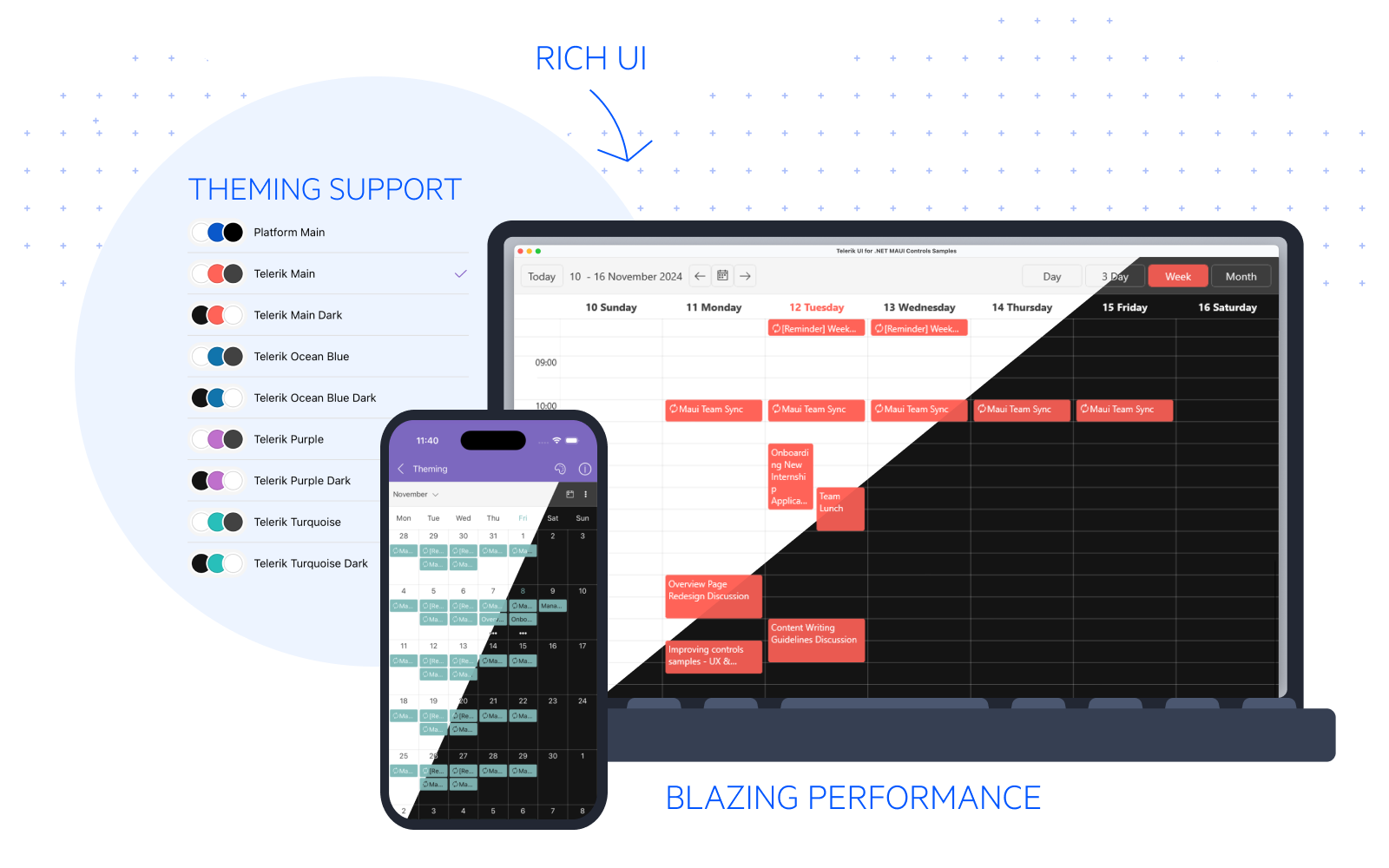
![Telerik UI for .NET MAUI documentation landing page highlighting cross-platform controls and getting started resources.](https://www.telerik.com/maui-ui/documentation/assets/05670a21d02201cb845d0ef5d5fcfe7a/front-image.png)

## List of .NET MAUI UI Controls

The suite includes high-performance, customizable controls organized by category. Click any control name to explore its documentation, features, and code examples.

Telerik UI for .NET MAUI features the following controls for cross-platform development with .NET MAUI. Clicking on each control navigates you to the detailed .NET MAUI documentation explaining the key features and how to utilize them.

<IntroTable>
    <IntroTableColumn>
        <IntroTableSection title="Data Controls">
            <IntroTableAnchor title="CollectionView" href="/controls/collectionview/overview" tag="updated"></IntroTableAnchor>
            <IntroTableAnchor title="DataForm" href="/controls/dataform/overview"></IntroTableAnchor>
            <IntroTableAnchor title="DataGrid" href="/controls/datagrid/overview" tag="updated"></IntroTableAnchor>
            <IntroTableAnchor title="DataPager" href="/controls/datapager/overview"></IntroTableAnchor>
            <IntroTableAnchor title="ItemsControl" href="/controls/itemscontrol/overview"></IntroTableAnchor>
            <IntroTableAnchor title="TreeDataGrid" href="/controls/treedatagrid/overview"></IntroTableAnchor>
        </IntroTableSection>
        <IntroTableSection title="Data Visualization">
            <IntroTableAnchor title="Barcodes" href="/controls/barcode/overview"></IntroTableAnchor>
            <IntroTableAnchor title="Charts (New)" href="/controls/charts/overview" tag="new"></IntroTableAnchor>
            <IntroTableAnchor title="Chart" href="/controls/chart/overview"></IntroTableAnchor>
            <IntroTableAnchor title="Gauges" href="/controls/gauge/overview"></IntroTableAnchor>
            <IntroTableAnchor title="Map" href="/controls/map/overview"></IntroTableAnchor>
            <IntroTableAnchor title="ProgressBar" href="/controls/progressbar/overview"></IntroTableAnchor>
            <IntroTableAnchor title="Ratings" href="/controls/rating/overview"></IntroTableAnchor>
        </IntroTableSection>
        <IntroTableSection title="Chatbots">
            <IntroTableAnchor title="Conversation UI (Chat)" href="/controls/chat/overview"></IntroTableAnchor>
        </IntroTableSection>
    </IntroTableColumn>
    <IntroTableColumn>
        <IntroTableSection title="Editors">
            <IntroTableAnchor title="AutoComplete" href="/controls/autocomplete/overview"></IntroTableAnchor>
            <IntroTableAnchor title="CircularSlider" href="/controls/circularslider/overview"></IntroTableAnchor>
            <IntroTableAnchor title="ComboBox" href="/controls/combobox/overview"></IntroTableAnchor>
            <IntroTableAnchor title="DatePicker" href="/controls/datepicker/overview"></IntroTableAnchor>
            <IntroTableAnchor title="DateTimePicker" href="/controls/datetimepicker/overview"></IntroTableAnchor>
            <IntroTableAnchor title="Editor" href="/controls/editor/overview"></IntroTableAnchor>
            <IntroTableAnchor title="Entry" href="/controls/entry/overview"></IntroTableAnchor>
            <IntroTableAnchor title="ImageEditor" href="/controls/imageeditor/overview"></IntroTableAnchor>
            <IntroTableAnchor title="ListPicker" href="/controls/listpicker/overview"></IntroTableAnchor>
            <IntroTableAnchor title="MaskedEntries" href="/controls/maskedentry/overview"></IntroTableAnchor>
            <IntroTableAnchor title="NumericInput" href="/controls/numericinput/overview"></IntroTableAnchor>
            <IntroTableAnchor title="RangeSlider" href="/controls/rangeslider/overview"></IntroTableAnchor>
            <IntroTableAnchor title="RichTextEditor" href="/controls/richtexteditor/overview"></IntroTableAnchor>
            <IntroTableAnchor title="TemplatedPicker" href="/controls/templatedpicker/overview"></IntroTableAnchor>
            <IntroTableAnchor title="TimePicker" href="/controls/timepicker/overview"></IntroTableAnchor>
            <IntroTableAnchor title="TimeSpanPicker" href="/controls/timespanpicker/overview"></IntroTableAnchor>
            <IntroTableAnchor title="SignaturePad" href="/controls/signaturepad/overview"></IntroTableAnchor>
            <IntroTableAnchor title="Slider" href="/controls/slider/overview"></IntroTableAnchor>
        </IntroTableSection>
    </IntroTableColumn>
    <IntroTableColumn>
        <IntroTableSection title="Navigation &amp; Layouts">
            <IntroTableAnchor title="Accordion" href="/controls/accordion/overview"></IntroTableAnchor>
            <IntroTableAnchor title="BottomSheet" href="/controls/bottomsheet/overview"></IntroTableAnchor>
            <IntroTableAnchor title="Carousel" href="/controls/carousel/overview" tag="new"></IntroTableAnchor>
            <IntroTableAnchor title="DockLayout" href="/controls/docklayout/overview"></IntroTableAnchor>
            <IntroTableAnchor title="Expander" href="/controls/expander/overview"></IntroTableAnchor>
            <IntroTableAnchor title="NavigationView" href="/controls/navigationview/overview"></IntroTableAnchor>
            <IntroTableAnchor title="SideDrawer" href="/controls/sidedrawer/overview"></IntroTableAnchor>
            <IntroTableAnchor title="SlideView" href="/controls/slideview/overview"></IntroTableAnchor>
            <IntroTableAnchor title="TabView" href="/controls/tabview/overview"></IntroTableAnchor>
            <IntroTableAnchor title="TreeView" href="/controls/treeview/overview"></IntroTableAnchor>
            <IntroTableAnchor title="WrapLayout" href="/controls/wraplayout/overview"></IntroTableAnchor>
        </IntroTableSection>
        <IntroTableSection title="Calendar &amp; Scheduling">
            <IntroTableAnchor title="Calendar" href="/controls/calendar/overview"></IntroTableAnchor>
            <IntroTableAnchor title="Scheduler" href="/controls/scheduler/overview"></IntroTableAnchor>
        </IntroTableSection>
        <IntroTableSection title="Buttons">
            <IntroTableAnchor title="Button" href="/controls/button/overview"></IntroTableAnchor>
            <IntroTableAnchor title="CheckBox" href="/controls/checkbox/overview"></IntroTableAnchor>
            <IntroTableAnchor title="DropDownButton" href="/controls/dropdownbutton/overview"></IntroTableAnchor>
            <IntroTableAnchor title="SegmentedControl" href="/controls/segmentedcontrol/overview"></IntroTableAnchor>
            <IntroTableAnchor title="SmartPasteButton" href="/controls/smartpastebutton/overview"></IntroTableAnchor>
            <IntroTableAnchor title="SpeechToTextButton" href="/controls/speechtotextbutton/overview"></IntroTableAnchor>
            <IntroTableAnchor title="TemplatedButton" href="/controls/templatedbutton/overview"></IntroTableAnchor>
            <IntroTableAnchor title="ToggleButton" href="/controls/togglebutton/overview"></IntroTableAnchor>
        </IntroTableSection>
    </IntroTableColumn>
    <IntroTableColumn>
        <IntroTableSection title="Interactivity &amp; UX">
            <IntroTableAnchor title="AIPrompt" href="/controls/aiprompt/overview"></IntroTableAnchor>
            <IntroTableAnchor title="BadgeView" href="/controls/badgeview/overview"></IntroTableAnchor>
            <IntroTableAnchor title="Border" href="/controls/border/overview"></IntroTableAnchor>
            <IntroTableAnchor title="BusyIndicator" href="/controls/busyindicator/overview"></IntroTableAnchor>
            <IntroTableAnchor title="GridSplitter" href="/controls/gridsplitter/overview"></IntroTableAnchor>
            <IntroTableAnchor title="Path" href="/controls/path/overview"></IntroTableAnchor>
            <IntroTableAnchor title="Popup" href="/controls/popup/overview"></IntroTableAnchor>
            <IntroTableAnchor title="PromptInput" href="/controls/promptinput/overview"></IntroTableAnchor>
            <IntroTableAnchor title="RefreshView" href="/controls/refreshview/overview" tag="new">></IntroTableAnchor>
            <IntroTableAnchor title="Skeleton" href="/controls/skeleton/overview"></IntroTableAnchor>
            <IntroTableAnchor title="Toolbar" href="/controls/toolbar/overview"></IntroTableAnchor>
        </IntroTableSection>
        <IntroTableSection title="PDF Viewer">
            <IntroTableAnchor title="PDF Viewer" href="/controls/pdfviewer/overview"></IntroTableAnchor>
        </IntroTableSection>
        <IntroTableSection title="Document Processing Libraries">
            <IntroTableAnchor title="PdfProcessing" href="/integrations/document-processing-libraries"></IntroTableAnchor>
            <IntroTableAnchor title="WordsProcessing" href="/integrations/document-processing-libraries"></IntroTableAnchor>
            <IntroTableAnchor title="SpreadProcessing" href="/integrations/document-processing-libraries"></IntroTableAnchor>
            <IntroTableAnchor title="SpreadStreamProcessing" href="/integrations/document-processing-libraries"></IntroTableAnchor>
            <IntroTableAnchor title="ZipLibrary" href="/integrations/document-processing-libraries"></IntroTableAnchor>
        </IntroTableSection>
    </IntroTableColumn>
</IntroTable>

## Supported Platforms

You can develop applications with Telerik UI for .NET MAUI for the following platforms:

| Target Platform | Supported Version                                                                   |
| --------------- | ----------------------------------------------------------------------------------- |
| Android         | 5.0 (API 21) or later                                                               |
| iOS             | 12.2 or higher                                                                      |
| macOS           | 12 or higher, using Mac Catalyst                                                    |
| Windows\*       | Windows 11 and Windows 10 version 1809 or later, using Windows UI Library (WinUI) 3 |

## Reasons for Choosing Telerik UI for .NET MAUI

**Telerik UI for .NET MAUI** is designed to accelerate cross-platform development:

* **70+ Customizable Controls**—Data grids, charts, editors, navigation components, and more—all optimized for .NET MAUI.
* **Cross-Platform Native Apps**—Build native apps for Android, iOS, macOS, and Windows with a single codebase.
* **Consistent Design System**—Uniform look and feel across all supported platforms.
* **Visual Studio Integration**—Seamless tooling support reduces setup overhead and speeds integration.
* **Visual Studio Code Support**—Use the extensions to scaffold pages, add controls, and manage licenses in VS Code.
* **Saves Development Time**—Ready-to-use, feature-rich components let you focus on app logic instead of UI details.
* **Regular Updates**—Stays aligned with Microsoft's .NET MAUI releases and includes new features quarterly.
* **Dedicated Support**—Technical support, community forums, and extensive documentation included.

> caption Telerik UI for .NET MAUI introduction video overview

<iframe width="560" height="315" src="https://www.youtube.com/embed/x0fY4qwkBTk?si=ULFP7NkbskhG9DEb" title="Introduction to Telerik UI for .NET MAUI: Course Overview and Prerequisites" frameborder="0" allow="accelerometer; autoplay; clipboard-write; encrypted-media; gyroscope; picture-in-picture; web-share" referrerpolicy="strict-origin-when-cross-origin" allowfullscreen></iframe>

For a written guide to exploring the controls, see the [Telerik UI for .NET MAUI examples, demos, and sample apps overview](https://www.telerik.com/maui-ui/documentation/demos-and-sample-apps/overview).

## Migration Paths

If you are upgrading an existing Xamarin or Xamarin.Forms application to .NET MAUI, these resources will help:

* [Migrate Xamarin applications to .NET MAUI](https://www.telerik.com/maui-ui/migration)—Full migration path and best practices.
* [Convert Xamarin custom renderers to .NET MAUI handlers](https://learn.microsoft.com/en-us/dotnet/maui/migration/renderer-to-handler?view=net-maui-8.0) —How to convert existing custom renderers.
* [Migrate Telerik Xamarin controls to .NET MAUI controls](https://docs.telerik.com/devtools/maui/migrate-to-net-maui) —Component-by-component migration guide.

## Trial and Commercial License

**Telerik UI for .NET MAUI** is a commercial library. You can evaluate it free for 30 days and get [technical support during your evaluation](https://www.telerik.com/account/support-tickets). To use it in production, [purchase a Telerik UI for .NET MAUI license](https://www.telerik.com/purchase/maui-ui). Review the [Telerik UI for .NET MAUI license agreement](https://www.telerik.com/purchase/license-agreement/maui-ui) for full terms.

## .NET MAUI Support Options

When you need help, you have several options:

* **Agentic UI Generator**—Get tips and code snippets from the [Telerik UI for .NET MAUI Agentic UI Generator](https://www.telerik.com/maui-ui/documentation/ai/overview).
* **Priority Support**—License holders can submit tickets through [Telerik support](https://www.telerik.com/account/support-tickets).
* **Community Forum**—Ask questions and connect with the community in the [Telerik UI for .NET MAUI community forum](https://www.telerik.com/forums/maui).
* **Feature Requests**—Share ideas and vote on features in the [Telerik UI for .NET MAUI feedback portal](https://feedback.telerik.com/maui).
* **What's New**—Check the [Telerik UI for .NET MAUI release history](https://www.telerik.com/support/whats-new/maui-ui/release-history) and [latest Telerik UI for .NET MAUI updates](https://www.telerik.com/support/whats-new/maui-ui).

- This official Telerik UI for .NET MAUI documentation is public and available for all users. If you want to share your feedback on a specific article, fill in the **Is this article helpful?** form and tell us more about whether the content was useful for you to successfully achieve what you wanted.

## Learning Resources

Use these resources to deepen your knowledge:

* **Microsoft .NET MAUI Docs**—The [official .NET MAUI framework documentation](https://docs.microsoft.com/en-us/dotnet/maui) covers fundamentals and best practices.
* **Knowledge Base**—Browse [Telerik UI for .NET MAUI use cases and troubleshooting articles](https://docs.telerik.com/devtools/maui/knowledge-base) from our team.
* **Product Overview**—The [Telerik UI for .NET MAUI product](https://www.telerik.com/maui-ui) features, component overviews and release information.
* **Video Tutorials**—Watch [Telerik UI for .NET MAUI video tutorials on YouTube](https://www.youtube.com/playlist?list=PLvmaC-XMqeBZnCAEuEcW9LsUnfQm65B1N) covering getting-started and advanced topics.
* **Offline Documentation**—[Download Telerik UI for .NET MAUI PDF documentation](https://www.telerik.com/account/downloads/product-download?product=MAUI) from your account for offline access.

## Next Steps with .NET MAUI UI

Start building your first app with the [Telerik UI for .NET MAUI quick-start guide](https://www.telerik.com/maui-ui/documentation/get-started/quickstart).

## See Also

* [Explore Telerik UI for .NET MAUI sample applications](https://www.telerik.com/maui-ui/documentation/demos-and-sample-apps/overview)
* [Find Telerik UI for .NET MAUI solutions in the Knowledge Base](https://docs.telerik.com/devtools/maui/knowledge-base)
* [Join the Telerik UI for .NET MAUI community forum](https://www.telerik.com/forums/maui)

<VideoMetadata 
 name="Introduction to Telerik UI for .NET MAUI"
 description="The video introduces the Telerik UI for .NET MAUI suite and outlines the prerequisites needed to follow along."
 thumbnail-url="https://img.youtube.com/vi/x0fY4qwkBTk/maxresdefault.jpg"
 upload-date="2024-12-02T00:00:00Z"
 duration="PT4M56S"
 content-url="https://youtu.be/x0fY4qwkBTk"
 embed-url="https://www.youtube.com/embed/x0fY4qwkBTk">
</VideoMetadata>
