# Scrolling
You can enable users to scroll in the TreeView in both directions—horizontally and vertically—or choose only one direction.
## Scroll Orientation
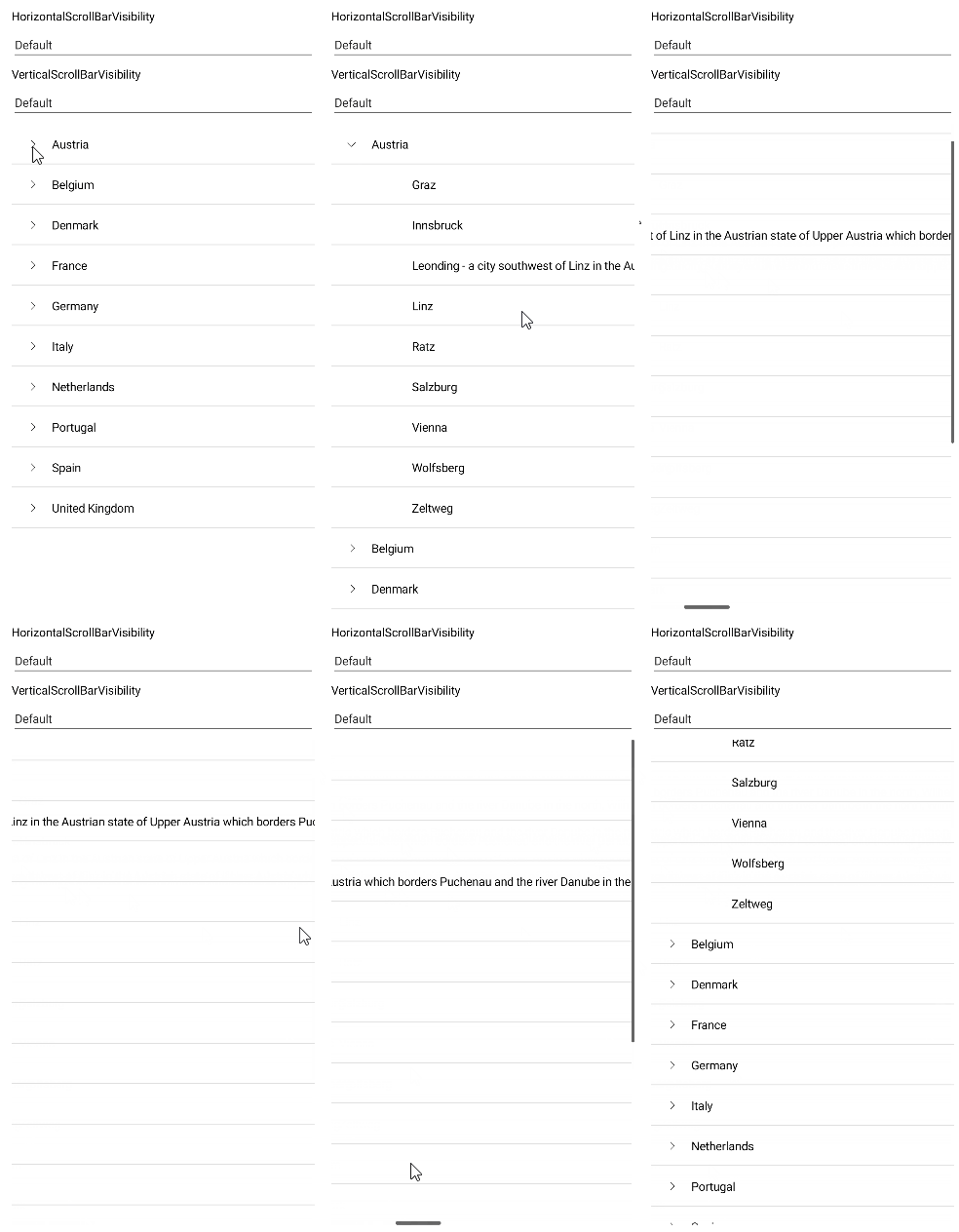
To configure the scroll direction for the TreeView items, use the `ScrollOrientation` (enum of type `Telerik.Maui.Controls.TreeView.TreeViewScrollOrientation`) property. It accepts the following values:
* (Default value) `Vertical`—Allows the user to scroll the TreeView only in a vertical direction.
* `Both`—Allows the user to scroll the TreeView both in a vertical and horizontal direction.
## Vertical Scrolling
Configure the vertical scrollbar by using the following properties:
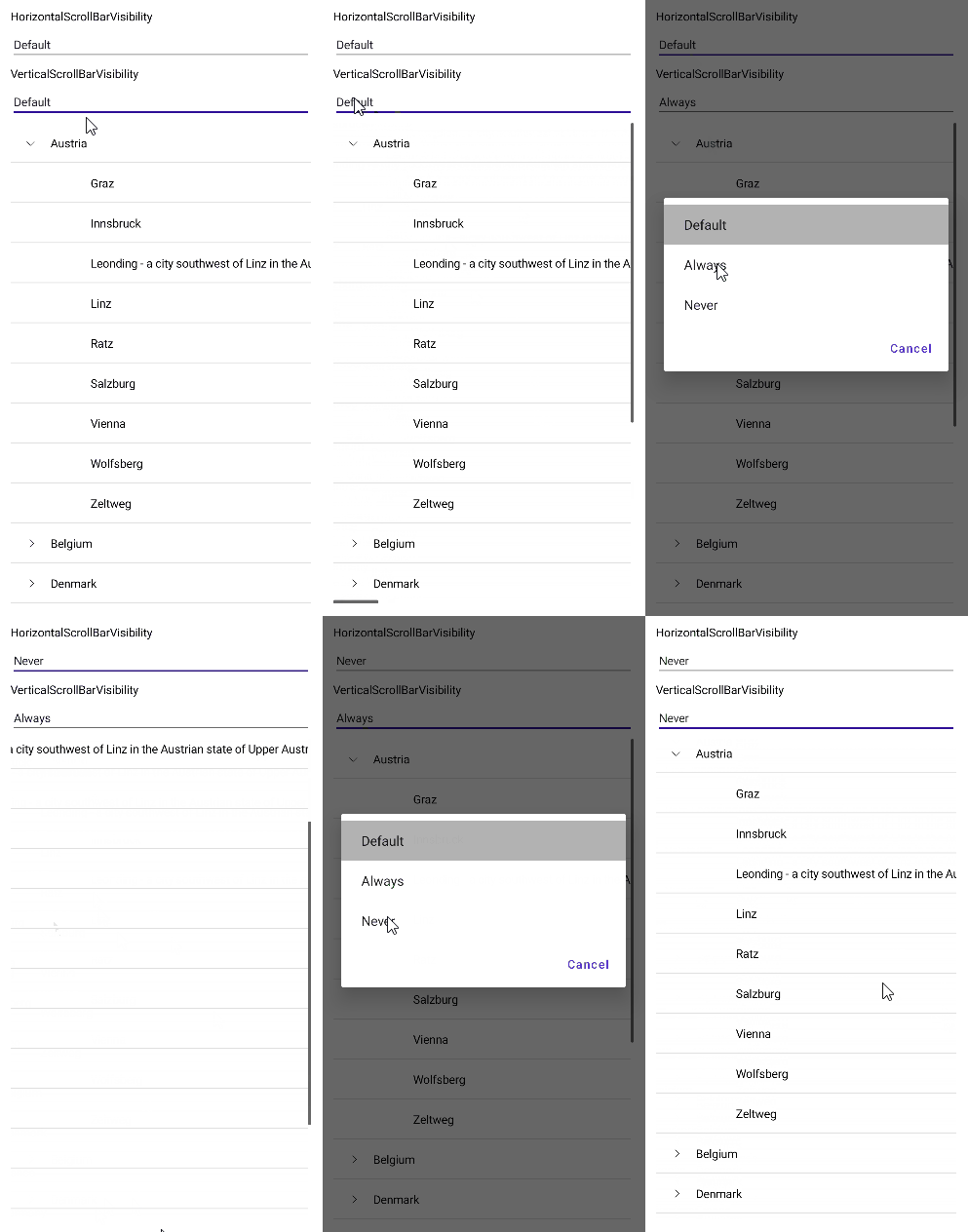
* `VerticalScrollBarVisibility` (enum of type `Microsoft.Maui.ScrollBarVisibility`)—Specifies the visibility of the vertical scrollbar. The available options are:
* `Default`—Applies the default visibility for the platform based on the content and orientation.
* `Always`—The scrollbar is visible, regardless of the content or orientation.
* `Never`—The scrollbar is not visible.
* `VerticalScrollBarLayoutMode` (enum of type `Telerik.Maui.Controls.ItemsView.ScrollBarLayoutMode`)—Specifies the layout mode of the vertical scrollbar. The available options are:
* `Overlay`—The scrollbars overlay the scrollable content when visible.
* `Resize`—The scrollbars resize the scrollable content when visible.
## Horizontal Scrolling
Configure the horizontal scrollbar by using the following properties:
* `HorizontalScrollBarVisibility` (enum of type `Microsoft.Maui.ScrollBarVisibility`)—Specifies the visibility of the horizontal scrollbar.
The available options are:
\* `Default`—Applies the default visibility for the platform based on the content and orientation.
\* `Always`—The scrollbar is visible, regardless of the content or orientation.
\* `Never`—The scrollbar is not visible.
* `HorizontalScrollBarLayoutMode` (enum of type `Telerik.Maui.Controls.ItemsView.ScrollBarLayoutMode`)—Specifies the layout mode of the horizontal scrollbar.
The available options are:
\* `Overlay`—The scrollbars overlay the scrollable content when visible.
\* `Resize`—The scrollbars resize the scrollable content when visible.
## Example: Configuring the Scrollbar and Scroll Orientation
The following example demonstrates how to configure horizontal and vertical scrolling when working with the .NET MAUI TreeView control.
**1.** Define the `RadTreeView` control:
```XAML
DefaultAlwaysNeverDefaultDefaultAlwaysNeverDefault
```
**2.** Add the location data model:
```C#
public class Location : NotifyPropertyChangedBase
{
private string name;
public string Name
{
get => this.name;
set => this.UpdateValue(ref this.name, value);
}
}
```
**3.** Add the country data model:
```C#
public class Country : Location
{
public Country()
{
this.Cities = new ObservableCollection();
}
public IList Cities { get; }
}
```
**4.** Add the city data model:
```C#
public class City : Location
{
}
```
**5.** Add the ViewModel:
```C#
public class LocationViewModel : NotifyPropertyChangedBase
{
private ObservableCollection countries;
private Location selectedLocation;
public LocationViewModel()
{
this.Countries = new ObservableCollection
{
new Country
{
Name = "Austria",
Cities =
{
new City { Name = "Graz" },
new City { Name = "Innsbruck" },
new City { Name = "Leonding - a city southwest of Linz in the Austrian state of Upper Austria which borders Puchenau and the river Danube in the north, Wilhering and Pasching in the west, Traun in the south and Linz in the east and has a population of more than 27 thousand people, making it the most populous city of the Linz-Land district and the fourth most populous city in Upper Austria" },
new City { Name = "Linz" },
new City { Name = "Ratz" },
new City { Name = "Salzburg" },
new City { Name = "Vienna" },
new City { Name = "Wolfsberg" },
new City { Name = "Zeltweg" }
}
},
new Country
{
Name = "Belgium",
Cities =
{
new City { Name = "Antwerp" },
new City { Name = "Assesse" },
new City { Name = "Bruges" },
new City { Name = "Charleroi" },
new City { Name = "Lint" },
new City { Name = "Ranst" },
new City { Name = "Schaffen" },
new City { Name = "Veurne" },
new City { Name = "Zingem" },
}
},
new Country
{
Name = "Denmark",
Cities =
{
new City { Name = "Aalborg" },
new City { Name = "Aarhus" },
new City { Name = "Billund" },
new City { Name = "Copenhagen" },
new City { Name = "Karup" },
new City { Name = "Odense" },
new City { Name = "Viborg" },
new City { Name = "Vojens" }
}
},
new Country
{
Name = "France",
Cities =
{
new City { Name = "Aurillac" },
new City { Name = "Belley" },
new City { Name = "Carcassonne" },
new City { Name = "Caen" },
new City { Name = "Deauville" },
new City { Name = "La Rochelle" },
new City { Name = "Nice" },
new City { Name = "Marseille" },
new City { Name = "Paris" },
new City { Name = "Rodez" }
}
},
new Country
{
Name = "Germany",
Cities =
{
new City { Name = "Baden-Baden" },
new City { Name = "Berlin" },
new City { Name = "Borkum" },
new City{ Name = "Bremen" },
new City{ Name = "Dortmund" },
new City{ Name = "Dresden" },
new City{ Name = "Hamburg" },
new City{ Name = "Hannover" },
new City{ Name = "Leipzig" },
new City{ Name = "Mannheim" },
new City{ Name = "Munich" },
new City{ Name = "Nuremberg" }
}
},
new Country
{
Name = "Italy",
Cities =
{
new City { Name = "Aosta" },
new City { Name = "Bari" },
new City { Name = "Bologna" },
new City { Name = "Parma" },
new City { Name = "Rimini" },
new City { Name = "Rome" }
}
},
new Country
{
Name = "Netherlands",
Cities =
{
new City { Name = "Amsterdam" },
new City { Name = "Bonaire" },
new City { Name = "Eindhoven" },
new City { Name = "Maastricht" },
new City { Name = "Rotterdam" }
}
},
new Country
{
Name = "Portugal",
Cities =
{
new City { Name = "Braga" },
new City { Name = "Cascais" },
new City { Name = "Lisbon" },
new City { Name = "Porto" }
}
},
new Country
{
Name = "Spain",
Cities =
{
new City { Name = "Alicante" },
new City { Name = "Barcelona" },
new City { Name = "Madrid" },
new City { Name = "Seville" },
new City { Name = "Valencia" },
new City { Name = "Zaragoza" }
}
},
new Country
{
Name = "United Kingdom",
Cities =
{
new City { Name = "Bristol" },
new City { Name = "Liverpool" },
new City { Name = "London" },
new City { Name = "Manchester" },
new City { Name = "Norwich" },
new City { Name = "Southampton" }
}
},
};
}
public Location SelectedLocation
{
get => this.selectedLocation;
set => this.UpdateValue(ref this.selectedLocation, value);
}
public ObservableCollection Countries
{
get => this.countries;
set => this.UpdateValue(ref this.countries, value);
}
}
```
## Methods
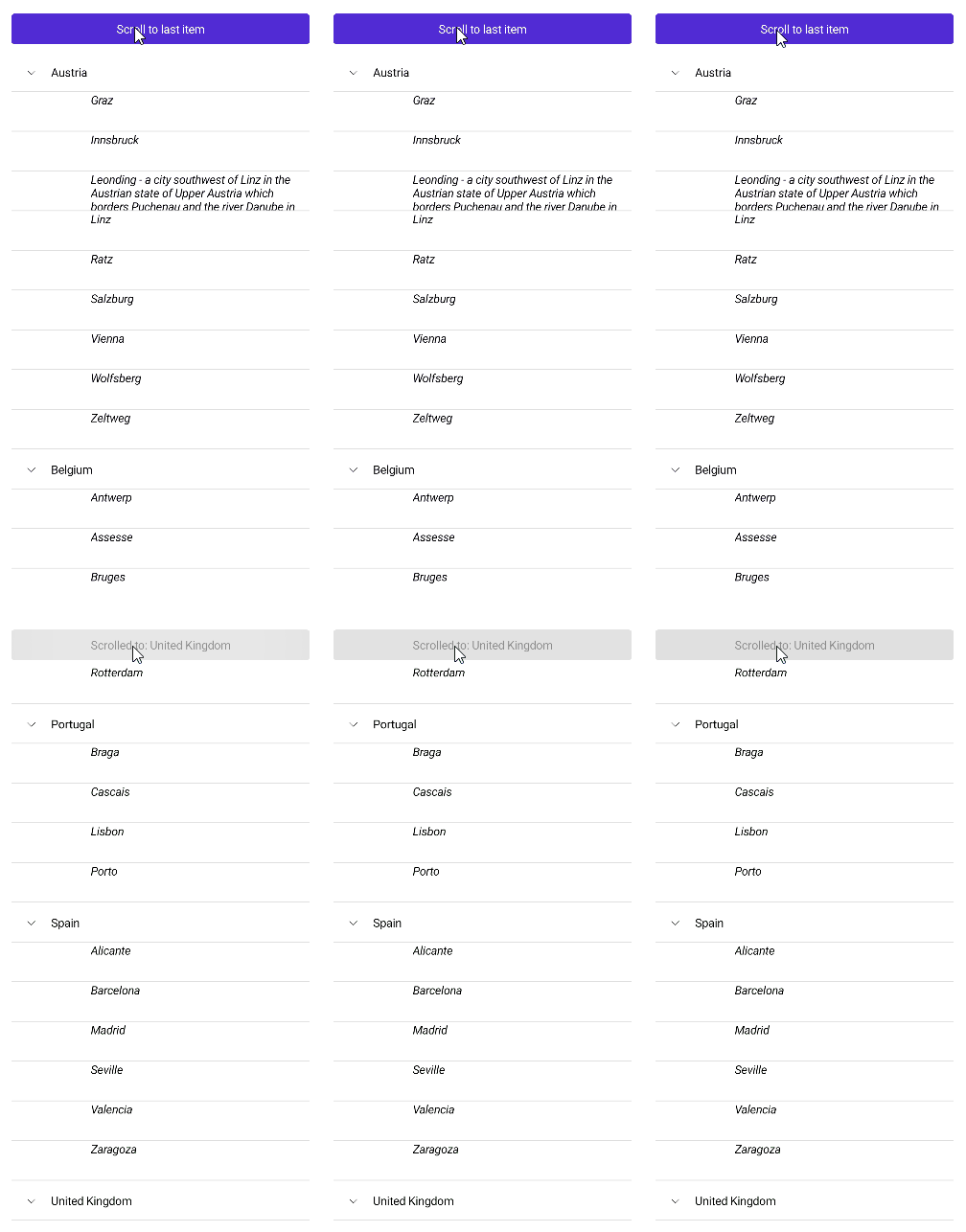
The TreeView provides the `ScrollTo` method that allows you to configure the control to display a specific item:
* `ScrollTo`(`object dataItem`)—Scrolls the visible area of the control so that the specified item is visible. The parameter is `dataItem`—Specifies the item to scroll to.
The example below demonstrates how to use the `ScrollTo` method.
**1.** Define the `RadTreeview` control:
```XAML
```
**2.** Configure the `ScrollTo` execution on button click:
```C#
private void Button_Clicked(object sender, System.EventArgs e)
{
var item = GetItemToScroll();
this.treeView.ScrollTo(item);
this.scrollBtn.Text="Scrolled to: " + item.Name;
this.scrollBtn.IsEnabled=false;
}
private Country GetItemToScroll()
{
return (treeView.ItemsSource as ObservableCollection).LastOrDefault();
}
```
**3.** Add the location data model:
```C#
public class Location : NotifyPropertyChangedBase
{
private string name;
public string Name
{
get => this.name;
set => this.UpdateValue(ref this.name, value);
}
}
```
**4.** Add the country data model:
```C#
public class Country : Location
{
public Country()
{
this.Cities = new ObservableCollection();
}
public IList Cities { get; }
}
```
**5.** Add the city data model:
```C#
public class City : Location
{
}
```
**6.** Add the ViewModel:
```C#
public class LocationViewModel : NotifyPropertyChangedBase
{
private ObservableCollection countries;
private Location selectedLocation;
public LocationViewModel()
{
this.Countries = new ObservableCollection
{
new Country
{
Name = "Austria",
Cities =
{
new City { Name = "Graz" },
new City { Name = "Innsbruck" },
new City { Name = "Leonding - a city southwest of Linz in the Austrian state of Upper Austria which borders Puchenau and the river Danube in the north, Wilhering and Pasching in the west, Traun in the south and Linz in the east and has a population of more than 27 thousand people, making it the most populous city of the Linz-Land district and the fourth most populous city in Upper Austria" },
new City { Name = "Linz" },
new City { Name = "Ratz" },
new City { Name = "Salzburg" },
new City { Name = "Vienna" },
new City { Name = "Wolfsberg" },
new City { Name = "Zeltweg" }
}
},
new Country
{
Name = "Belgium",
Cities =
{
new City { Name = "Antwerp" },
new City { Name = "Assesse" },
new City { Name = "Bruges" },
new City { Name = "Charleroi" },
new City { Name = "Lint" },
new City { Name = "Ranst" },
new City { Name = "Schaffen" },
new City { Name = "Veurne" },
new City { Name = "Zingem" },
}
},
new Country
{
Name = "Denmark",
Cities =
{
new City { Name = "Aalborg" },
new City { Name = "Aarhus" },
new City { Name = "Billund" },
new City { Name = "Copenhagen" },
new City { Name = "Karup" },
new City { Name = "Odense" },
new City { Name = "Viborg" },
new City { Name = "Vojens" }
}
},
new Country
{
Name = "France",
Cities =
{
new City { Name = "Aurillac" },
new City { Name = "Belley" },
new City { Name = "Carcassonne" },
new City { Name = "Caen" },
new City { Name = "Deauville" },
new City { Name = "La Rochelle" },
new City { Name = "Nice" },
new City { Name = "Marseille" },
new City { Name = "Paris" },
new City { Name = "Rodez" }
}
},
new Country
{
Name = "Germany",
Cities =
{
new City { Name = "Baden-Baden" },
new City { Name = "Berlin" },
new City { Name = "Borkum" },
new City{ Name = "Bremen" },
new City{ Name = "Dortmund" },
new City{ Name = "Dresden" },
new City{ Name = "Hamburg" },
new City{ Name = "Hannover" },
new City{ Name = "Leipzig" },
new City{ Name = "Mannheim" },
new City{ Name = "Munich" },
new City{ Name = "Nuremberg" }
}
},
new Country
{
Name = "Italy",
Cities =
{
new City { Name = "Aosta" },
new City { Name = "Bari" },
new City { Name = "Bologna" },
new City { Name = "Parma" },
new City { Name = "Rimini" },
new City { Name = "Rome" }
}
},
new Country
{
Name = "Netherlands",
Cities =
{
new City { Name = "Amsterdam" },
new City { Name = "Bonaire" },
new City { Name = "Eindhoven" },
new City { Name = "Maastricht" },
new City { Name = "Rotterdam" }
}
},
new Country
{
Name = "Portugal",
Cities =
{
new City { Name = "Braga" },
new City { Name = "Cascais" },
new City { Name = "Lisbon" },
new City { Name = "Porto" }
}
},
new Country
{
Name = "Spain",
Cities =
{
new City { Name = "Alicante" },
new City { Name = "Barcelona" },
new City { Name = "Madrid" },
new City { Name = "Seville" },
new City { Name = "Valencia" },
new City { Name = "Zaragoza" }
}
},
new Country
{
Name = "United Kingdom",
Cities =
{
new City { Name = "Bristol" },
new City { Name = "Liverpool" },
new City { Name = "London" },
new City { Name = "Manchester" },
new City { Name = "Norwich" },
new City { Name = "Southampton" }
}
},
};
}
public Location SelectedLocation
{
get => this.selectedLocation;
set => this.UpdateValue(ref this.selectedLocation, value);
}
public ObservableCollection Countries
{
get => this.countries;
set => this.UpdateValue(ref this.countries, value);
}
}
```
## Commands
In addition to the `ScrollTo` method, the TreeView exposes the `ScrollToCommand`that allows you to configure the control to display a specific item:
* `ScrollToCommand`(`ICommand`)—Gets a command that scrolls to an item in the control, which is specified as a parameter.
> For a runnable example demonstrating the TreeView scrolling feature, see the [SDKBrowser Demo Application](https://www.telerik.com/maui-ui/documentation/demos-and-sample-apps/sdkbrowser-app) and go to **TreeView > Scrolling**.
## See Also
* [Expand and Collapse TreeView Items](https://www.telerik.com/maui-ui/documentation/controls/treeview/expand-collapse)
* [CheckBoxes in TreeView](https://www.telerik.com/maui-ui/documentation/controls/treeview/checkboxes)
* [Styling the TreeView Item](https://www.telerik.com/maui-ui/documentation/controls/treeview/styling/item-style)
* [Multiple and Single Selection](https://www.telerik.com/maui-ui/documentation/controls/treeview/selection)
* [Events](https://www.telerik.com/maui-ui/documentation/controls/treeview/events)
* [Available Commands in .NET MAUI TreeView](https://www.telerik.com/maui-ui/documentation/controls/treeview/commands)