# .NET MAUI TreeView Events
The .NET MAUI TreeView emits a set of events that allow you to configure the component's behavior in response to specific user actions.
The .NET MAUI TreeView exposes the following events:
* `ItemTapped`—Raised when an item is tapped. The `ItemTapped` event handler receives two parameters:
* The `sender` argument, which is of type `object`, but can be cast to the `RadTreeView` type.
* A `ItemViewTappedEventArgs` object, which has a reference to:
* the tapped item through its `Item`(`object`) property.
* the tapped `View`(`ItemView`).
* the `Handled`(`bool`) property—Indicates whether the event handler has already handled the tap event. When set to `true`, the default handling of the tap event is not executed. When set to `false`, the default handling of the tap event is executed.
> On Android and iOS, when tapping the TreeView item, the item gets expanded. On WinUI and MacCatalyst, the item gets expanded when tapping on the arrow **>**.
* `ItemHolding`—Raised when an item is held. The `ItemHolding` event handler receives two parameters:
* The `sender` argument, which is of type `object`, but can be cast to the `RadTreeView` type.
* A `ItemViewHoldingEventArgs` object which has a reference to:
* the tapped item through its `Item`(`object`) property.
* the tapped `View`(`ItemView`).
* the `Handled`(`bool`) property—Indicates whether the event handler has already handled the hold event. When set to `true`, the default handling of the hold event is not executed. When set to `false`, the default handling of the hold event is executed.
* `ItemsSourceChanged`—Raised when `ItemsSource` has changed. The `ItemsSourceChanged` event handler receives two parameters:
* The `sender` argument, which is of type `object`, but can be cast to the `RadTreeView` type.
* An `EventHandler` object.
* `SelectionChanged`—Raised when the current selection changes. The `SelectionChanged` event handler receives two parameters:
* The sender argument, which is of type `object`, but can be cast to the `RadTreeView` type.
* A `EventArgs` object, which provides information on the `SelectionChanged` event.
* `LoadChildrenOnDemand`—Raised when loading an item on demand. The `LoadChildrenOnDemand` event handler receives two parameters:
* The `sender` argument, which is of type `object`, but can be cast to the `RadTreeView` type.
* A `TreeViewLoadChildrenOnDemandEventArgs` object, which has a reference to:
* the item through its `Item`(`object`) property.
* `ItemChecked`—Raised when an item is checked after a user interaction. The `ItemChecked` event handler receives two parameters:
* The `sender` argument, which is of type `object`, but can be cast to the `RadTreeView` type.
* A `TreeViewItemViewInteractionEventArgs` object which has a reference to:
* the tapped item through its `Item`(`object`) property.
* the tapped `View`(`ItemView`).
* `ItemUnchecked`—Raised when an item is unchecked after a user interaction. The `ItemUnchecked` event handler receives two parameters:
* The `sender` argument, which is of type `object`, but can be cast to the `RadTreeView` type.
* A `TreeViewItemViewInteractionEventArgs` object which has a reference to:
* the tapped item through its `Item`(`object`) property.
* the tapped `View`(`ItemView`).
* `ItemExpanded`—Raised when an item is expanded after a user interaction. The `ItemExpanded` event handler receives two parameters:
* The `sender` argument, which is of type `object`, but can be cast to the `RadTreeView` type.
* A `TreeViewItemViewInteractionEventArgs` object which has a reference to:
* the tapped item through its `Item`(`object`) property.
* the tapped `View`(`ItemView`).
* `ItemCollapsed`—Raised when an item is collapsed after a user interaction. The `ItemCollapsed` event handler receives two parameters:
* The `sender` argument, which is of type `object`, but can be cast to the `RadTreeView` type.
* A `TreeViewItemViewInteractionEventArgs` object which has a reference to:
* the tapped item through its `Item`(`object`) property.
* the tapped `View`(`ItemView`).
## Using the ItemTapped Event
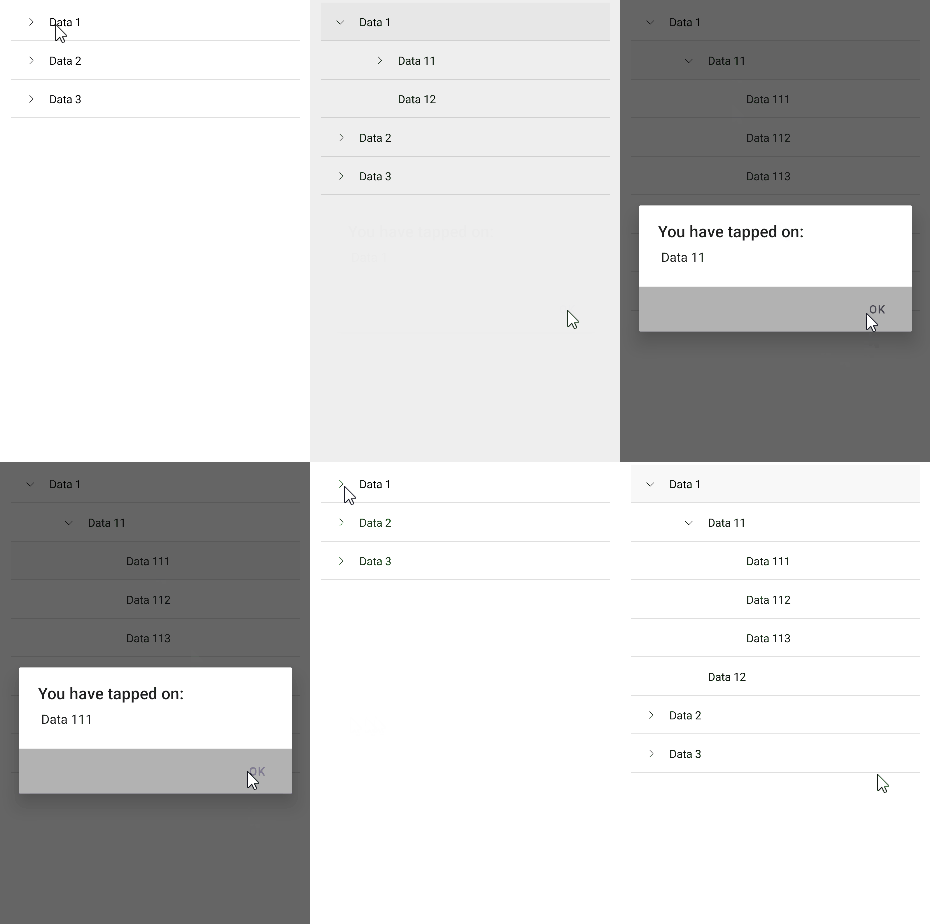
The following example demonstrates how to use the `ItemTapped` event:
**1.** Define the `RadTreeView` control:
```XAML
```
**2.** Add the `ItemTapped` event:
```C#
private void OnItemTapped(object sender, Telerik.Maui.Controls.ItemsView.ItemViewTappedEventArgs e)
{
var data = e.Item as Data;
App.Current.Windows[0].Page.DisplayAlert("You have tapped on: "," " + data.Name,"OK");
}
```
**3.** Add the data model:
```C#
public class Data
{
public Data(string name)
{
this.Name = name;
this.Children = new ObservableCollection();
}
public string Name { get; set; }
public IList Children { get; set; }
public override string ToString()
{
return this.Name;
}
}
```
**4.** Add the ViewModel:
```C#
public class ViewModel : NotifyPropertyChangedBase
{
private ObservableCollection selectedData;
public ViewModel()
{
this.Source = new ObservableCollection();
this.Source.Add(new Data("Data 1")
{
Children = new List()
{
new Data("Data 11")
{
Children = new List()
{
new Data("Data 111"),
new Data("Data 112"),
new Data("Data 113")
}
},
new Data("Data 12")
}
});
this.Source.Add(new Data("Data 2")
{
Children = new List()
{
new Data("Data 21")
{
Children = new List()
{
new Data("Data 211"),
new Data("Data 212"),
new Data("Data 213")
}
},
new Data("Data 22")
{
Children = new List()
{
new Data("Data 221"),
new Data("Data 222"),
new Data("Data 223")
}
}
}
});
this.Source.Add(new Data("Data 3")
{
Children = new List()
{
new Data("Data 31")
{
Children = new List()
{
new Data("Data 311"),
new Data("Data 312"),
new Data("Data 313")
}
},
new Data("Data 32")
{
Children = new List()
{
new Data("Data 321"),
new Data("Data 322"),
new Data("Data 323")
}
}
}
});
this.SelectedData = new ObservableCollection();
this.SelectedData.Add(this.Source.First());
}
public ObservableCollection Source { get; set; }
public ObservableCollection SelectedData
{
get => this.selectedData;
set => this.UpdateValue(ref this.selectedData, value);
}
}
```
This is the result on Android:
## Using the SelectionChanged Event
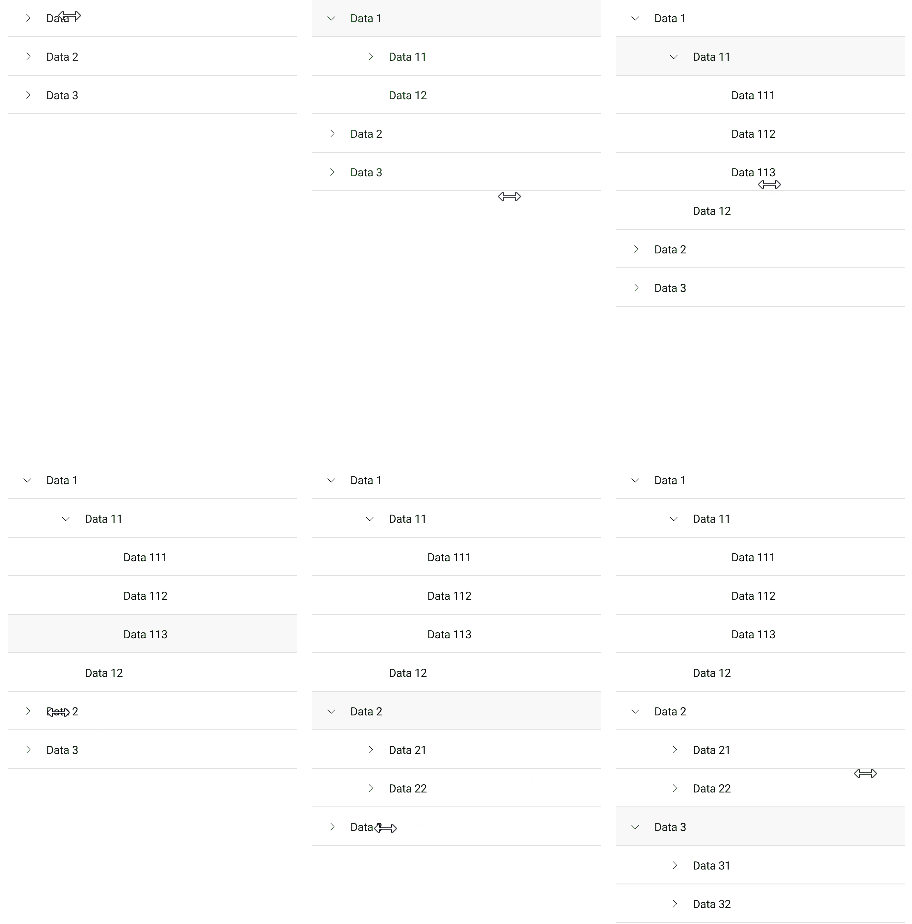
The following example demonstrates how to use the `SelectionChanged` event:
**1.** Define the `RadTreeview` control:
```XAML
```
**2.** Add the `ItemTapped` event:
```C#
private void OnSelectionChanged(object sender, System.EventArgs e)
{
if (this.treeView.SelectedItem == null)
{
return;
}
var selectedItem = this.treeView.SelectedItem.ToString();
App.Current.Windows[0].Page.DisplayAlert("Selection has changed ", "Selected item is: " + selectedItem, "OK");
}
```
**3.** Add the data model:
```C#
public class Data
{
public Data(string name)
{
this.Name = name;
this.Children = new ObservableCollection();
}
public string Name { get; set; }
public IList Children { get; set; }
public override string ToString()
{
return this.Name;
}
}
```
**4.** Add the ViewModel:
```C#
public class ViewModel : NotifyPropertyChangedBase
{
private ObservableCollection selectedData;
public ViewModel()
{
this.Source = new ObservableCollection();
this.Source.Add(new Data("Data 1")
{
Children = new List()
{
new Data("Data 11")
{
Children = new List()
{
new Data("Data 111"),
new Data("Data 112"),
new Data("Data 113")
}
},
new Data("Data 12")
}
});
this.Source.Add(new Data("Data 2")
{
Children = new List()
{
new Data("Data 21")
{
Children = new List()
{
new Data("Data 211"),
new Data("Data 212"),
new Data("Data 213")
}
},
new Data("Data 22")
{
Children = new List()
{
new Data("Data 221"),
new Data("Data 222"),
new Data("Data 223")
}
}
}
});
this.Source.Add(new Data("Data 3")
{
Children = new List()
{
new Data("Data 31")
{
Children = new List()
{
new Data("Data 311"),
new Data("Data 312"),
new Data("Data 313")
}
},
new Data("Data 32")
{
Children = new List()
{
new Data("Data 321"),
new Data("Data 322"),
new Data("Data 323")
}
}
}
});
this.SelectedData = new ObservableCollection();
this.SelectedData.Add(this.Source.First());
}
public ObservableCollection Source { get; set; }
public ObservableCollection SelectedData
{
get => this.selectedData;
set => this.UpdateValue(ref this.selectedData, value);
}
}
```
This is the result on Android:
> For a runnable example demonstrating the TreeView events, see the [SDKBrowser Demo Application](https://www.telerik.com/maui-ui/documentation/demos-and-sample-apps/sdkbrowser-app) and go to **TreeView > Events**.
## See Also
* [Expand and Collapse TreeView Items](https://www.telerik.com/maui-ui/documentation/controls/treeview/expand-collapse)
* [CheckBoxes in TreeView](https://www.telerik.com/maui-ui/documentation/controls/treeview/checkboxes)
* [Styling the TreeView Item](https://www.telerik.com/maui-ui/documentation/controls/treeview/styling/item-style)
* [Scrolling options](https://www.telerik.com/maui-ui/documentation/controls/treeview/scrolling)
* [Multiple and Single Selection](https://www.telerik.com/maui-ui/documentation/controls/treeview/selection)
* [Available Commands in .NET MAUI TreeView](https://www.telerik.com/maui-ui/documentation/controls/treeview/commands)