# Commands

The .NET MAUI TreeView provides various commands that allow you to initiate expand or collapse actions, check and uncheck actions, scroll to a specific item and more. The table below lists all available commands:

| Commands                                   | Description                                                                                                                                                                              |
| ------------------------------------------ | ---------------------------------------------------------------------------------------------------------------------------------------------------------------------------------------- |
| `ExpandAllCommand` (`ICommand`)            | Gets a command to expand all items in the control.                                                                                                                                       |
| `ExpandCommand` (`ICommand`)               | Gets a command to expand a specific item in the control.                                                                                                                                 |
| `CollapseAllCommand` (`ICommand`)          | Gets a command to collapse all items in the control.                                                                                                                                     |
| `CollapseCommand` (`ICommand`)             | Gets a command to collapse a specific item in the control.                                                                                                                               |
| `CheckAllCommand` (`ICommand`)             | Gets a command to check all items in the control.                                                                                                                                        |
| `CheckCommand` (`ICommand`)                | Gets a command to check a specific item in the control.                                                                                                                                  |
| `UncheckAllCommand` (`ICommand`)           | Gets a command to uncheck all items in the control.                                                                                                                                      |
| `UncheckCommand` (`ICommand`)              | Gets a command to uncheck a specific item in the control.                                                                                                                                |
| `ScrollToCommand` (`ICommand`)             | Gets a command to uncheck all items in the control.                                                                                                                                      |
| `ItemExpandedCommand` (`ICommand`)         | Defines a command to execute when an item is expanded after a user interaction. The command should accept a single parameter with the expanded item.                                     |
| `ItemCollapsedCommand` (`ICommand`)        | Defines a command to execute when an item is collapsed after a user interaction. The command should accept a single parameter with the collapsed item.                                   |
| `ItemCheckedCommand` (`ICommand`)          | Defines a command to execute when an item is checked after a user interaction. The command should accept a single parameter with the checked item.                                       |
| `ItemUncheckedCommand` (`ICommand`)        | Defines a command to execute when an item is unchecked after a user interaction. The command should accept a single parameter with the unchecked item.                                   |
| `LoadChildrenOnDemandCommand` (`ICommand`) | Defines a command to execute when loading an item on demand. The command accepts a single parameter of type `Telerik.Maui.Controls.TreeView.TreeViewLoadChildrenOnDemandCommandContext`. |
| `ItemTappedCommand` (`ICommand`)           | Defines a command to execute when an item is tapped. The command accepts a single parameter with the item being tapped.                                                                  |
| `ItemHoldingCommand` (`ICommand`)          | Defines a command to execute when an item is held. The command accepts a single parameter with the item being held.                                                                      |

## Using the ExpandAll and CollapseAll Commands

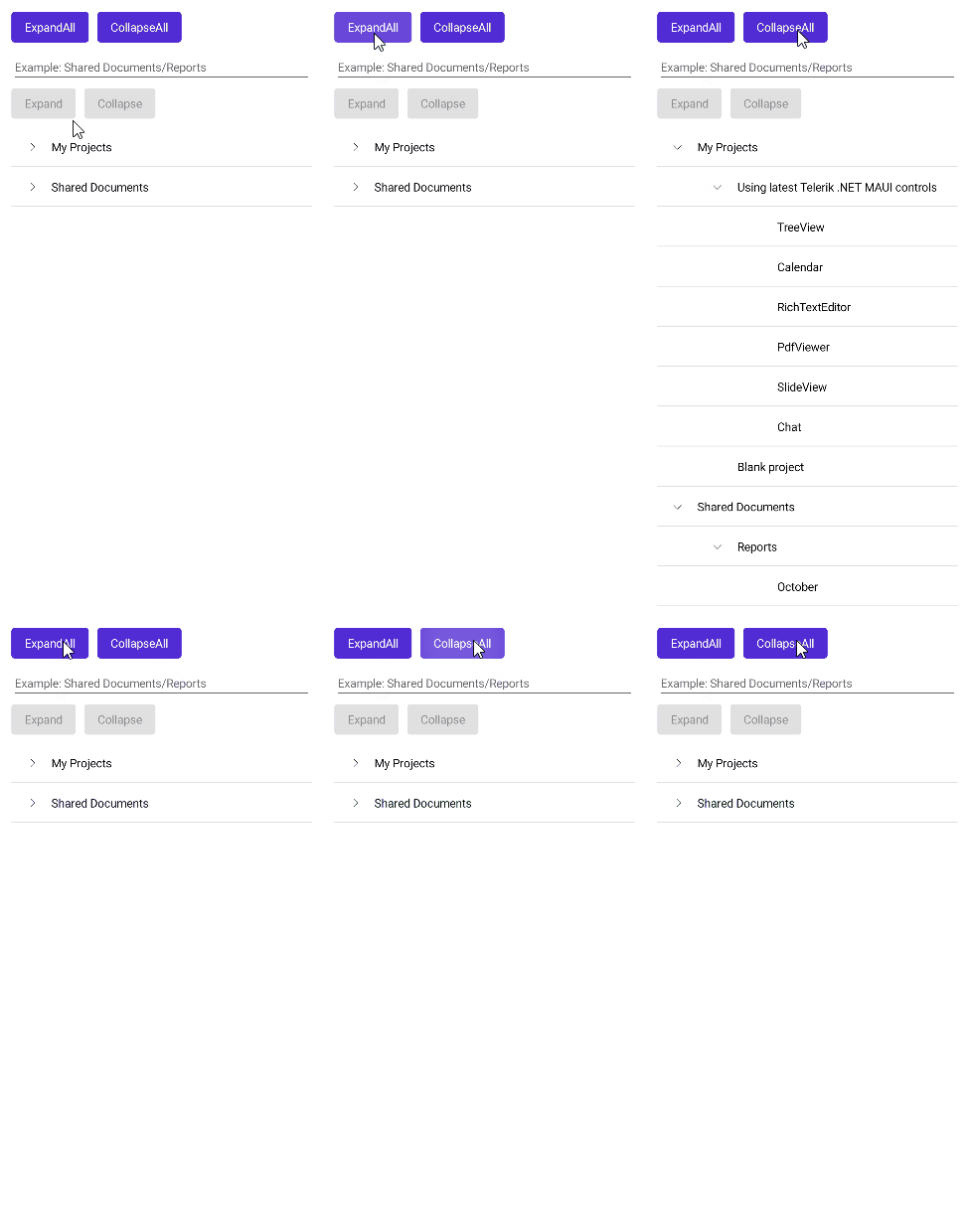
The following TreeView definition shows how to use the expand and collapse commands.

```XAML
<Grid RowDefinitions="Auto,Auto,*"
      RowSpacing="10">
    <HorizontalStackLayout Spacing="10">
        <Button Text="ExpandAll" 
                Command="{Binding ExpandAllCommand, Source={x:Reference treeView}}"/>
        <Button Text="CollapseAll" 
                Command="{Binding CollapseAllCommand, Source={x:Reference treeView}}"/>
    </HorizontalStackLayout>
    <VerticalStackLayout Grid.Row="1" 
                           Spacing="5">
        <Entry x:Name="pathEntry"
               Grid.Column="1"
               Placeholder="Example: Shared Documents/Reports" />
        <HorizontalStackLayout Spacing="10">
            <Button Text="Expand"
                    Command="{Binding ExpandCommand, Source={x:Reference treeView}}"
                    CommandParameter="{Binding Text, Source={x:Reference pathEntry}, Converter={StaticResource StringPathConverter}}" />
            <Button Text="Collapse"
                    Command="{Binding CollapseCommand, Source={x:Reference treeView}}"
                    CommandParameter="{Binding Text, Source={x:Reference pathEntry}, Converter={StaticResource StringPathConverter}}" />
        </HorizontalStackLayout>
    </VerticalStackLayout>
    <telerik:RadTreeView x:Name="treeView" 
                         Grid.Row="2" 
                         ItemsSource="{Binding Items}">
        <telerik:TreeViewDescriptor DisplayMemberPath="Name"
                                    IdentityMemberPath="Name"
                                    ItemsSourcePath="Children"
                                    TargetType="{x:Type local:Item}" />
        <telerik:RadTreeView.BindingContext>
            <local:ViewModel/>
        </telerik:RadTreeView.BindingContext>
    </telerik:RadTreeView>
</Grid>
```

![.NET MAUI TreeView Expand and Collapse](https://www.telerik.com/maui-ui/documentation/assets/04ed4c491350ce4515e4b1878e63ae8d/treeview-expand-collapse.gif)

> For a runnable example demonstrating the TreeView Expand and Collapse commands, see the [SDKBrowser Demo Application](https://www.telerik.com/maui-ui/documentation/demos-and-sample-apps/sdkbrowser-app) and go to **TreeView > Commands**.

## Using the CheckAll and UncheckAll Commands

The following TreeView definition shows how to use the check and uncheck commands.

```XAML
<Grid RowDefinitions="Auto,Auto,*"
      RowSpacing="10">
    <HorizontalStackLayout Spacing="10">
        <Button Text="CheckAll" Command="{Binding CheckAllCommand, Source={x:Reference treeView}}"/>
        <Button Text="Uncheckall" Command="{Binding UncheckAllCommand, Source={x:Reference treeView}}"/>
    </HorizontalStackLayout>
    <VerticalStackLayout Spacing="5" 
                         Grid.Row="1">
        <Entry x:Name="pathEntry"
               Grid.Column="1"
               Placeholder="Example: Shared Documents/Reports" />
        <HorizontalStackLayout Spacing="10">
            <Button Text="Check"
                    Command="{Binding CheckCommand, Source={x:Reference treeView}}"
                    CommandParameter="{Binding Text, Source={x:Reference pathEntry}, Converter={StaticResource StringPathConverter}}" />
            <Button Text="Uncheck"
                    Command="{Binding UncheckCommand, Source={x:Reference treeView}}"
                    CommandParameter="{Binding Text, Source={x:Reference pathEntry}, Converter={StaticResource StringPathConverter}}" />
        </HorizontalStackLayout>
    </VerticalStackLayout>
    <telerik:RadTreeView x:Name="treeView" 
                         Grid.Row="2" 
                         ItemsSource="{Binding Items}" 
                         CheckBoxMode="Recursive">
        <telerik:TreeViewDescriptor DisplayMemberPath="Name"
                                    IdentityMemberPath="Name"
                                    ItemsSourcePath="Children"
                                    TargetType="{x:Type local:Item}" />
        <telerik:RadTreeView.BindingContext>
            <local:ViewModel/>
        </telerik:RadTreeView.BindingContext>
    </telerik:RadTreeView>
</Grid>
```

![.NET MAUI TreeView Check and Uncheck](https://www.telerik.com/maui-ui/documentation/assets/e4f9703a6f9f3af42d7d028de2e42d04/treeview-check-uncheck-items.gif)

> For a runnable example demonstrating the TreeView Check and Uncheck commands, see the [SDKBrowser Demo Application](https://www.telerik.com/maui-ui/documentation/demos-and-sample-apps/sdkbrowser-app) and go to **TreeView > Commands**.

## See Also

* [Expand and Collapse TreeView Items](https://www.telerik.com/maui-ui/documentation/controls/treeview/expand-collapse)
* [CheckBoxes in TreeView](https://www.telerik.com/maui-ui/documentation/controls/treeview/checkboxes)
* [Styling the TreeView Item](https://www.telerik.com/maui-ui/documentation/controls/treeview/styling/item-style)
* [Scrolling options](https://www.telerik.com/maui-ui/documentation/controls/treeview/scrolling)
* [Multiple and Single Selection](https://www.telerik.com/maui-ui/documentation/controls/treeview/selection)
* [Events](https://www.telerik.com/maui-ui/documentation/controls/treeview/events)