# Getting Started with the .NET MAUI TimeSpanPicker
This guide provides the information you need to start using the Telerik UI for .NET MAUI TimeSpanPicker by adding the control to your project.
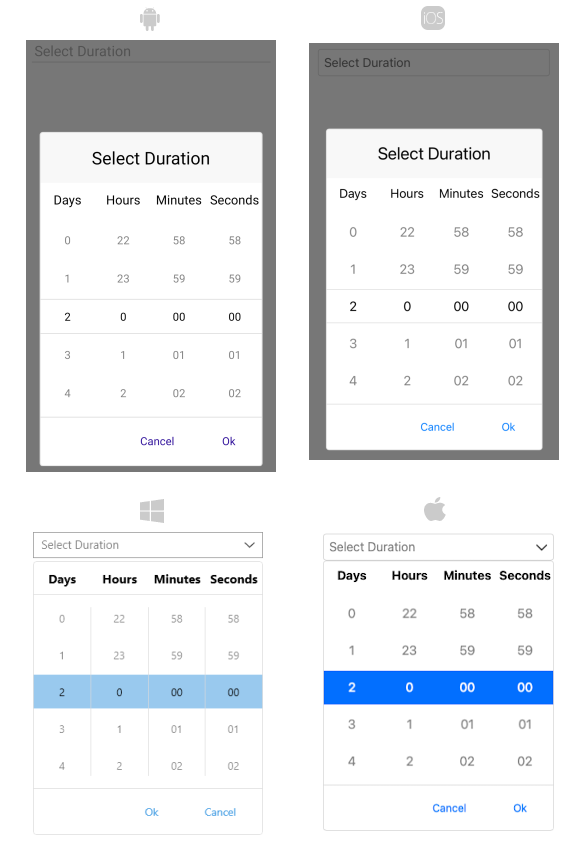
At the end, you will achieve the following result.
## Prerequisites
Before adding the TimeSpanPicker, you need to:
1. [Set up your .NET MAUI application](https://www.telerik.com/maui-ui/documentation/get-started/quickstart#prerequisites).
2. [Set Up Telerik Development Environment](https://www.telerik.com/maui-ui/documentation/get-started/quickstart#set-up-telerik-development-environment)
## Define the Control
**1.** When your .NET MAUI application is set up, you are ready to add a TimeSpanPicker control to your page.
```XAML
```
```C#
var timeSpanPicker = new RadTimeSpanPicker();
```
**2.** Add the following namespace:
```XAML
xmlns:telerik="http://schemas.telerik.com/2022/xaml/maui"
```
```C#
using Telerik.Maui.Controls;
```
**3.** Register the Telerik controls through the `Telerik.Maui.Controls.Compatibility.UseTelerik` extension method called inside the `CreateMauiApp` method of the `MauiProgram.cs` file of your project:
```C#
using Telerik.Maui.Controls.Compatibility;
public static class MauiProgram
{
public static MauiApp CreateMauiApp()
{
var builder = MauiApp.CreateBuilder();
builder
.UseTelerik()
.UseMauiApp()
.ConfigureFonts(fonts =>
{
fonts.AddFont("OpenSans-Regular.ttf", "OpenSansRegular");
});
return builder.Build();
}
}
```
## Additional Resources
* [.NET MAUI TimeSpanPicker Product Page](https://www.telerik.com/maui-ui/timespanpicker)
* [.NET MAUI TimeSpanPicker Forum Page](https://www.telerik.com/forums/maui?tagId=1851)
* [Telerik .NET MAUI Blogs](https://www.telerik.com/blogs/mobile-net-maui)
* [Telerik .NET MAUI Roadmap](https://www.telerik.com/support/whats-new/maui-ui/roadmap)
## See Also
* [Supported Standard TimeSpan Format Strings](https://www.telerik.com/maui-ui/documentation/controls/timespanpicker/formatting)
* [Templates](https://www.telerik.com/maui-ui/documentation/controls/timespanpicker/templates)
* [Styling](https://www.telerik.com/maui-ui/documentation/controls/timespanpicker/styling/styling)