# .NET MAUI TemplatedButton Events
The .NET MAUI TemplatedButton emits a set of events that allow you to configure the component's behavior in response to specific user actions.
The .NET MAUI TemplatedButton exposes the following events:
* `Clicked`—Raised when the `RadTemplatedButton` is clicked. The `Clicked` event handler receives two parameters:
* The `sender` argument which is of type `RadTemplatedButton`.
* An `EventArgs` object which provides information about the `Clicked` event.
* `Pressed`—Raised when `RadTemplatedButton` is pressed (a finger presses on the button, or a mouse button is pressed with a pointer positioned over the button). The `Pressed` event handler receives two parameters:
* The `sender` argument which is of type `RadTemplatedButton`.
* An `EventHandler` object which provides information about the `Pressed` event.
* `Released`—Raised when the `RadTemplatedButton` is released (the finger or mouse button is released). The `Released` event handler receives two parameters:
* The `sender` argument which is of type `RadTemplatedButton`.
* An `EventHandler` object which provides information about the `Released` event.
## Using the Clicked Event
The following example demonstrates how to use the `Clicked` event.
**1.** Define the button in XAML:
```XAML
```
**2.** Add the `telerik` namespace:
```XAML
xmlns:telerik="http://schemas.telerik.com/2022/xaml/maui"
```
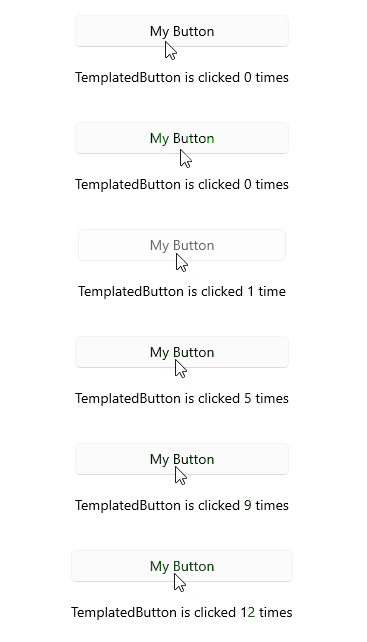
**3.** Add the `Clicked` event:
```C#
private void OnRadTemplatedButtonClicked(object sender, System.EventArgs e)
{
count++;
if (count == 1)
{
this.label.Text = $"TemplatedButton is clicked {count} time";
}
else
{
this.label.Text = $"TemplatedButton is clicked {count} times";
}
}
```
This is the result on WinUI:
> For a runnable example demonstrating the TemplatedButton Clicked event, see the [SDKBrowser Demo Application](https://www.telerik.com/maui-ui/documentation/demos-and-sample-apps/sdkbrowser-app) and go to the **TemplatedButton > Events** category.
## Using the Pressed Event
The following example demonstrates how to use the `Pressed` event.
**1.** Define the button in XAML:
```XAML
```
**2.** Add the `telerik` namespace:
```XAML
xmlns:telerik="http://schemas.telerik.com/2022/xaml/maui"
```
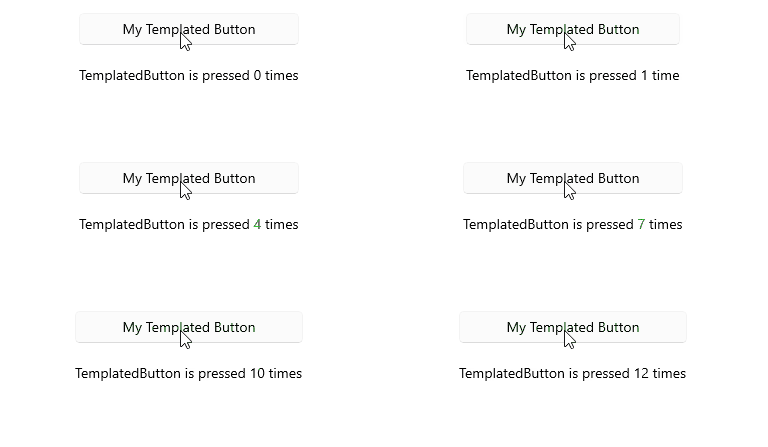
**3.** Add the `Pressed` event:
```C#
private void OnTemplatedButtonPressed(object sender, System.EventArgs e)
{
count++;
if (count == 1)
{
this.label.Text = $"TemplatedButton is pressed {count} time";
}
else
{
this.label.Text = $"TemplatedButton is pressed {count} times";
}
}
```
This is the result on WinUI:
> For a runnable example demonstrating the TemplatedButton Pressed event, see the [SDKBrowser Demo Application](https://www.telerik.com/maui-ui/documentation/demos-and-sample-apps/sdkbrowser-app) and go to the **TemplatedButton > Events** category.
## Using the Released Event
The following example demonstrates how to use the `Released` event.
**1.** Define the button in XAML:
```XAML
```
**2.** Add the `telerik` namespace:
```XAML
xmlns:telerik="http://schemas.telerik.com/2022/xaml/maui"
```
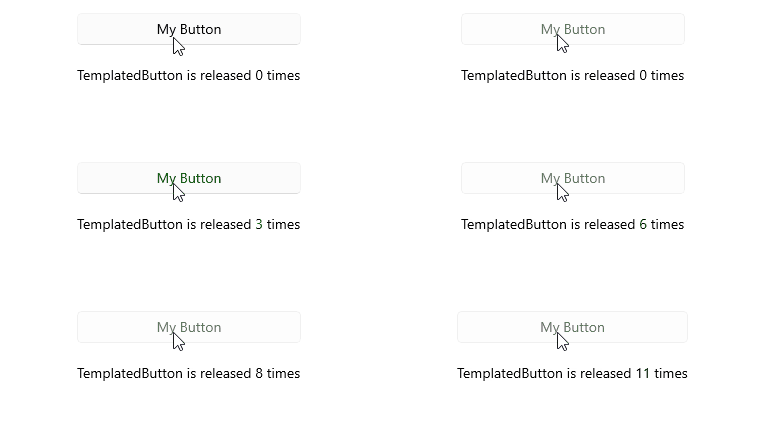
**3.** Add the `Released` event:
```C#
private void OnTemplatedButtonReleased(object sender, System.EventArgs e)
{
count++;
if (count == 1)
{
this.label.Text = $"TemplatedButton is released {count} time";
}
else
{
this.label.Text = $"TemplatedButton is released {count} times";
}
}
```
This is the result on WinUI:
> For a runnable example demonstrating the TemplatedButton Released event, see the [SDKBrowser Demo Application](https://www.telerik.com/maui-ui/documentation/demos-and-sample-apps/sdkbrowser-app) and go to the **TemplatedButton > Events** category.
## See Also
* [Configure the TemplatedButton](https://www.telerik.com/maui-ui/documentation/controls/templatedbutton/configuration)
* [Loading Button](https://www.telerik.com/maui-ui/documentation/controls/templatedbutton/loading-button)
* [Set Visual States](https://www.telerik.com/maui-ui/documentation/controls/templatedbutton/visual-states)
* [Execute Command](https://www.telerik.com/maui-ui/documentation/controls/templatedbutton/command)
* [Style the TemplatedButton](https://www.telerik.com/maui-ui/documentation/controls/templatedbutton/styling)