# .NET MAUI RefreshView Integration with DataGrid
You can add pull-to-refresh to the [Telerik UI for .NET MAUI DataGrid](https://www.telerik.com/maui-ui/documentation/controls/datagrid/overview) by wrapping the DataGrid in the Telerik UI for .NET MAUI RefreshView. Use this approach to let users reload tabular data, for example, orders or customer records from a server, by pulling the grid.
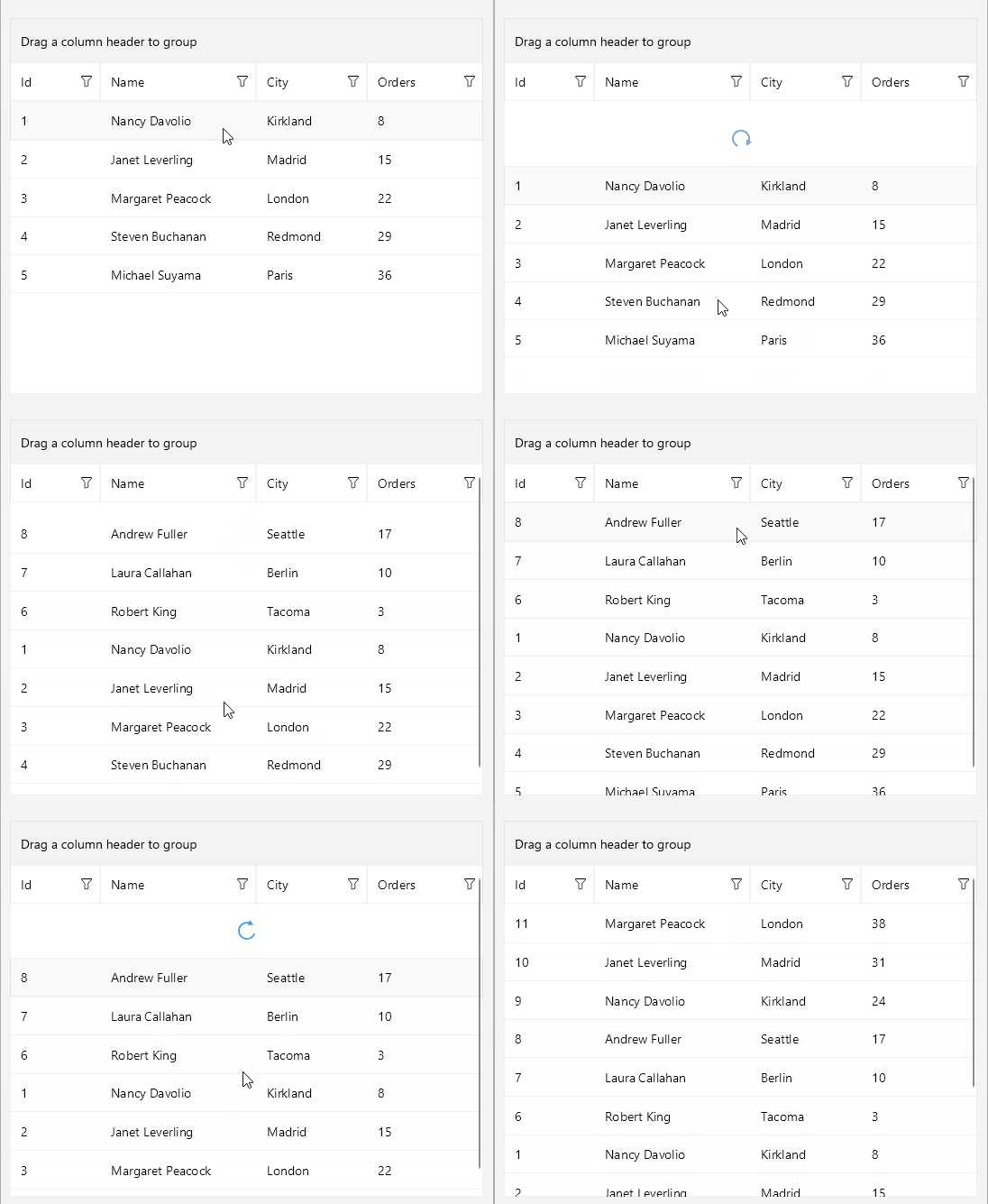
## How the Integration Works
Wrap the `RadDataGrid` in the `RadRefreshView` as its content. When the user pulls the grid past the pulling threshold and releases it, the RefreshView starts a refresh and executes its `Command`.
To connect the RefreshView to your view model, bind the following properties:
* `Command` (`ICommand`)—Executes the view model logic that reloads the rows.
* `IsRefreshing` (`bool`)—Reflects whether a refresh is in progress. The view model sets the property to `false` when the rows are loaded to end the refresh.
For more information about the command properties, see [RefreshView Commands](https://www.telerik.com/maui-ui/documentation/controls/refreshview/commands).
## Refresh the DataGrid Rows
The following example demonstrates how to use the RefreshView with the DataGrid.
1. Define the RefreshView and the DataGrid in XAML:
```XAML
```
2. Add the `telerik` namespace:
```XAML
xmlns:telerik="http://schemas.telerik.com/2022/xaml/maui"
```
3. Define the `ViewModel` with the items, the `IsRefreshing` property, and the `RefreshCommand`:
```C#
public class ViewModel : NotifyPropertyChangedBase
{
private static readonly string[] Names = { "Andrew Fuller", "Nancy Davolio", "Janet Leverling", "Margaret Peacock", "Steven Buchanan", "Michael Suyama", "Robert King", "Laura Callahan" };
private static readonly string[] Cities = { "Seattle", "London", "Tacoma", "Kirkland", "Redmond", "Berlin", "Madrid", "Paris" };
private bool isRefreshing;
private int nextId = 1;
public ViewModel()
{
this.Items = new ObservableCollection();
for (int i = 0; i < 5; i++)
{
this.Items.Add(this.CreateCustomer());
}
this.RefreshCommand = new Command(this.ExecuteRefresh);
}
public ObservableCollection Items { get; }
public ICommand RefreshCommand { get; }
public bool IsRefreshing
{
get => this.isRefreshing;
set => this.UpdateValue(ref this.isRefreshing, value);
}
private async void ExecuteRefresh()
{
await Task.Delay(1000);
for (int i = 0; i < 3; i++)
{
this.Items.Insert(0, this.CreateCustomer());
}
this.IsRefreshing = false;
}
private Customer CreateCustomer()
{
int id = this.nextId++;
return new Customer
{
Id = id,
Name = Names[id % Names.Length],
City = Cities[(id * 3) % Cities.Length],
Orders = (id * 7) % 40 + 1,
};
}
}
```
4. Define the `Customer` business object:
```C#
public class Customer
{
public int Id { get; set; }
public string Name { get; set; }
public string City { get; set; }
public int Orders { get; set; }
}
```
> tip For a runnable example with the RefreshView Integration with DataGrid scenario, see the [SDKBrowser Demo Application](https://www.telerik.com/maui-ui/documentation/demos-and-sample-apps/sdkbrowser-app) and go to the **RefreshView > Integration** category.
## See Also
* [RefreshView Integration with CollectionView](https://www.telerik.com/maui-ui/documentation/controls/refreshview/integration/collectionview)
* [RefreshView Commands](https://www.telerik.com/maui-ui/documentation/controls/refreshview/commands)
* [Refresh State](https://www.telerik.com/maui-ui/documentation/controls/refreshview/refresh-state)
* [DataGrid Overview](https://www.telerik.com/maui-ui/documentation/controls/datagrid/overview)