# .NET MAUI ProgressBar Indeterminate Mode
Telerik ProgressBar for MAUI supports two modes of operation:
* Determinate—Aimed at scenarios in which the progress of an operation can be measured.
* Indeterminate—Aimed at scenarios in which there is no way of determining the current progress of an operation.
Using the `IsIndeterminate` property(of type `bool`) you can specify whether the control is in Indeterminate mode or not. The default value is `false`.
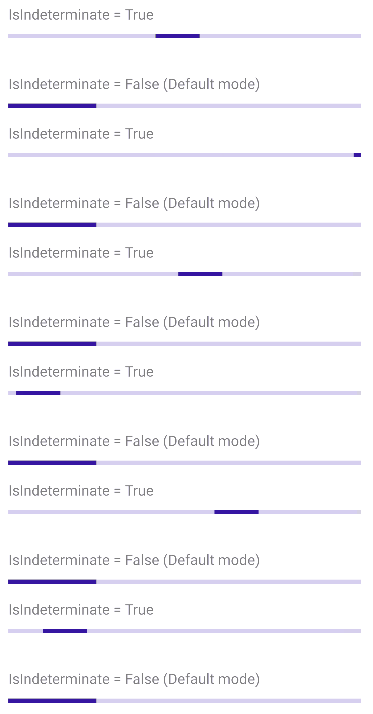
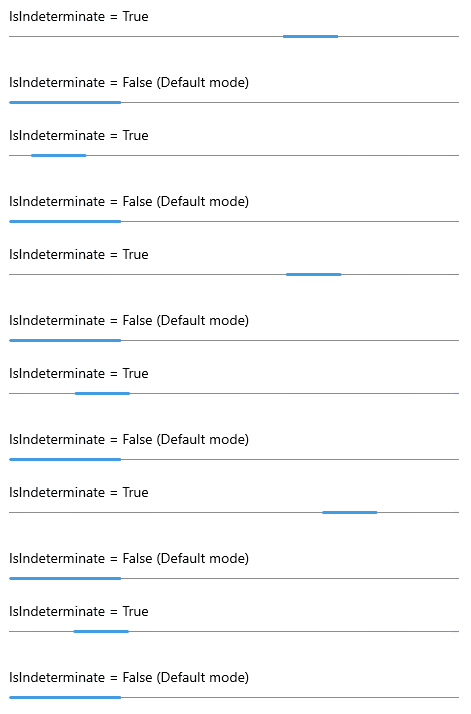
**Example with Indeterminate mode**
The snippet below shows a simple `RadLinearProgressBar` definition with `IsIndeterminate` property set to `True`.
```XAML
```
Add the following namespace:
```XAML
xmlns:telerik="http://schemas.telerik.com/2022/xaml/maui"
```
> important For the ProgressBar Indeterminate example refer to the [SDKBrowser Demo Application](https://www.telerik.com/maui-ui/documentation/demos-and-sample-apps/sdkbrowser-app).
## See Also
* [Configuration](https://www.telerik.com/maui-ui/documentation/controls/progressbar/configuration)
* [Animations](https://www.telerik.com/maui-ui/documentation/controls/progressbar/animations)
* [Events](https://www.telerik.com/maui-ui/documentation/controls/progressbar/events)
* [Styling](https://www.telerik.com/maui-ui/documentation/controls/progressbar/styling)