# .NET MAUI NavigationView Display Mode
The NavigationView provides three layouts based on its `DisplayMode` (enum of type `Telerik.Maui.Controls.NavigationViewDisplayMode`) property. The available options are:
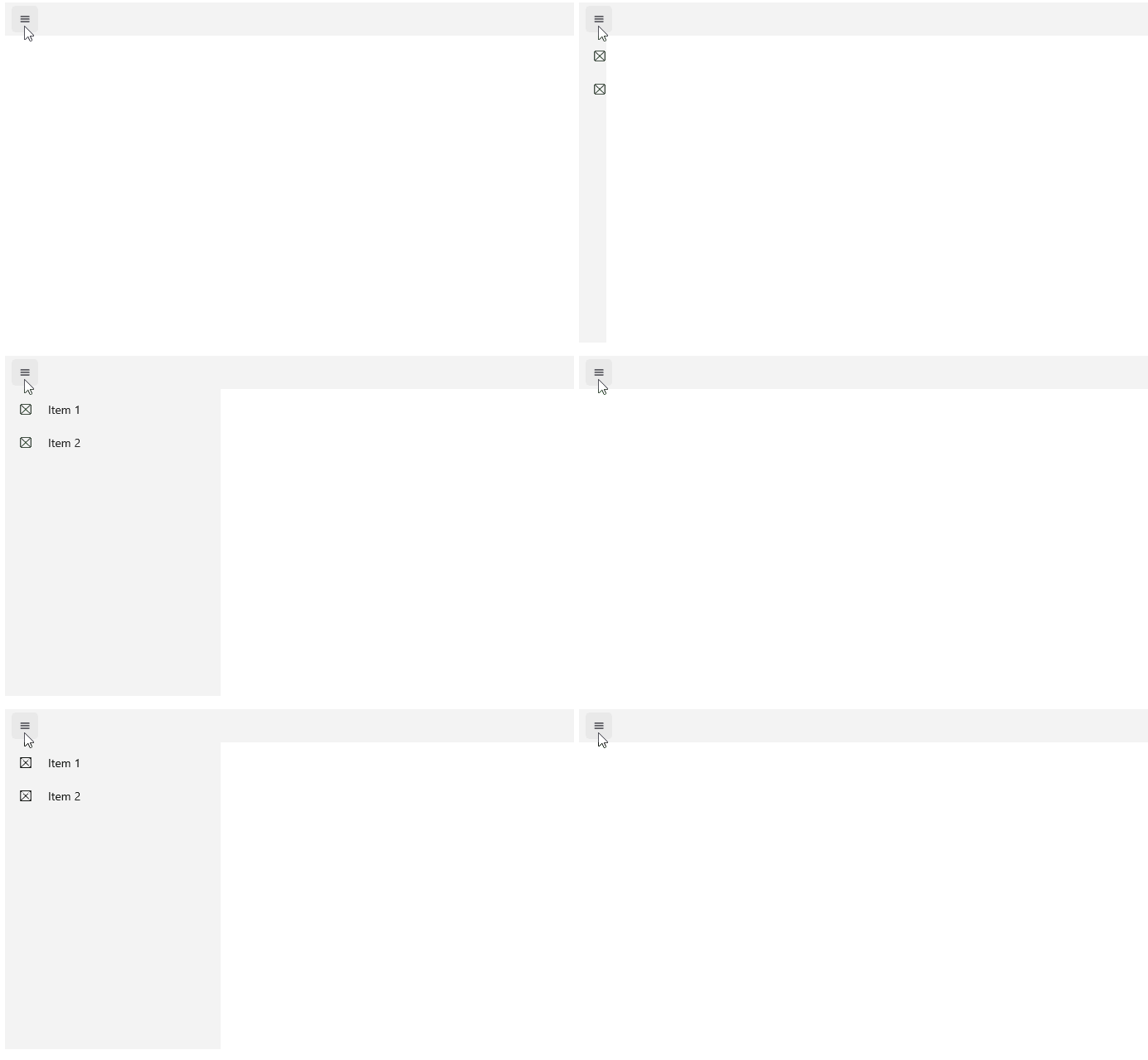
* `Minimal`—This option fixes the menu button. The pane shows and hides when the menu button is clicked.
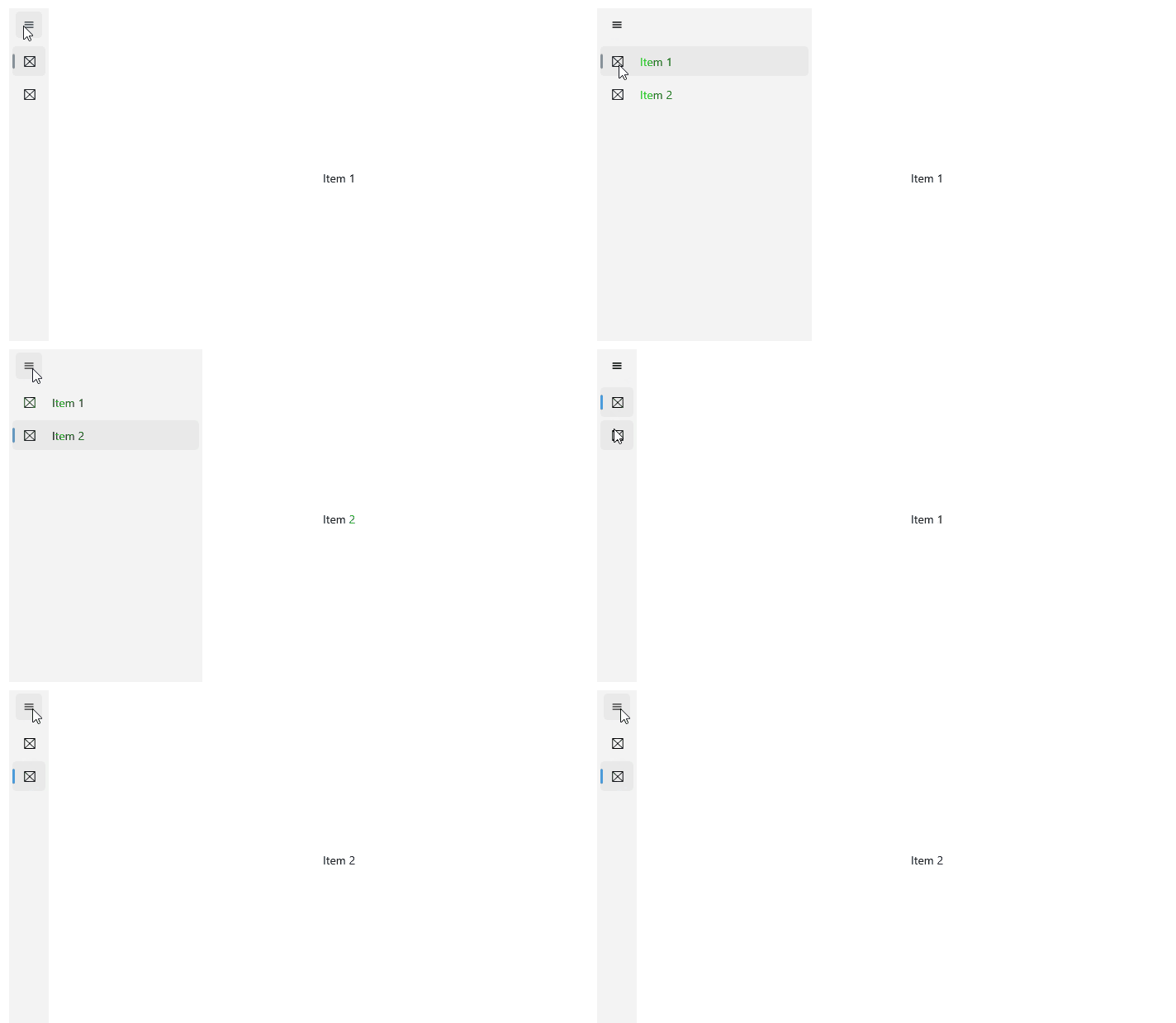
* `Compact`—The pane always shows as a narrow sliver which can be opened to full width.
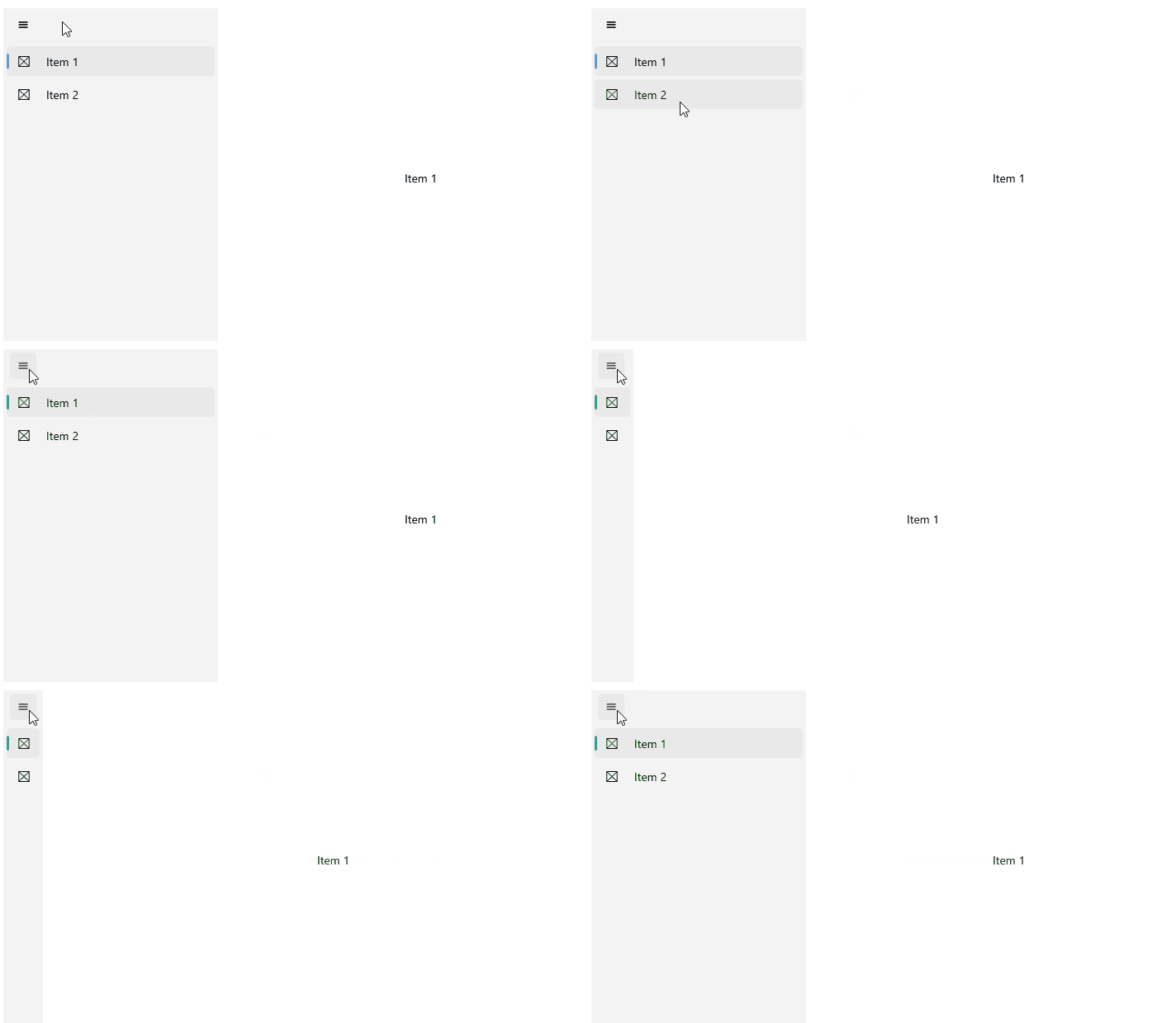
* `Expanded`—The pane stays open alongside the content.
## Automatically Changing the Display Mode
The NavigationView dynamically adjusts its layout depending on its size. This is controlled with the `AutoChangeDisplayMode` (`bool`) property. On desktop its value is `true`, on mobile `false`.
In addition use the following properties for setting the minimum width at which the NavigationView enters the `Compact` and `Expanded` display modes:
* `ExpandedModeThresholdWidth` (`double`)—Specifies the minimum width at which the NavigationView enters Expanded display mode.
* `CompactModeThresholdWidth` (`double`)—Specifies the minimum width at which the NavigationView enters Compact display mode.
The control also exposes a read-only `IsDismissOverlayVisible` (`bool`) property that indicates whether the overlay over the main content is currently shown.
### Example with DisplayMode Minimal
**1.** Define the `RadNavigationView` in XAML:
```XAML
```
**2.** Add the `telerik` namespace:
```XAML
xmlns:telerik="http://schemas.telerik.com/2022/xaml/maui"
```
Here is how the `Minimal` `DisplayMode` looks:
> For the runnable NavigationView Minimal DisplayMode example, see the [SDKBrowser Demo Application](https://www.telerik.com/maui-ui/documentation/demos-and-sample-apps/sdkbrowser-app) and go to **NavigationView > Features category**.
### Example with DisplayMode Compact
**1.** Define the `RadNavigationView` in XAML:
```XAML
```
**2.** Add the `telerik` namespace:
```XAML
xmlns:telerik="http://schemas.telerik.com/2022/xaml/maui"
```
Here is how the `Compact` `DisplayMode` looks:
> For the runnable NavigationView Compact DisplayMode example, see the [SDKBrowser Demo Application](https://www.telerik.com/maui-ui/documentation/demos-and-sample-apps/sdkbrowser-app) and go to **NavigationView > Features category**.
### Example with DisplayMode Expanded
**1.** Define the `RadNavigationView` in XAML:
```XAML
```
**2.** Add the `telerik` namespace:
```XAML
xmlns:telerik="http://schemas.telerik.com/2022/xaml/maui"
```
Here is how the `Expanded` `DisplayMode` looks:
> For the runnable NavigationView Expanded DisplayMode example, see the [SDKBrowser Demo Application](https://www.telerik.com/maui-ui/documentation/demos-and-sample-apps/sdkbrowser-app) and go to **NavigationView > Features category**.
## See Also
* [Selecting an item](https://www.telerik.com/maui-ui/documentation/controls/navigationview/selection)
* [Configure the Navigation Pane](https://www.telerik.com/maui-ui/documentation/controls/navigationview/pane)
* [Configure the Navigation Item](https://www.telerik.com/maui-ui/documentation/controls/navigationview/item)
* [Configure the Navigation Header](https://www.telerik.com/maui-ui/documentation/controls/navigationview/header)
* [Navigation Item Styling](https://www.telerik.com/maui-ui/documentation/controls/navigationview/styling/navigationitem)
* [Navigation Pane Styling](https://www.telerik.com/maui-ui/documentation/controls/navigationview/styling/pane)
* [Navigation Header Styling](https://www.telerik.com/maui-ui/documentation/controls/navigationview/styling/navigationview)
* [Events](https://www.telerik.com/maui-ui/documentation/controls/navigationview/events)
* [Commands](https://www.telerik.com/maui-ui/documentation/controls/navigationview/commands)