# .NET MAUI ListPicker Looping
The ListPicker for .NET MAUI provides a looping functionality which allows you to loop the list of items after reaching the last item.
You can achieve this by setting the `IsLooping`(`bool`) property to `true`.
## Example
**1.** Define the ListPicker:
```XAML
```
**2.** Define a sample business model:
```C#
public class City
{
public string Name { get; set; }
public int Population { get; set; }
}
```
**3.** Set the `ViewModel`:
```C#
public class CitiesViewModel
{
public CitiesViewModel()
{
this.Items = new ObservableCollection
{
new City { Name = "Tokyo", Population = 13929286 },
new City { Name = "New York", Population = 8623000 },
new City { Name = "London", Population = 8908081 },
new City { Name = "Madrid", Population = 3223334 },
new City { Name = "Los Angeles", Population = 4000000},
new City { Name = "Paris", Population = 2141000 },
new City { Name = "Beijing", Population = 21540000 },
new City { Name = "Singapore", Population = 5612000 },
new City { Name = "New Delhi", Population = 18980000 },
new City { Name = "Bangkok", Population = 8305218 },
new City { Name = "Berlin", Population = 3748000 },
};
}
public ObservableCollection Items { get; set; }
}
```
The following image shows the end result.
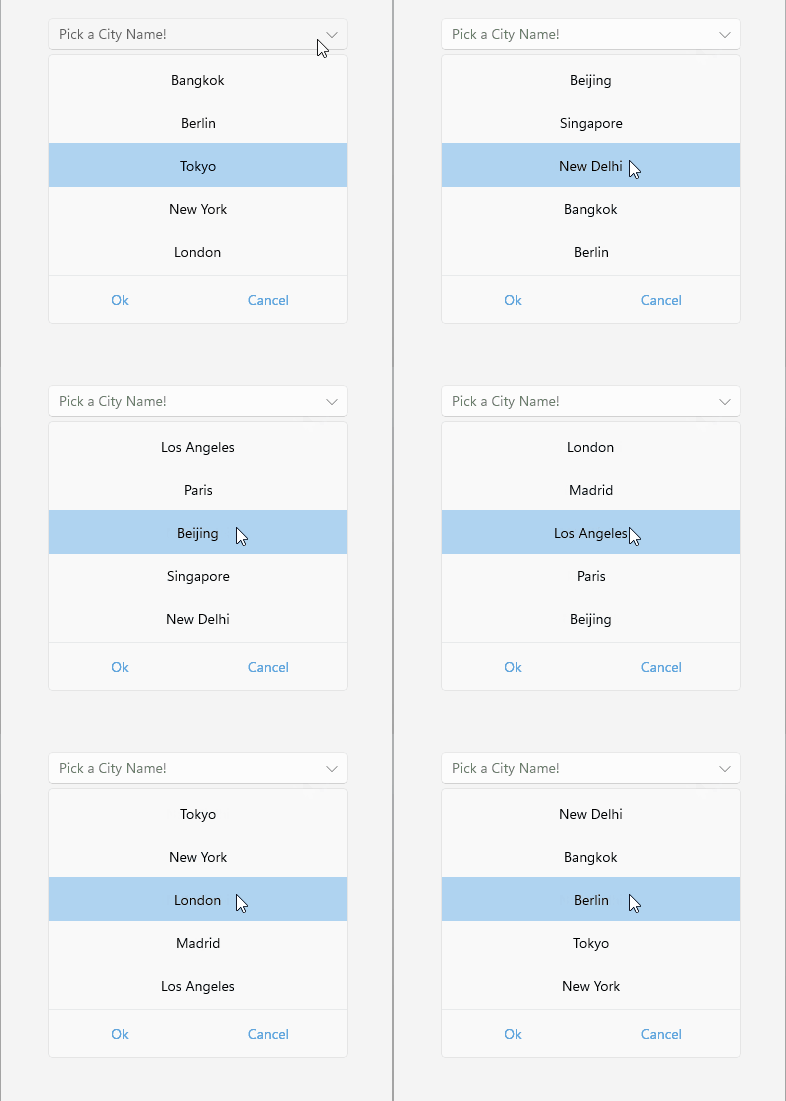
> important For a sample looping example, refer to the **ListPicker/Looping** folder of the [Telerik UI for .NET MAUI SDKBrowser Application](https://www.telerik.com/maui-ui/documentation/demos-and-sample-apps/sdkbrowser-app).
## See Also
* [Templates](https://www.telerik.com/maui-ui/documentation/controls/listpicker/templates)
* [Styling](https://www.telerik.com/maui-ui/documentation/controls/listpicker/styling/styling)
* [Selection](https://www.telerik.com/maui-ui/documentation/controls/listpicker/selection)
* [Commands](https://www.telerik.com/maui-ui/documentation/controls/listpicker/commands)