# .NET MAUI DataPager Integration with DataGrid
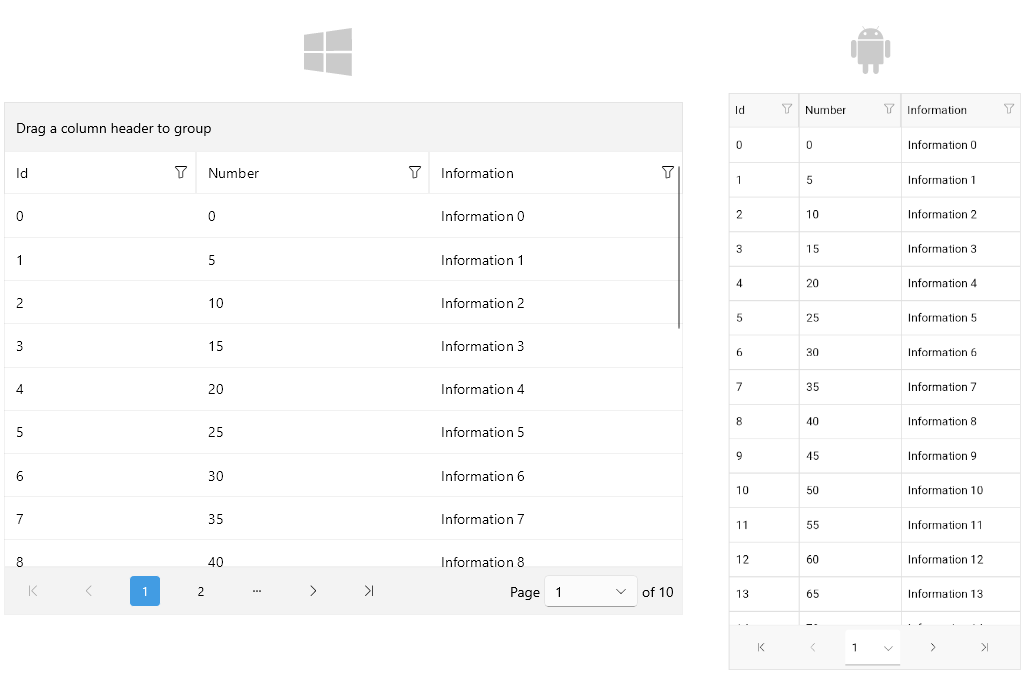
You can page the data of the [Telerik UI for .NET MAUI DataGrid](https://www.telerik.com/maui-ui/documentation/controls/datagrid/overview) by using the DataPager control.
> Currently, the DataPager does not support the Telerik UI for .NET MAUI DataGrid [`LoadOnDemandCollection`](https://www.telerik.com/maui-ui/documentation/controls/datagrid/load-on-demand/collection).
## Example
Here is an example of how to use the DataPager with the DataGrid control.
**1.** Define the DataPager and the DataGrid in XAML:
```XAML
```
**2.** Add the following namespace:
```XAML
xmlns:telerik="http://schemas.telerik.com/2022/xaml/maui"
```
**3.** Define the `ViewModel`:
```C#
public class ViewModel
{
public ViewModel()
{
var data = new ObservableCollection();
for (int i = 0; i < 200; i++)
{
data.Add(new Data { Id = i, Number = i * 10 / 2, Information = "Information " + i });
}
MyData = data;
}
public ObservableCollection MyData { get; set; }
}
```
**4.** Define sample data:
```C#
public class Data
{
public int Id { get; set; }
public int Number { get; set; }
public string Information { get; set; }
}
```
> For the DataPager Integration with DataGrid example, go to the [SDKBrowser Demo Application](https://www.telerik.com/maui-ui/documentation/demos-and-sample-apps/sdkbrowser-app) and navigate to the **DataPager > Integration** category.
## See Also
* [Paged Source](https://www.telerik.com/maui-ui/documentation/controls/datapager/data-binding)
* [Display Modes](https://www.telerik.com/maui-ui/documentation/controls/datapager/display-mode)
* [Ellipsis Modes](https://www.telerik.com/maui-ui/documentation/controls/datapager/ellipsis-mode)
* [Page Configuration](https://www.telerik.com/maui-ui/documentation/controls/datapager/page-configuration)
* [Localization](https://www.telerik.com/maui-ui/documentation/controls/datapager/localization)
* [Commands in DataPager](https://www.telerik.com/maui-ui/documentation/controls/datapager/commands)
* [Styling](https://www.telerik.com/maui-ui/documentation/controls/datapager/styling/datapager)