# .NET MAUI DataGrid Grouping UI
The [Telerik UI for .NET MAUI DataGrid](https://www.telerik.com/maui-ui/documentation/controls/datagrid/overview) provides a built-in grouping functionality, which allows the user to easily group the data by one or more columns.
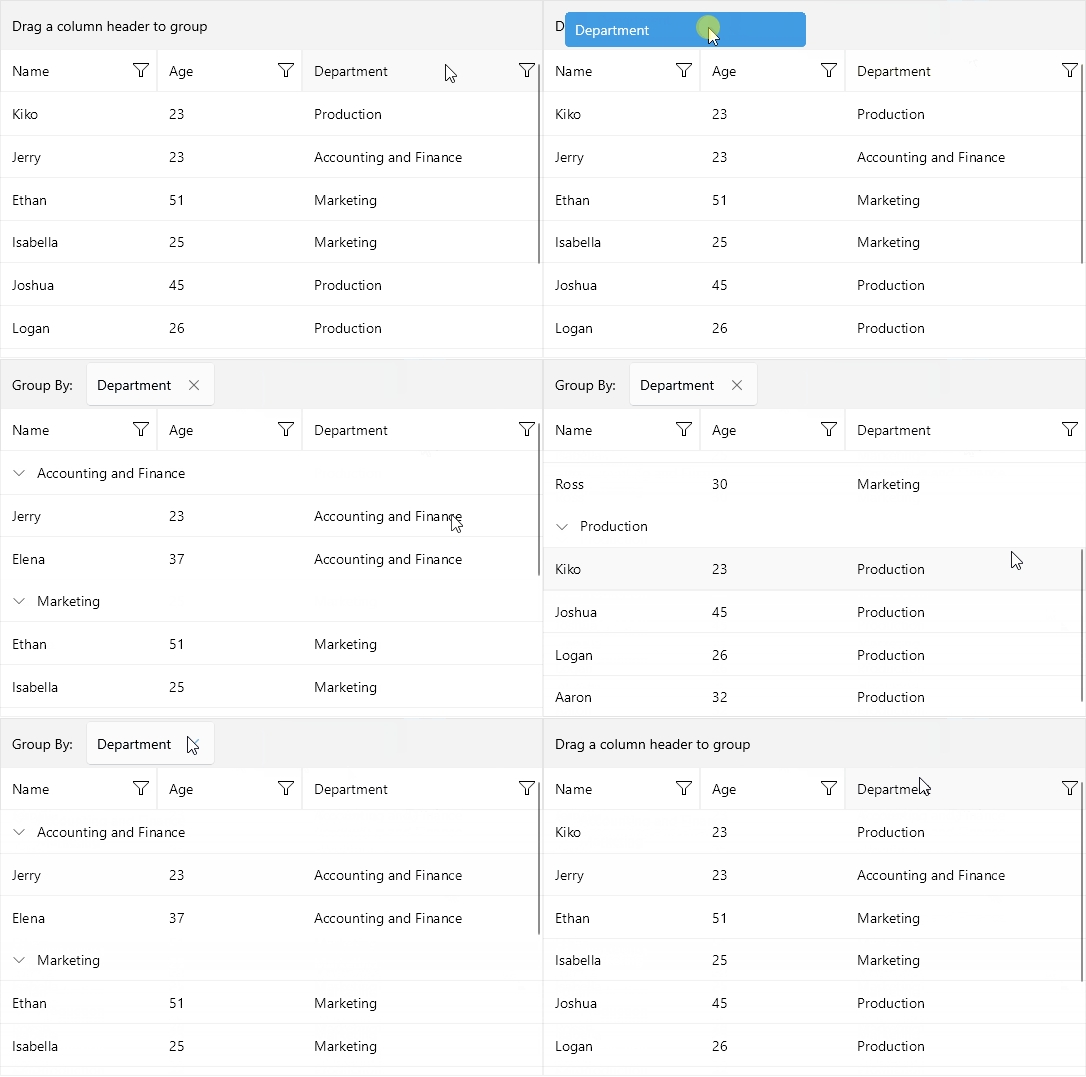
The **DataGrid Grouping UI** exposes the `DataGridServicePanel` view which contains the `DataGridGroupingPanel` in itself. To group data, the user has to drag the desired column header to the `DataGridGroupingPanel` located at the top of the DataGrid.
> The user can drag more than one column into the panel.
> caption Grouping UI in the .NET MAUI DataGrid
## Configuration
To manipulate the state of the **Grouping UI**, you can use the following properties:
* `UserGroupMode`(`enum` of type `Telerik.Maui.Controls.DataGrid.DataGridUserGroupMode`) - The `UserGroupMode` property of the `RadDataGrid` determines whether the Grouping UI is enabled or disabled. The default value is `Auto`.
* `CanUserGroup`(`bool` of type `Telerik.Maui.Controls.DataGrid.DataGridColumn`) - The `CanUserGroup` property of the `DataGridColumn` determines whether the end-user can drag & drop the column header onto the grouping panel. The default value is `True`.
## Disabling Grouping
There are two ways to disable grouping. The first one is on a DataGrid level by using the `UserGroupMode` property. By setting it to `Disabled` the `DataGridGroupingPanel` gets hidden and the drag and drop function is disabled.
The following example demonstrates how to disable the Grouping UI in the DataGrid:
```XAML
```
The second way is to disable grouping on a `DataGridColumn` level. By using the `CanUserGroup` property and setting it to `False`, the grouping for the specific column is disabled.
The following example demonstrates how to disable the grouping for a specific column:
```XAML
```
## See Also
* [Property Group Descriptor](https://www.telerik.com/maui-ui/documentation/controls/datagrid/grouping/property-group-descriptor)
* [Delegate Group Descriptor](https://www.telerik.com/maui-ui/documentation/controls/datagrid/grouping/delegate-group-descriptor)