# Getting Started with the .NET MAUI ComboBox
This guide provides the information you need to start using the [Telerik UI for .NET MAUI ComboBox](https://www.telerik.com/maui-ui/documentation/controls/combobox/overview) by adding the control to your project.
## Prerequisites
Before adding the ComboBox, you need to:
1. [Set up your .NET MAUI application](https://www.telerik.com/maui-ui/documentation/get-started/quickstart#prerequisites).
2. [Set Up Telerik Development Environment](https://www.telerik.com/maui-ui/documentation/get-started/quickstart#set-up-telerik-development-environment)
## Define the Control
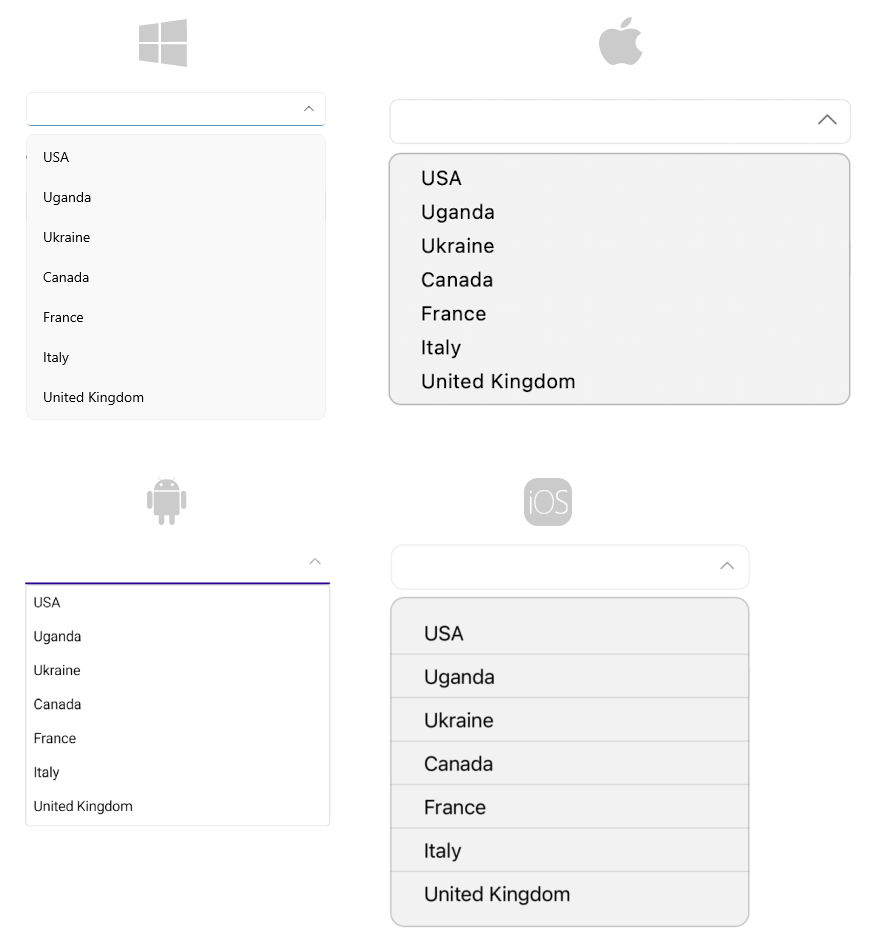
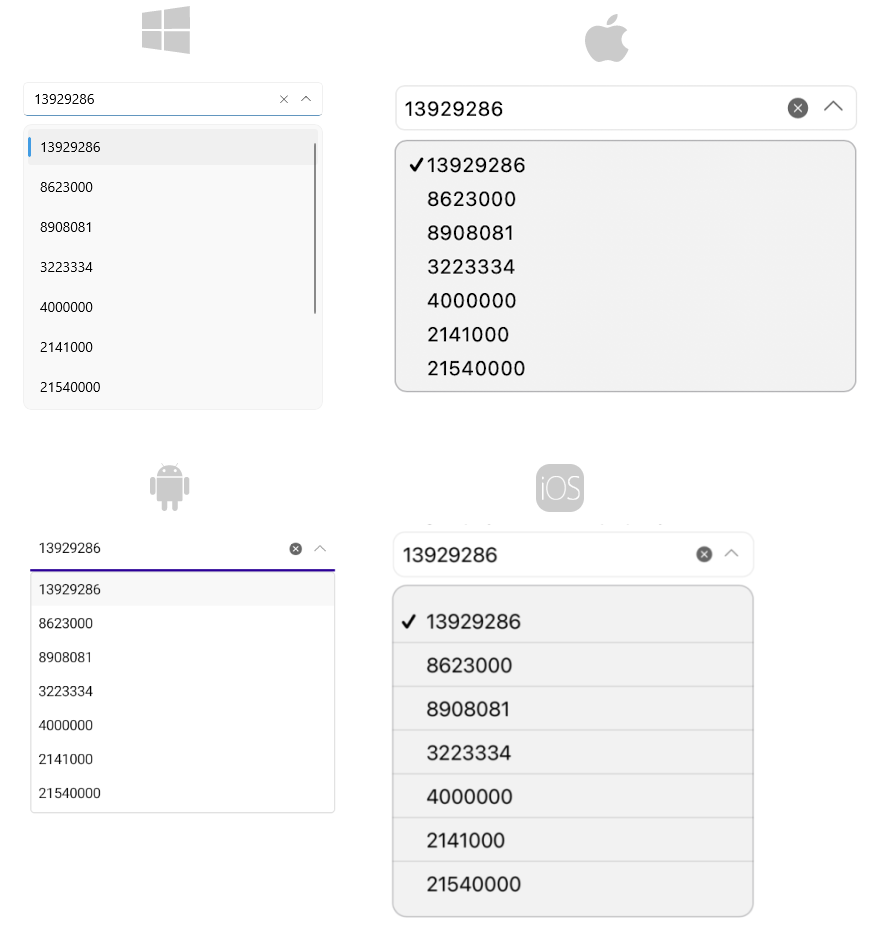
When your .NET MAUI application is setup, you are ready to add a ComboBox control to your page. The following example demonstrates the definition of the `RadComboBox` with `ItemsSource` set to a static collection as well as bound to property from a ViewModel class.
### Using Static Data
```XAML
USA
Uganda
Ukraine
Canada
France
Italy
United Kingdom
China
Japan
```
Here is the result:
### Binding to a Complex Object
**1.** Define the ComboBox in XAML:
```XAML
```
> When binding to complex objects, always set the ComboBox `DisplayMemberPath` property.
**2.** Add the `telerik` namespace:
```XAML
xmlns:telerik="http://schemas.telerik.com/2022/xaml/maui"
```
**3.** Define a sample business model:
```C#
public class City
{
public string Name { get; set; }
public int Population { get; set; }
}
```
**4.** Add the ViewModel:
```C#
public class ViewModel
{
public ViewModel()
{
this.Items = new ObservableCollection
{
new City { Name = "Tokyo", Population = 13929286 },
new City { Name = "New York", Population = 8623000 },
new City { Name = "London", Population = 8908081 },
new City { Name = "Madrid", Population = 3223334 },
new City { Name = "Los Angeles", Population = 4000000},
new City { Name = "Paris", Population = 2141000 },
new City { Name = "Beijing", Population = 21540000 },
new City { Name = "Singapore", Population = 5612000 },
new City { Name = "New Delhi", Population = 18980000 },
new City { Name = "Bangkok", Population = 8305218 },
new City { Name = "Berlin", Population = 3748000 },
};
}
public ObservableCollection Items { get; set; }
}
```
**5.** Set the binding context after `InitializeComponent()` in the page's code behind:
```C#
this.BindingContext = new ViewModel();
```
Here is the result:
> For the ComboBox Getting Started example, refer to the [SDKBrowser Demo Application](https://www.telerik.com/maui-ui/documentation/demos-and-sample-apps/sdkbrowser-app) and navigate to the **ComboBox > Getting Started** category.
## Additional Resources
* [.NET MAUI ComboBox Product Page](https://www.telerik.com/maui-ui/combobox)
* [.NET MAUI ComboBox Forum Page](https://www.telerik.com/forums/maui?tagId=1937)
* [Telerik .NET MAUI Blogs](https://www.telerik.com/blogs/mobile-net-maui)
* [Telerik .NET MAUI Roadmap](https://www.telerik.com/support/whats-new/maui-ui/roadmap)
## See Also
* [Configuration](https://www.telerik.com/maui-ui/documentation/controls/combobox/configuration)
* [Data Binding](https://www.telerik.com/maui-ui/documentation/controls/combobox/databinding)
* [Edit Mode & Search](https://www.telerik.com/maui-ui/documentation/controls/combobox/editmode-and-search)
* [Single and Multiple Selection](https://www.telerik.com/maui-ui/documentation/controls/combobox/selection)