# .NET MAUI CollectionView LoadOnDemand Event
You can load items on demand by utilizing the `LoadOnDemand` event. The `LoadOnDemand` event handler receives two parameters:
* The `sender` argument, which is of type object, but can be cast to the `RadCollectionView` type.
* An `EventArgs` object.
## Example
The following example demonstrates a simple setup that shows how to use the event:
**1.** Create a sample model:
```C#
public class Person
{
public string Name { get; set; }
public int Age { get; set; }
public Gender Gender { get; set; }
}
```
**2.** Define the CollectionView control with a `Manual` `LoadOnDemandMode` for example:
```XAML
```
**3.** Add the `telerik` namespace:
```XAML
xmlns:telerik="http://schemas.telerik.com/2022/xaml/maui"
```
**4.** Define sample data to the `RadCollectionView.ItemsSource`:
```C#
this.items = new ObservableCollection();
for (int i = 0; i < 20; i++)
{
this.items.Add(new Person { Name = "Person " + i, Age = i + 10 });
}
this.collectionView.ItemsSource = this.items;
```
**5.** The `LoadOnDemand` event implementation:
```C#
private async void OnLoadOnDemand(object sender, System.EventArgs e)
{
this.collectionView.IsLoadOnDemandActive = true;
IEnumerable newItems = await this.GetNewItems();
foreach (var newItem in newItems)
{
this.items.Add(newItem);
}
this.collectionView.IsLoadOnDemandActive = false;
}
private async Task> GetNewItems()
{
List newItems = new List();
int count = this.items.Count;
try
{
await Task.Delay(2000);
for (int i = 0; i < 10; i++)
{
newItems.Add(new Person { Name = $"Loaded item: Person {count + i}", Age = count + i + 10 });
}
return newItems;
}
catch (Exception)
{
return null;
}
}
```
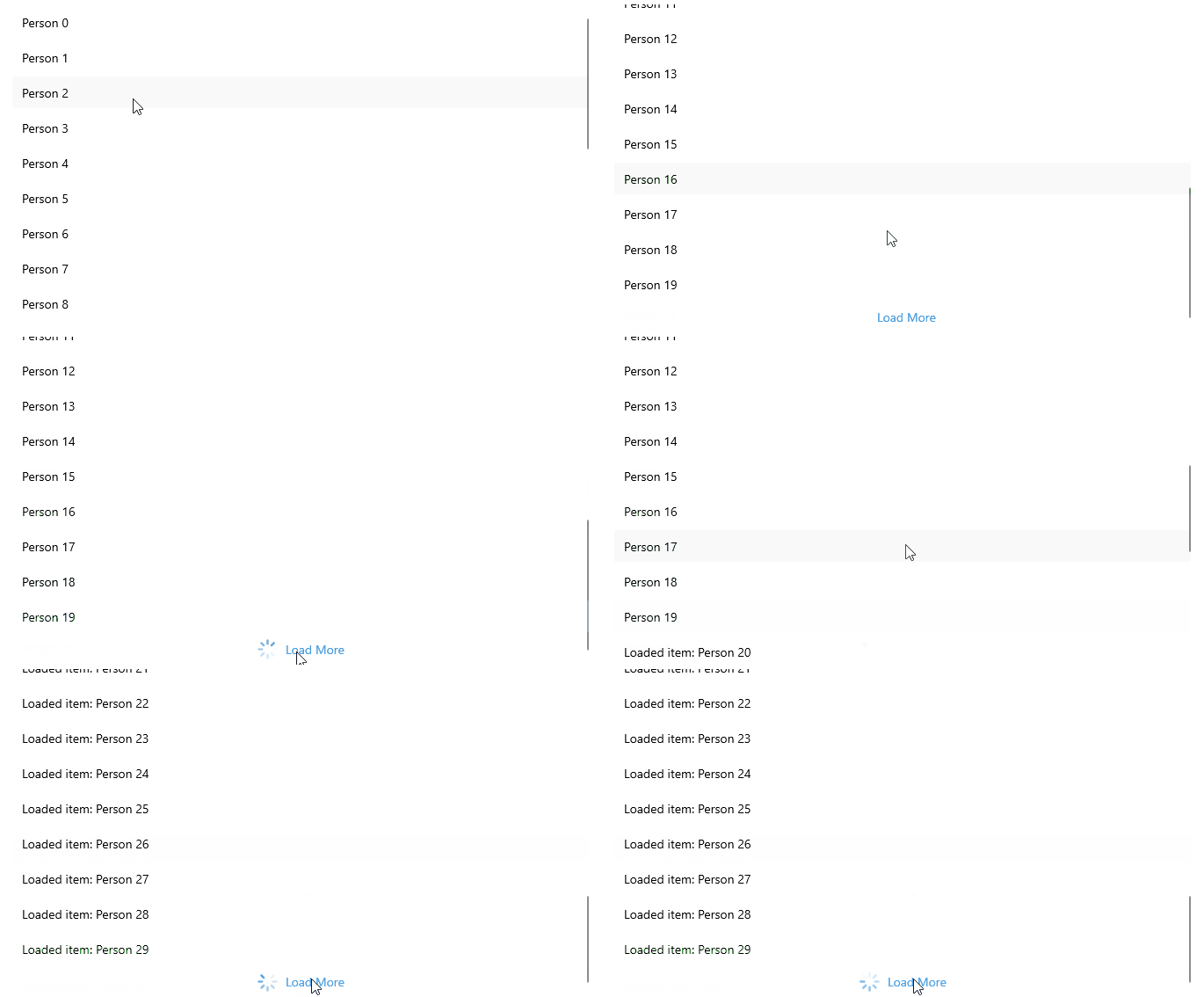
This is the result:
> For a runnable example demonstrating the CollectionView LoadOnDemand Event, see the [SDKBrowser Demo Application](https://www.telerik.com/maui-ui/documentation/demos-and-sample-apps/sdkbrowser-app) and go to **CollectionView > Load On Demand** category.
## See Also
* [Load On Demand Collection](https://www.telerik.com/maui-ui/documentation/controls/collectionview/load-on-demand/collection)
* [Load On Demand Command](https://www.telerik.com/maui-ui/documentation/controls/collectionview/load-on-demand/command)
* [Customize the Load On Demand Manual and Automatic Loading Indicators](https://www.telerik.com/maui-ui/documentation/controls/collectionview/load-on-demand/templates)