# .NET MAUI Carousel Orientation
The Carousel orientation defines the direction in which the items are arranged and scrolled. Use a vertical orientation for layouts such as feeds or tall cards, and the horizontal orientation for galleries and banners.
## Set the Orientation
To set the direction of the items, use the `Orientation` (`Telerik.Maui.Orientation`) property. The available values are:
* `Horizontal`—The items are arranged and scrolled from left to right. This is the default value.
* `Vertical`—The items are arranged and scrolled from top to bottom.
## Display a Vertical Carousel
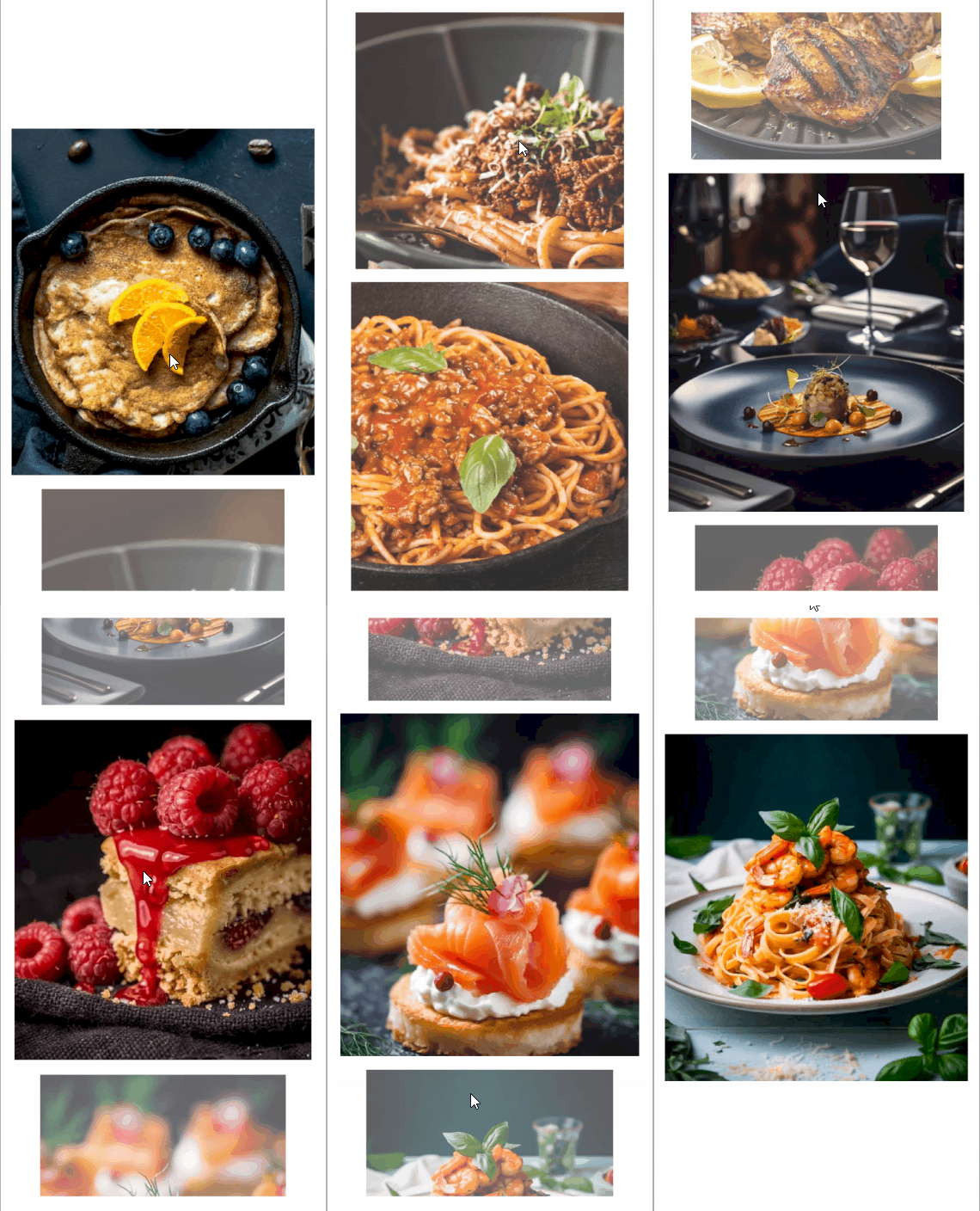
The following example sets the `Orientation` of the Carousel to `Vertical`.
1. Define the Carousel in XAML:
```XAML
```
2. Add the `telerik` namespace:
```XAML
xmlns:telerik="http://schemas.telerik.com/2022/xaml/maui"
```
3. Add the business object:
```C#
public class CarouselItem
{
public string Title { get; set; }
public string Description { get; set; }
public string Image { get; set; }
public bool IsNewDish { get; set; }
}
```
4. Define the `ViewModel`:
```C#
public class CarouselViewModel
{
public ObservableCollection Items { get; } = new()
{
new CarouselItem
{
Title = "Blueberry Pancakes",
Description = "Dutch baby pancake with fresh blueberries, orange zest, and a drizzle of maple syrup.",
Image = "carousel_firstlook_1.jpg",
IsNewDish = true
},
new CarouselItem
{
Title = "Bolognese",
Description = "Slow-simmered ragù with hand-pulled spaghetti, topped with micro herbs.",
Image = "carousel_firstlook_2.jpg",
IsNewDish = false
},
new CarouselItem
{
Title = "Spaghetti",
Description = "Fresh spaghetti with San Marzano tomato sauce and garden basil.",
Image = "carousel_firstlook_3.jpg",
IsNewDish = false
},
new CarouselItem
{
Title = "Lemon Herb Chicken",
Description = "Herb-crusted chicken with lemon butter sauce and roasted vegetables.",
Image = "carousel_firstlook_4.jpg",
IsNewDish = true
},
new CarouselItem
{
Title = "Fine Dining",
Description = "Delicate tartare with edible flowers, micro greens, and golden carrot purée.",
Image = "carousel_firstlook_5.jpg",
IsNewDish = false
},
new CarouselItem
{
Title = "Raspberry Cake",
Description = "Raspberry coulis over a rich cheesecake with fresh berries.",
Image = "carousel_firstlook_6.jpg",
IsNewDish = true
},
new CarouselItem
{
Title = "Salmon Canapues",
Description = "Smoked salmon on crispy toasts with cream cheese and dill.",
Image = "carousel_firstlook_7.jpg",
IsNewDish = false
},
new CarouselItem
{
Title = "Shrimp Fettuccine",
Description = "Tiger prawns tossed with fettuccine in a light garlic cream sauce.",
Image = "carousel_firstlook_8.jpg",
IsNewDish = true
}
};
}
```
This is the result:
> tip For a runnable example with the Carousel Orientation scenario, see the [SDKBrowser Demo Application](https://www.telerik.com/maui-ui/documentation/demos-and-sample-apps/sdkbrowser-app) and go to the **Carousel > Features** category.
## See Also
* [Item Size and Spacing](https://www.telerik.com/maui-ui/documentation/controls/carousel/item-size-and-spacing)
* [Item Effects](https://www.telerik.com/maui-ui/documentation/controls/carousel/item-effects)
* [Commands](https://www.telerik.com/maui-ui/documentation/controls/carousel/commands)
* [Events](https://www.telerik.com/maui-ui/documentation/controls/carousel/events)
* [Styling](https://www.telerik.com/maui-ui/documentation/controls/carousel/styling)