# Getting Started with the .NET MAUI Button
This guide provides the information you need to start using the Telerik UI for [.NET MAUI Button](https://www.telerik.com/maui-ui/documentation/controls/button/overview) by adding the control to your project.
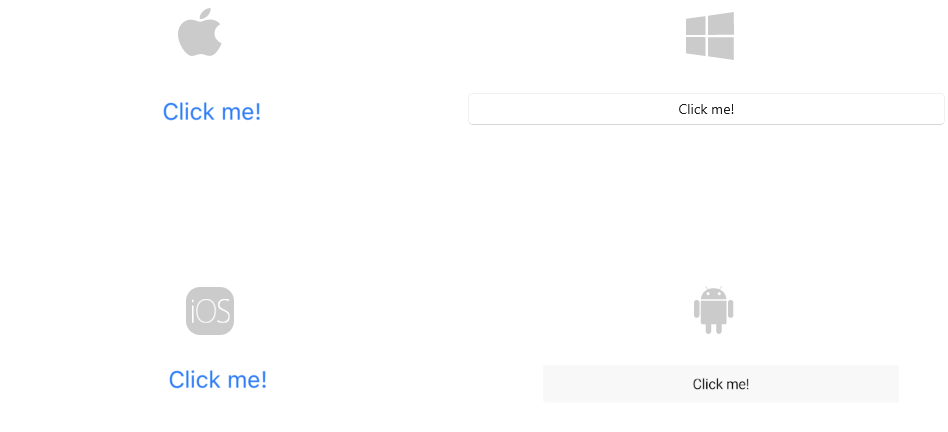
This is the default look of the `RadButton` control:
## Prerequisites
Before adding the Button, you need to:
1. [Set up your .NET MAUI application](https://www.telerik.com/maui-ui/documentation/get-started/quickstart#prerequisites).
2. [Set Up Telerik Development Environment](https://www.telerik.com/maui-ui/documentation/get-started/quickstart#set-up-telerik-development-environment)
## Define the Control
**1.** When your .NET MAUI application is set up, you are ready to add a Button control to your page:
```XAML
```
**2.** Add the `telerik` namespace:
```XAML
xmlns:telerik="http://schemas.telerik.com/2022/xaml/maui"
```
**3.** Register the Telerik controls through the `Telerik.Maui.Controls.Compatibility.UseTelerik` extension method called inside the `CreateMauiApp` method of the `MauiProgram.cs` file of your project:
```C#
using Telerik.Maui.Controls.Compatibility;
public static class MauiProgram
{
public static MauiApp CreateMauiApp()
{
var builder = MauiApp.CreateBuilder();
builder
.UseTelerik()
.UseMauiApp()
.ConfigureFonts(fonts =>
{
fonts.AddFont("OpenSans-Regular.ttf", "OpenSansRegular");
});
return builder.Build();
}
}
```
> For a runnable example with the Button Getting Started scenario, see the [SDKBrowser Demo Application](https://www.telerik.com/maui-ui/documentation/demos-and-sample-apps/sdkbrowser-app) and go to **Button > Getting Started**.
## Additional Resources
* [.NET MAUI Button Product Page](https://www.telerik.com/maui-ui/button)
* [.NET MAUI Button Forum Page](https://www.telerik.com/forums/maui?tagId=1764)
* [Telerik .NET MAUI Blogs](https://www.telerik.com/blogs/mobile-net-maui)
* [Telerik .NET MAUI Roadmap](https://www.telerik.com/support/whats-new/maui-ui/roadmap)
## See Also
* [Positioning the Content of the Button](https://www.telerik.com/maui-ui/documentation/controls/button/configuration)
* [Setting the Border Thickness & Color of Button](https://www.telerik.com/maui-ui/documentation/controls/button/styling)
* [Creating a Circular Button](https://www.telerik.com/maui-ui/documentation/knowledge-base/button-howto-create-circle-button)