# PivotConfiguratorV2 Overview
The [Kendo UI PivotConfiguratorV2](https://www.telerik.com/kendo-jquery-ui/documentation/api/ui/pivotconfiguratorv2) represents an OLAP cube structure.
The PivotConfiguratorV2 can be used for configuring the column and row dimensions, and the measure fields of the [PivotGridV2](https://demos.telerik.com/kendo-ui/pivotgridv2/index). It is a supplementary component which is strongly related to the Kendo UI `PivotDataSourceV2` component.
## Initializing the PivotConfiguratorV2
There are four elements that need to be configured for the PivotConfiguratorV2 to function properly:
* PivotGridV2—The PivotGridV2 component which will be managed by the PivotConfiguratorV2.
* PivotConfiguratorV2—The configurator component itself.
* PivotConfiguratorButton—The button which expands/collapses the PivotConfiguratorV2.
* PivotContainer—The container which holds all of the above components.
The following example demonstrates the HTML structure of the elements.
```
```
## Basic Configuration
The following example demonstrates how to configure the components.
```
```
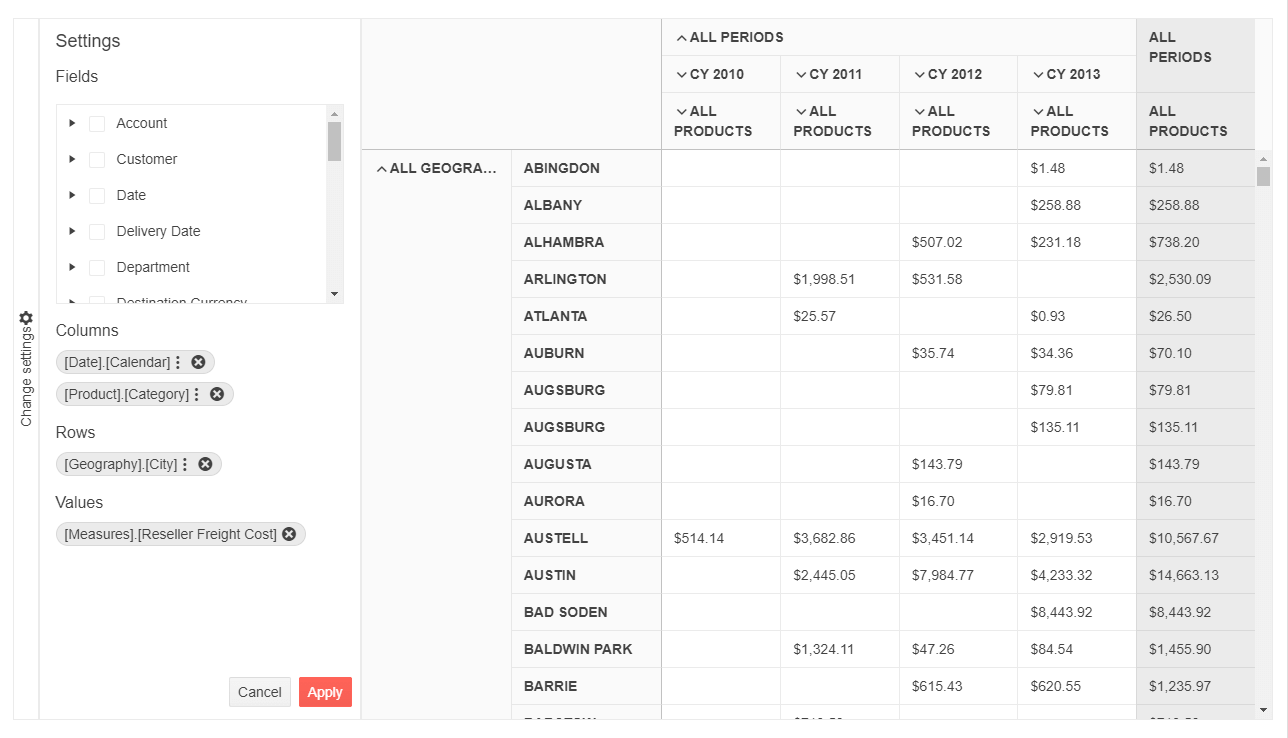
The following image demonstrates the output from the previous example.
## Referencing Existing Instances
To reference an existing PivotConfigurator instance, use the [`jQuery.data()`](https://api.jquery.com/jQuery.data/) method. Once a reference has been established, use the [PivotConfigurator API](https://www.telerik.com/kendo-jquery-ui/documentation/api/ui/pivotconfiguratorv2) to control its behavior.
The following example demonstrates how to access an existing PivotConfigurator instance.
```
var pivotconfigurator = $("#pivotconfigurator").data("kendoPivotConfiguratorV2");
```
## See Also
* [Basic Usage of the PivotGridV2 (Demo)](https://demos.telerik.com/kendo-ui/pivotgridv2/index)
* [PivotGridV2 JavaScript API Reference](https://www.telerik.com/kendo-jquery-ui/documentation/api/ui/pivotgridv2)
* [PivotConfiguratorV2 JavaScript API Reference](https://www.telerik.com/kendo-jquery-ui/documentation/api/ui/pivotconfiguratorv2)