# Download Product Files
Starting with **Q2 2025**, the [Telerik Document Processing libraries](https://www.telerik.com/document-processing-libraries/documentation/introduction) are available as a separate distribution in the **Downloads** section of your [Telerik account](https://www.telerik.com/account/).
The **Telerik Document Processing** libraries are part of several [Telerik product bundles](https://www.telerik.com/purchase.aspx) and follow the installation steps for the suite with which you have obtained the product. When you purchase a Telerik license, you can download the following files:
* Latest Public version
* Latest [Preview version of the Document Processing libraries](https://www.telerik.com/document-processing-libraries/documentation/knowledge-base/latest-internal-build-version)
* Assemblies available as NuGet packages
* Previous versions
* Source code
* Documentation files
To download these files, follow the steps below:
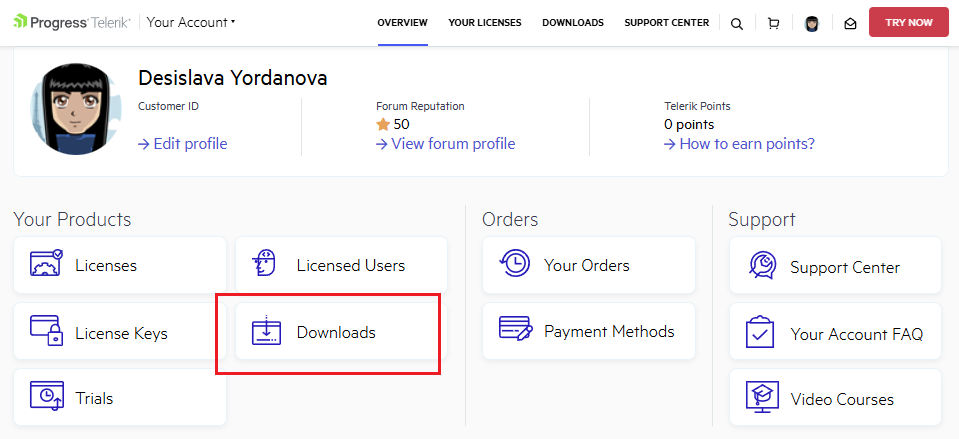
1\. Log into [your Telerik account](https://www.telerik.com/account/) and click the **Downloads** option:
**Telerik account Downloads section**
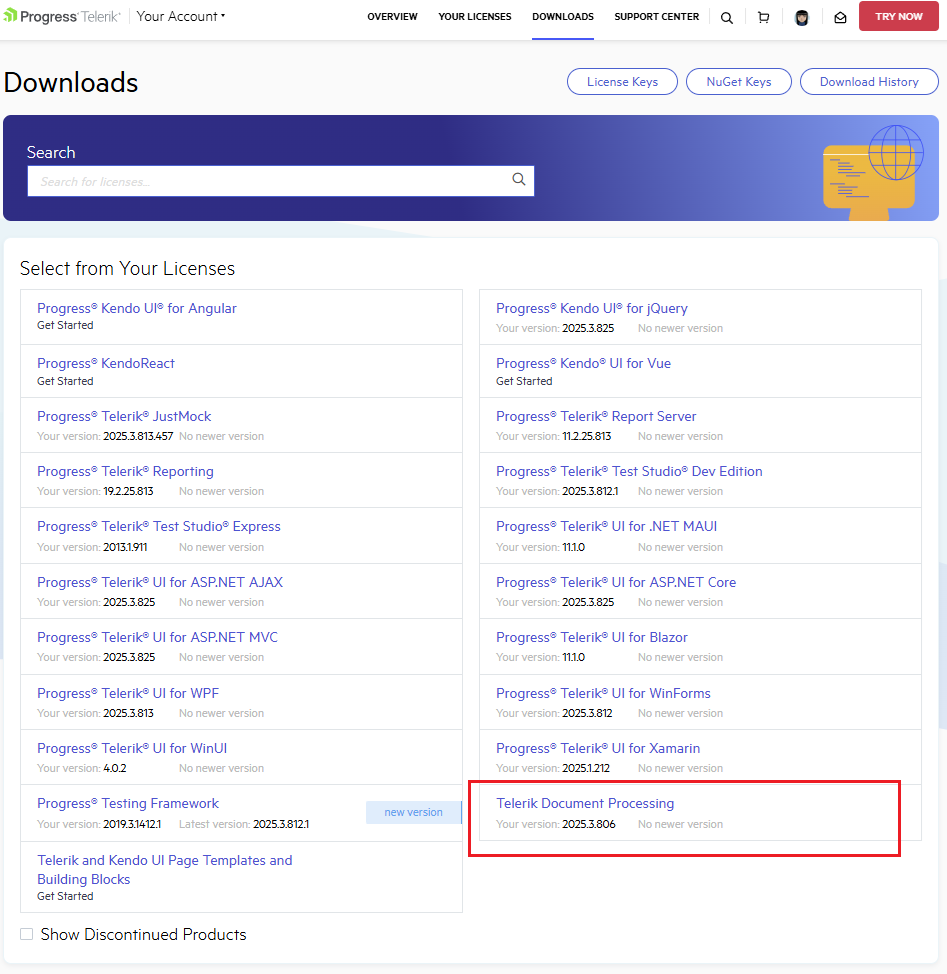
2\. Select **Telerik Document Processing**:
**Telerik account download page for Telerik Document Processing product files**
3\. Select an asset you want to download: DLLs, PDB files, NuGet Packages, documentation files, or Source code:
**Telerik Document Processing download options for binaries, NuGet packages, documentation, and source code**
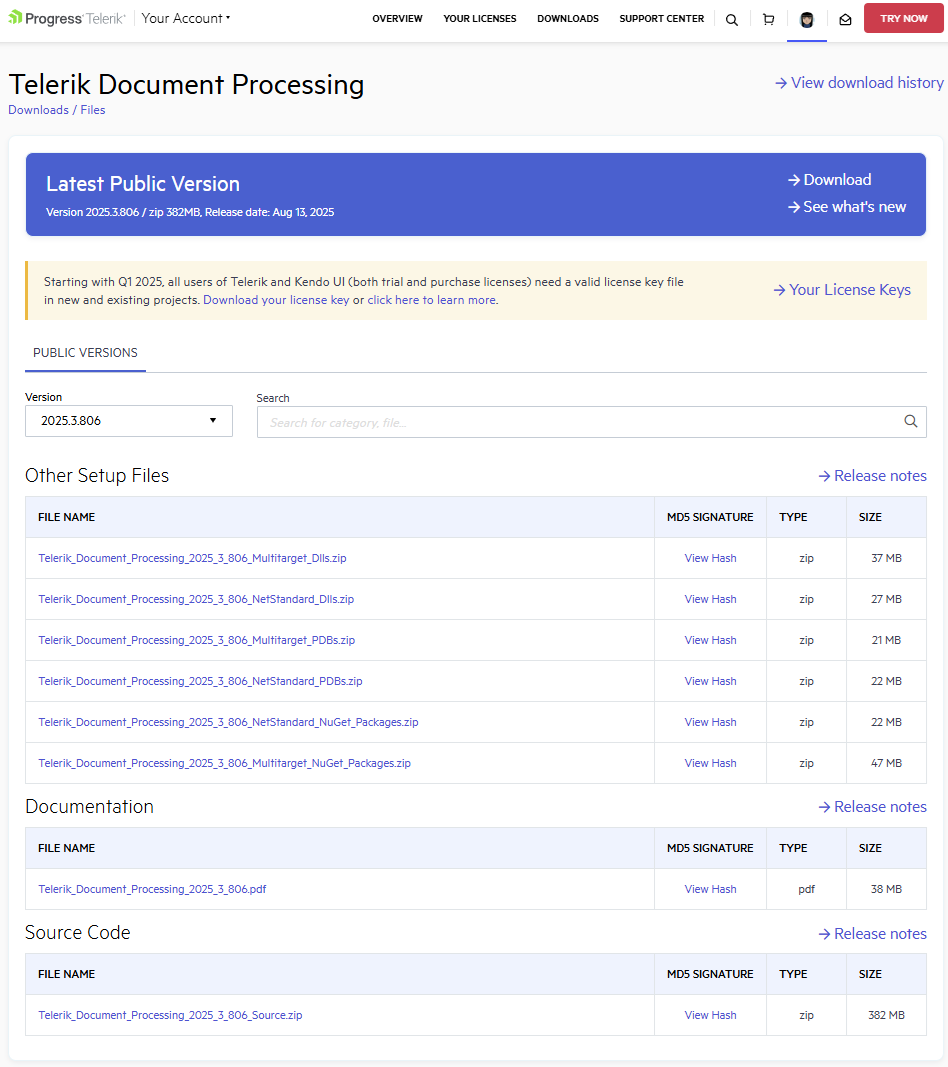
4\. You can choose between official Public versions or Preview versions (if such exist) according to the activation date of your license. From the **Version** dropdown list, you can also select which specific version to download.
> important If you are looking for a specific version, but it is not listed in the Version list, contact the sales team: ****. They will make the required version available for download.
## See Also
* [Review the Document Processing library versions included with Telerik products](https://www.telerik.com/document-processing-libraries/documentation/knowledge-base/distribute-telerik-document-processing-libraries-net-versions)
* [Download the latest internal preview build](https://www.telerik.com/document-processing-libraries/documentation/knowledge-base/latest-internal-build-version)
* [Review the Document Processing release history](https://www.telerik.com/document-processing-libraries/documentation/release-notes/dpl-release-history)