# Telerik Document Processing Libraries
The [Telerik Document Processing Libraries (DPL)](https://www.telerik.com/document-processing-libraries) are UI-independent and cross-platform libraries which enable you to process content between different formats and work with archive files. This article demonstrates how to add a reference to the DPL packages in an existing Telerik UI for Blazor application using the Document Processing Libraries Wizard. The wizard is included in the extension [Telerik UI for Blazor Productivity Tools for Visual Studio Code](https://marketplace.visualstudio.com/items?itemName=TelerikInc.blazortemplatewizard) and enables you to easily add the required packages when working with the Telerik Document Processing Library.
## Getting the Wizard
To use the Document Processing Libraries Wizard, install the [Telerik UI for Blazor Visual Studio Code extension](https://marketplace.visualstudio.com/items?itemName=TelerikInc.blazortemplatewizard).
## Starting the Wizard
There are a couple of ways to start the Document Processing Libraries Wizard.
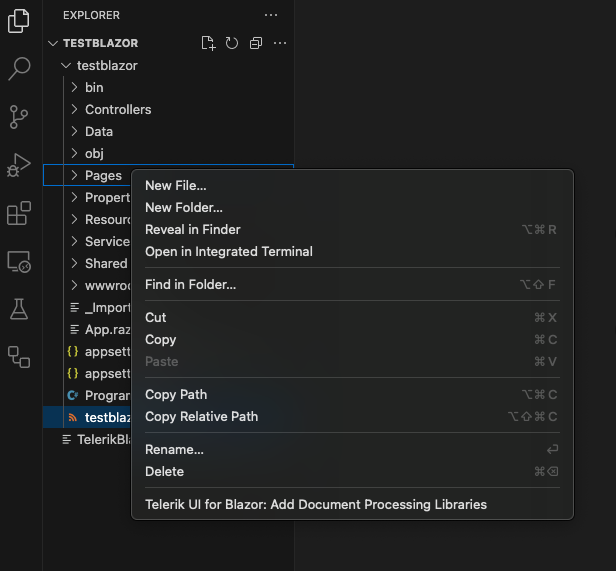
### Using the File Explorer Context Menu
1. Right-click on a file in the **VS Code** file explorer.
2. Select **Telerik UI for Blazor: Add Document Processing Libraries**.
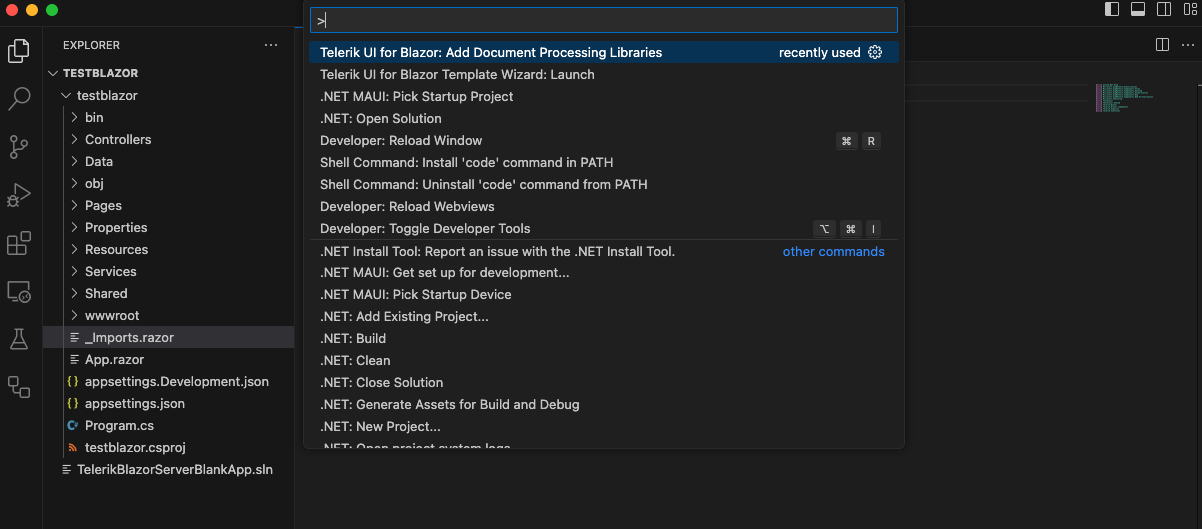
### Using the Code Editor Command Palette
1. Open a `.razor` file or a `Razor` language in the code editor.
2. Select **Telerik UI for Blazor: Add Document Processing Libraries** in the **VS Code** command palette.
## Using the Wizard
Upon successful completion of the above steps, the wizard must appear like this:
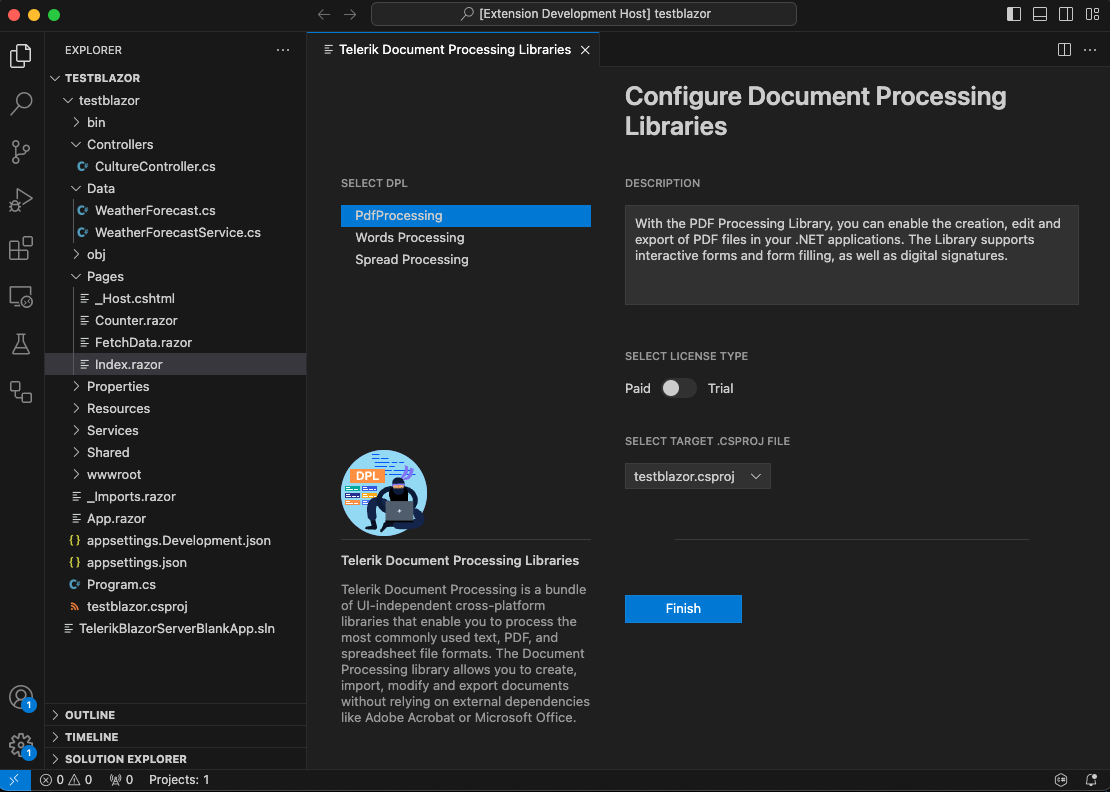
The Telerik Document Processing Configuration wizard allows you to:
* Select which libraries to use.
* Select the project (`.csproj` file), in which you want to install the libraries. This option is useful when the user has many open projects in the workspace. If a library has any dependencies, they are automatically checked.
The table below lists the assemblies that will be selected for each library:
| Library | Packages |
| ----------------------------------------------------------------------------------------------------------------- | ---------------------------------------------------------------------------------------------------------------------------------------------------------------------------------------------------------------------------------------------------------------- |
| [RadPdfProcessing](https://www.telerik.com/blazor-ui/documentation/integrations/document-processing-libraries) | Documents.Core
Documents.Fixed
Zip
Documents.ImageUtils
Documents.Fixed.FormatProviders.Image.Skia
Documents.CMapUtils |
| [RadSpreadProcessing](https://www.telerik.com/blazor-ui/documentation/integrations/document-processing-libraries) | Documents.Core
Documents.Fixed
Documents.Spreadsheet
Documents.SpreadSheet.FormatProviders.OpenXml
Documents.SpreadSheet.FormatProviders.Pdf
Documents.Spreadsheet.FormatProviders.Xls
Documents.ImageUtils
Zip |
| [RadWordsProcessing](https://www.telerik.com/blazor-ui/documentation/integrations/document-processing-libraries) | Documents.Core
Documents.Fixed
Documents.Flow
Documents.Flow\.FormatProviders.Pdf
Documents.ImageUtils
Documents.Flow\.FormatProviders.Doc
Documents.DrawingML
Zip |
## See Also
* [Telerik Document Processing Overview](https://www.telerik.com/blazor-ui/documentation/integrations/document-processing-libraries)
* [Visual Studio Code Integration for Telerik UI for Blazor Overview](https://www.telerik.com/blazor-ui/documentation/installation/vs-code-integration/introduction)