# Expand the Selected Nodes of the TreeView Asynchronously
## Environment
Product
TreeView for Progress® Telerik® UI for ASP.NET MVC
Product Version
Created with version 2024.4.1112
## Description
How can I asynchronously expand the selected TreeView nodes when the child nodes are loaded on demand?
## Solution
The TreeView component supports AJAX data binding by using Entity Framework. To asynchronously expand the selected nodes of the TreeView, follow the steps below:
1. Create a new ASP.NET MVC application. If you have installed the [Telerik UI for ASP.NET MVC Visual Studio Extensions](https://www.telerik.com/aspnet-mvc/documentation/vs-integration/introduction#installing-the-extensions), create a Telerik UI for ASP.NET MVC application.
2. If you decide not to use the Visual Studio extensions, follow the [Getting Started Guide](https://docs.telerik.com/aspnet-mvc/getting-started/first-steps) to add the Telerik UI for ASP.NET MVC library to an existing application.
3. In the Visual Studio solution explorer, right-click **Models**.
4. Select **Add** > **New Item**.
5. On the **Add New Item** dialog, select **Data** > **ADO.NET Data Model**.
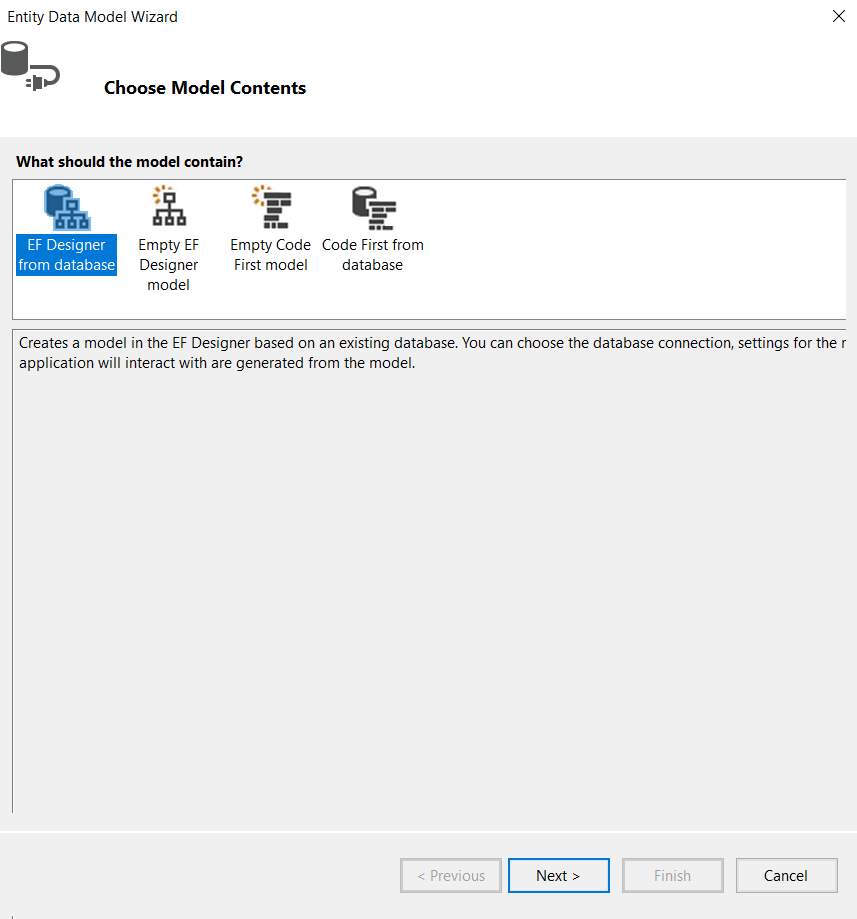
6. Provide the `Northwind.edmx` name to the model and click **Next**. As a result, the **Entity Data Model Wizard** starts.
7. Select **Generate from database** and click **Next**.
8. Configure a connection to the `Northwind` database and click **Next**.
9. Select all tables and click **Finish**.
10. Open `Controllers/HomeController.cs` and add a new action method that returns JSON. Each time the user expands a parent node, the TreeView makes an Ajax request to this action method. The action method returns only the child nodes of the expanded parent node. The TreeView provides the unique identifier of the respective parent node. During the initial request, the parent id is `null`.
```
public JsonResult Employees_Read(int? id)
{
using (var northwind = new NORTHWNDEntities())
{
var employeesQuery = northwind.Employees.Select(c => new HierarchicalViewModel
{
ID = c.EmployeeID,
Name = c.FirstName,
ParentID = null,
HasChildren = c.Orders.Any()
})
.Union(northwind.Orders.Select(c => new HierarchicalViewModel
{
ID = c.OrderID,
Name = c.ShipAddress,
ParentID = c.EmployeeID,
HasChildren = c.Order_Details.Any()
}))
.Union(northwind.Order_Details.Select(c => new HierarchicalViewModel
{
ID = c.OrderID,
Name = c.Product.ProductName,
ParentID = c.Order.OrderID,
HasChildren = false
}));
var result = employeesQuery.ToList()
.Where(x => id.HasValue ? x.ParentID == id : x.ParentID == null)
.Select(item => new {
id = item.ID,
Name = item.Name,
expanded = item.Expanded,
hasChildren = item.HasChildren
});
return Json(result, JsonRequestBehavior.AllowGet);
}
}
```
11. Open `Views/Index.cshtml` and add a TreeView.
```
@(Html.Kendo().TreeView()
.Name("treeview")
.DataTextField("Name")
.DataSource(dataSource => dataSource
.Read(read => read
.Action("Employees_Read", "Home")
)
)
)
```
12. Add a button which will asynchronously load child nodes with the [`load()`](https://docs.telerik.com/kendo-ui/api/data/node/methods/load) method in the child data source and, therefore, asynchronously expand the currently selected node.
```C#
@(Html.Kendo().Button()
.Name("expandNode")
.Content("Expand selected node")
.Events(e => e.Click("onExpandClick"))
)
```
```js
```
13. Press `CTRL`+`F5` to build and run the application. Select a node and click the **Expand selected node** button.
To see the complete implementation, refer to the [ASP.NET MVC project on asynchronously expanding the selected nodes of the TreeView](https://github.com/telerik/ui-for-aspnet-mvc-examples/tree/master/Telerik.Examples.Mvc/Telerik.Examples.Mvc/Areas/TreeViewExpandSelectedItemAsync).
## More ASP.NET MVC TreeView Resources
* [ASP.NET MVC TreeView Documentation](https://www.telerik.com/aspnet-mvc/documentation/html-helpers/navigation/treeview/overview)
* [ASP.NET MVC TreeView Demos](https://demos.telerik.com/aspnet-mvc/treeview)
* [ASP.NET MVC TreeView Product Page](https://www.telerik.com/aspnet-mvc/panelbar)
* [Telerik UI for ASP.NET MVC Video Onboarding Course (Free for trial users and license holders)](https://www.telerik.com/aspnet-mvc/documentation/getting-started/video-onboarding)
* [Telerik UI for ASP.NET MVC Forums](https://www.telerik.com/forums/aspnet-mvc)
## See Also
* [Client-Side API Reference of the TreeView for ASP.NET MVC](https://docs.telerik.com/kendo-ui/api/ui/treeview)
* [Server-Side API Reference of the TreeView for ASP.NET MVC](https://docs.telerik.com/aspnet-mvc/api/treeview)
* [Telerik UI for ASP.NET MVC Breaking Changes](https://www.telerik.com/aspnet-mvc/documentation/backwards-compatibility/2024-backwards-compatibility)
* [Telerik UI for ASP.NET MVC Knowledge Base](https://docs.telerik.com/aspnet-mvc/knowledge-base)