# Views
The Telerik UI for ASP.NET MVC FileManager provides the Grid and List built-in views for content visualization.
To switch between the views, use the **Toolbar** button group.
## Grid View
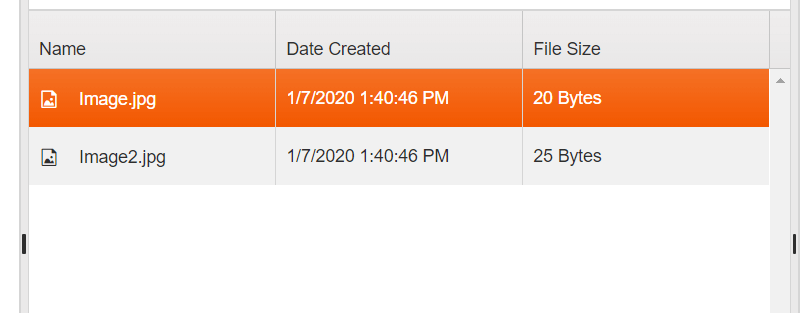
The Grid view is based on the Telerik UI for ASP.NET MVC Grid component and renders the FileManager files in a tabular form. To control the Grid view configuration, use the `views.grid` object of the FileManager.
```Razor HtmlHelper
@(Html.Kendo().FileManager()
.Name("filemanager")
.Views(v => v.Grid(grid => grid.Columns(cols => cols.Add().Field(....))))
)
```
**A FileManager displaying its Grid view type**
 ### Setting the Grid View as Initial View
By default, the initial view of the FileManager is the List View. To set the initial view to the Grid View, use the `InitialView()` configuration property.
```Razor HtmlHelper
@(Html.Kendo().FileManager()
.Name("filemanager")
.InitialView("grid")
)
```
## List View
The List or Thumbnails View is based on the Telerik UI for ASP.NET MVC ListView component and renders the FileManager content as a list of thumbnails with each thumbnail representing a file. To control the configuration of the List View, use the `views.list` object of the FileManager.
```Razor HtmlHelper
@(Html.Kendo().FileManager()
.Name("filemanager")
.Views(v=>v.List(list=>list.TemplateId("...")))
)
```
**A FileManager displaying its List view type**
 ## See Also
* [ContextMenu in Telerik UI for ASP.NET MVC FileManager](https://www.telerik.com/aspnet-mvc/documentation/html-helpers/data-management/filemanager/context-menu)
* [Drag and Drop in Telerik UI for ASP.NET MVC FileManager](https://www.telerik.com/aspnet-mvc/documentation/html-helpers/data-management/filemanager/drag-and-drop)