# Isolate Sample in REPL
## Description
In many support cases, it is pretty beneficial to isolate the issue in a separate sample to demonstrate the problem at hand. This leads to quick and efficient technical communication within the support thread without going back and forth in circles.
However, creating a new Core or MVC project to demonstrate the issue is not always practical. Is there a way I can expedite the process and make it quicker and more convenient?
## Solution
To tackle this situation, Telerik proudly introduced the unique real-time server compilation tool Telerik REPL:
Using this tool, you can demonstrate the issue in a live sample with several simple steps. Here is a sample process with a Grid and its Data Binding functionality.
* Open the tool's web site:
* Add a Model class definition:
```C#
@using System.ComponentModel.DataAnnotations;
@functions {
public class OrderViewModel
{
public int OrderID { get; set; }
public decimal? Freight { get; set; }
public DateTime? OrderDate { get; set; }
[Required]
public string ShipName { get; set; }
public string ShipCity { get; set; }
public bool Active { get; set; }
}
}
```
* Add the logic from your controller action :
```C#
@{
// this part simulates Controller Read Action
var data = Enumerable.Range(0, 50).Select(i => new OrderViewModel
{
OrderID = i,
Freight = i * 10,
OrderDate = new DateTime(2026, 9, 15).AddDays(i % 7),
ShipName = "ShipName " + i,
ShipCity = "ShipCity " + i,
Active = i % 3 == 0
});
}
```
* Add the Grid definition, but instead of Read, use the BindTo property:
```Razor
@(Html.Kendo().Grid()
.Name("Grid")
.Columns(columns =>
{
columns.Bound(p => p.OrderID).Filterable(false);
columns.Bound(p => p.Freight);
columns.Bound(p => p.OrderDate).Format("{0:MM/dd/yyyy}");
columns.Bound(p => p.ShipName);
columns.Bound(p => p.Active);
})
.Pageable()
.Sortable()
// replace remote binding with local collection just for
// demonstrating the issue
.BindTo(data)
.Scrollable(scr => scr.Height(430))
.Filterable()
.DataSource(dataSource => dataSource
.Ajax()
.PageSize(15)
.ServerOperation(false)
//.Read(read => read.Action("Orders_Read", "Grid"))
)
)
```
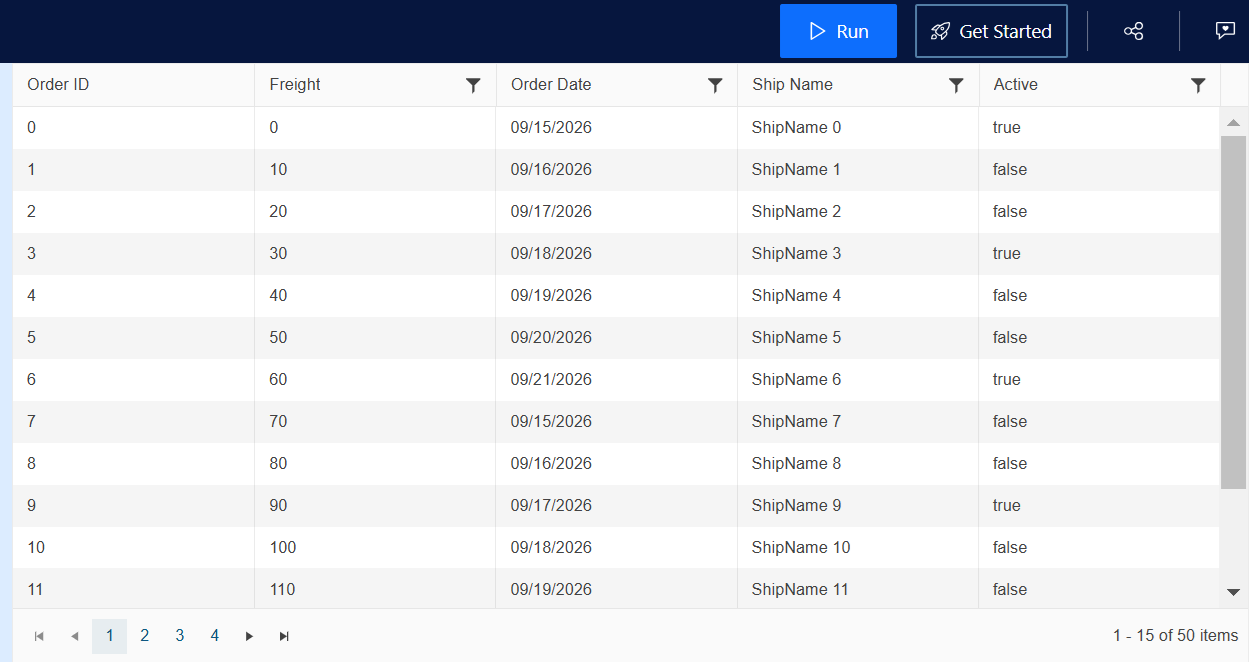
* Click Run and ensure the sample is working as expected:
* Modify the sample to reproduce the issue you are facing.
* Click the "Share Snippet" button to generate a new URL of the REPL sample and send it in the ongoing thread:

Here is a link with the REPL of the entire sample:
## See Also
* [Telerik UI for ASP.NET Core Knowledge Base](https://docs.telerik.com/aspnet-core/knowledge-base)