# PivotConfigurator Overview
The [Telerik UI PivotConfigurator component for ASP.NET Core](https://www.telerik.com/aspnet-core-ui/documentation/api/pivotconfigurator) represents an OLAP cube structure.
The PivotConfigurator can be used for configuring the column and row dimensions, and the measure fields of the [PivotGrid](https://demos.telerik.com/aspnet-core/pivotgrid/index). It is a supplementary component which is strongly related to the Telerik UI PivotDataSource.
## Initializing the PivotConfigurator
The following example demonstrates how to create the PivotConfigurator.
```Razor HtmlHelper
@(Html.Kendo().PivotConfigurator()
.Name("configurator")
.Filterable(true)
.Height(570)
)
@(Html.Kendo().PivotGrid()
.Name("pivotgrid")
.Height(570)
.Filterable(true)
.Configurator("#configurator")
// Other configuration.
)
```
```Razor TagHelper
```
## Basic Configuration
The following example demonstrates how to configure the PivotConfigurator.
```Razor HtmlHelper
@(Html.Kendo().PivotConfigurator()
.Name("configurator")
.Filterable(true)
.Sortable()
.Height(570)
)
@(Html.Kendo().PivotGrid()
.Name("pivotgrid")
.ColumnWidth(200)
.Height(570)
.Filterable(true)
.Sortable()
.Configurator("#configurator")
.DataSource(dataSource => dataSource.
Xmla()
.Columns(columns => {
columns.Add("[Date].[Calendar]").Expand(true);
columns.Add("[Product].[Category]");
})
.Rows(rows => rows.Add("[Geography].[City]"))
.Measures(measures => measures.Values(new string[]{"[Measures].[Reseller Freight Cost]"}))
.Transport(transport => transport
.Connection(connection => connection
.Catalog("Adventure Works DW 2008R2")
.Cube("Adventure Works"))
.Read(read => read
.Url("https://demos.telerik.com/service/v2/olap/msmdpump.dll")
.DataType("text")
.ContentType("text/xml")
.Type(HttpVerbs.Post)
)
)
.Events(e => e.Error("onError"))
)
)
```
```Razor TagHelper
|
```
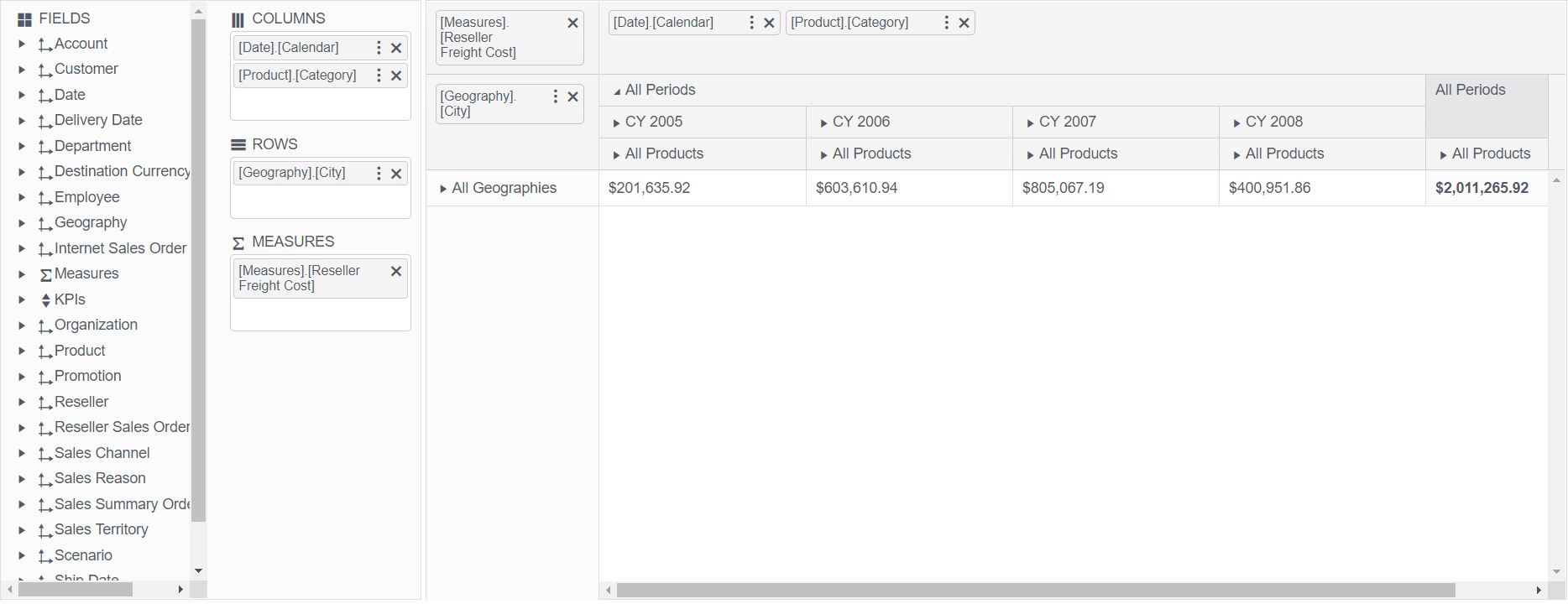
The following image demonstrates the output from the previous example.
## Referencing Existing Instances
To reference an existing PivotConfigurator instance, use the [`jQuery.data()`](http://api.jquery.com/jQuery.data/) method. Once a reference has been established, use the [PivotConfigurator client-side API](https://docs.telerik.com/kendo-ui/api/ui/pivotconfigurator) to control its behavior.
```
var pivotconfigurator = $("#pivotconfigurator").data("kendoPivotConfigurator");
```
## See Also
* [OLAP Cube Fundamentals](https://www.telerik.com/aspnet-core-ui/documentation/html-helpers/data-management/pivotgrid/data-binding/fundamentals)
* [OLAP Cube Setup](https://www.telerik.com/aspnet-core-ui/documentation/html-helpers/data-management/pivotgrid/data-binding/olap-cube-setup)