UI for ASP.NET AJAX
ASP.NET AJAX Editor
- Enable users to create and format rich text content with the MS Word-like ASP.NET AJAX Editor. Add predefined CSS classes or create your own custom tools, buttons and dropdowns.
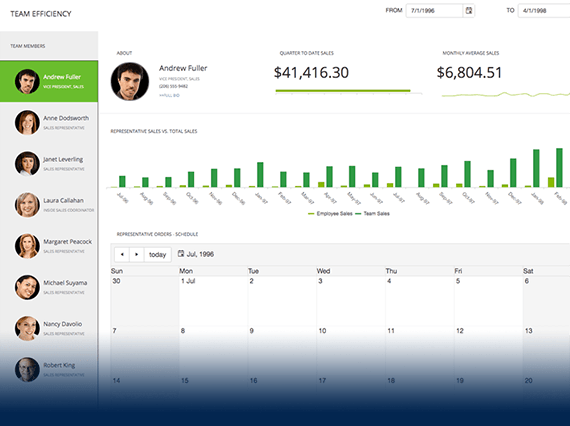
- Part of the Telerik UI for ASP.NET AJAX library along with 120+ professionally designed UI components.
- Includes support, documentation, demos, virtual classrooms and more!
-
Creating and Formatting Text, Paragraphs, Lists, Tables and More
With the Telerik HTML editor for ASP.NET AJAX, users are empowered to create and format text using familiar buttons: Bold, Italic, Underline, Justify, Indent, etc. They can set different font names and sizes, text and background colors, as well as style existing HTML elements. Give them options to easily insert and format lists, tables, images, hyperlinks and form elements, as well as to copy existing formatting and apply it to other content elements with the familiar, Microsoft Word-like Format Painter tool. Add predefined CSS classes to provide even more styling options or create your own custom tools, buttons, dropdowns or dialogs to meet your solution requirements.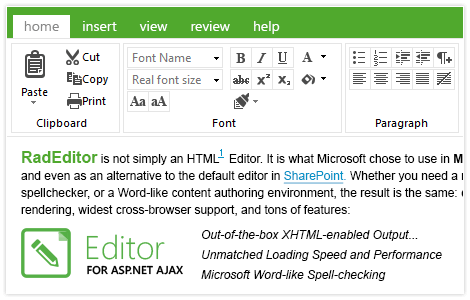
-
Design, HTML and Preview Modes
Users can create and format content in design view with the help of RadEditor built-in tools, while advanced users can work directly in HTML mode. By using the Preview mode, users can check how the content will be displayed when added to a real web page.
-
Hyperlink and Image Managers
With the Telerik lightweight ASP.NET Editor control, users can insert and edit hyperlinks with ease thanks to the out-of-the-box Hyperlink Manager settings, such as text, target, tooltip, etc. Using the Image Manager, users can select an image from a library, preview it and change its properties (size, position, alt text), or edit the image itself by cropping, rotating, etc.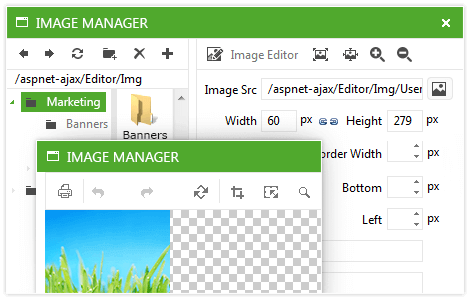
-
Document, Flash, Media and Other Managers
Your users can easily create new folders and upload new document files to your libraries thanks to the different file managers supported in Telerik ASP.NET WYSIWYG rich HTML editor: Document, Image, Flash, Media and Template Managers. They can also easily embed YouTube or Vimeo videos in the HTML content via the Insert External Video dialog.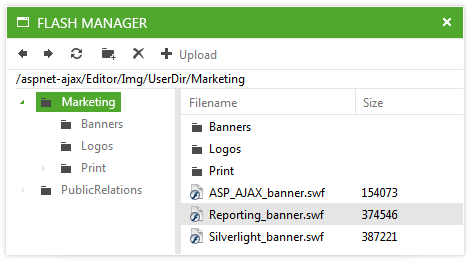
-
Multiple Paste and Format Stripping Options
Eliminate the formatting issues users face when pasting content into rich text editors. With RadEditor, they can choose the best paste option for their needs out of the available six, including “Paste from Word”, “Paste from Word, strip font”, “Paste as HTML”, etc. If for some reason they have content with undesired formatting, they can use one of the five format stripping options, including “Strip all formatting,” “Strip Word formatting,” “Strip CSS formatting,” etc.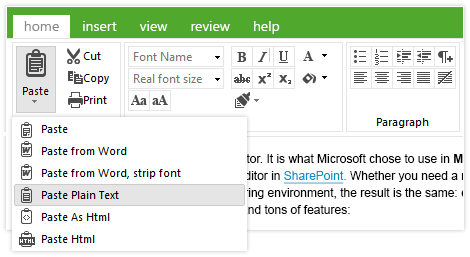
-
Inline AJAX Spell Check
RadEditor allows users to spell-check their content against a preferred language using the built-in spell checker. In addition to validating the content, the tool also allows users to add new words to the dictionary. The spell-checker is also cross-browser compatible.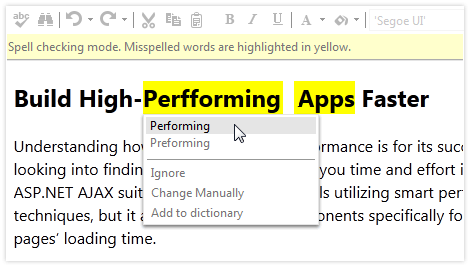
-
Track Changes and Use Comments in Collaboration
Provide end users with the option to keep track of their own or colleagues’ content changes, such as entering new, deleting or formatting existing fragments. Allow them to easily add comments in the content area of the RadEditor HTML editor. Changes and comments of different people are outlined with different colors. -
Multi-Level Undo/Redo with Action Trails
Leverage the out-of-the-box undo-redo mechanism of Telerik WYSIWYG HTML Editor for AJAX, which we have extended to remember multiple commands in its stack with action trails just like in Microsoft Word®. -
Full Page HTML Editing
Give users the option to edit full HTML pages, including the <html>, <head>, <title> and <meta> tags with the help of the Page Properties dialog. Add HTML templates to the Template Manager and give users the freedom to create entire pages on their own. -
Context Menus
Allow quick modifications of images, tables, paragraphs, and other elements with the help of the RadEditor contextual menus displayed upon a right click of the item while in design mode. -
Signature Dialog
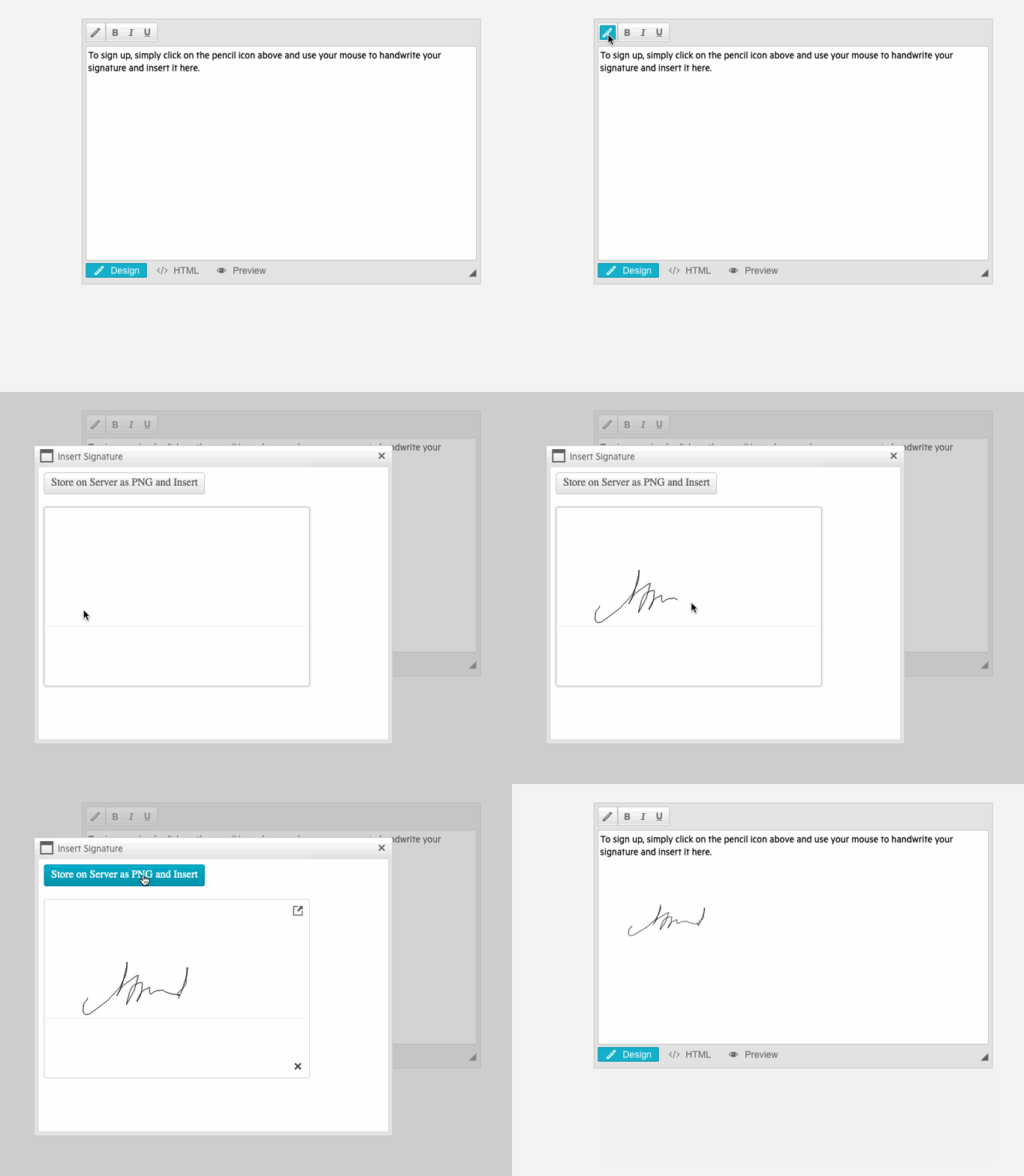
Empower users to effortlessly place a handwritten signature in the WYSIWYG editor, leveraging the Telerik UI for ASP.NET AJAX Signature component. The dialog displays a signature pad that allows users to draw a signature, store it as a PNG file and insert the image into the AJAX Editor.
See the Telerik UI for AJAX Signature Dialog demo within the Editor
-
Different Toolbar Modes
Enable the best for your scenario toolbar view of the editor: Default (displaying the most used tools), PageTop, Floating, ShowOnFocus, Ribbonbar, RibbonbarPageTop, RibbonbarShowOnFocus, RibbonBarFloating. Except the Default and RibbonBar, all modes apply lazy loading for better performance and shorter loading time.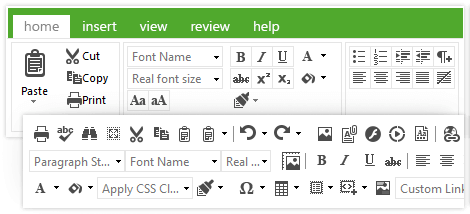
-
Support for IFrame or Div Content Area
Depending on your scenario, choose iFrame or div for the editor content area. The iFrame mode is a separate document and does not inherit styles from the page it belongs to. The Div content area is part of the current page, which is better for https and cross-site scripting, as well as for compliance with more screen readers. -
High Level of Customization
Define your own content filters for content validation, specify which tools to be displayed in the toolbars or create your own command elements, be it buttons or dropdowns. Implement custom dialogs or load external ones. Even create your own file browser content providers to utilize different sources for the dialogs: database, cloud service, custom role-based CSM system, Web Service and applications which use URL rewriters. -
Rich Client-Side and Server-Side APIs
Manipulate the editor content and behavior thanks to the rich APIs and handle user actions in an adequate manner. Change properties dynamically on the server and/or on the client, or execute custom code as a result of different events. -
Accessibility, Standards Compliance and Localization
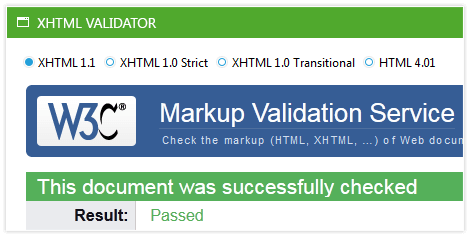
Telerik ASP.NET Editor is XHTML-compliant and so is its output. WAI-ARIA and keyboard support, as well as right-to-left mode can be enabled with a single property. A separate component, AccessibleEditor, is isolated to provide higher accessibility level for people with disabilities and was selected by the Royal National Institute of Blind People for their new accessible website. Localize RadEditor to display messages in labels, buttons, dialogs and tooltips in any language using global or local resources.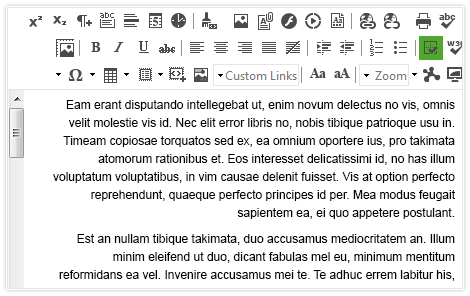
-
Visual Studio Integration and Design-Time Support
Install Telerik UI for ASP.NET AJAX, the suite containing RadEditor, to get the control available in your Visual Studio Toolbox. Drag and drop it onto the design surface and use the SmartTag, the Properties Window or the rich Design-Time wizard to codelessly configure the control. -
Performance
The following features of RadEditor take care of its optimized performance:- “Load as needed" processes that only load the code on client browsers for the features that are being used
- Lazy loading of the window-based toolbar modes and dialogs, meaning they don’t load their scripts upon the control's initial load, but rather when they are opened for the first time
- Light versions of the most popular dialogs that contain only the key features of their analogs and load faster on the page
- Support for creating and editing large content (more than 100KB)
- Reducing the markup of multiple RadEditors by reusing the toolbar of the first editor
-
Cross-Browser Support
When using the control in your apps, you can rest assured that it behaves as expected and has a consistent look and feel in all browsers your users maybe be utilizing.
Read the full list of supported browsers
-
Mobile Support
Why should you build a mobile version of your application when the same app can work equally well on mobile and desktop devices? RadEditor makes this possible by handling touch events in the same manner as those triggered by a keyboard or a mouse. In addition, the control comes with a mobile skin specially designed for a better user experience on touch devices.
-
Built-In Skins
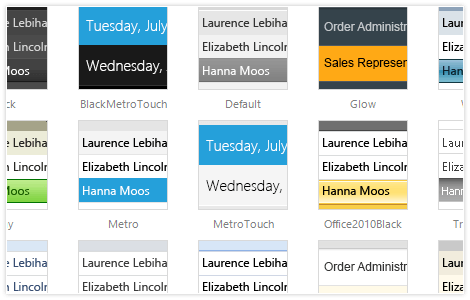
Use a single property to apply any of the 20 ready-to-use built-in themes, including an innovative mobile skin, to create a consistent look for your apps and save design and front-end development time. You can easily customize our existing skins or create your own with our Visual Style Builder.
-
Export to PDF, RTF and Markdown
-
Statistics, Tag and Properties Inspectors and Real-Time HTML Modules
Enable the statistics module to enable users to see how many words and characters of content they have created. Show the tag inspector to allow easier navigation through the HTML elements surrounding the text content or allow for real-time sync with the WYSIWYG content pane, just like in split mode for the markup files in Visual Studio. Enable the Properties Inspector for quick set-up and refinement of hyperlinks, images, tables, etc. while in design mode.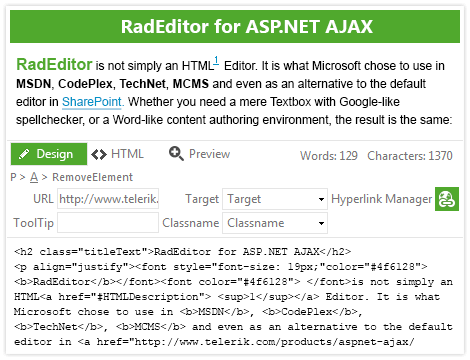
-
Accessible, XHTML-Compliant Output
With the Telerik Web Forms Editor, your users create accessible, cross-browser identical and XHTML-compliant content that meets W3C and WCAG 2.0 standards. This is ensured by a few built-in content filters, system modules and an XHTML validator dialog.