Release History

All updates we have
ever delivered.
Download the Latest Version
Skip Navigation LinksProducts > ASP.NET MVC Extensions > What's New > Release History > Details > Q2 2011 (version 2011.2.712.0)

Q2 2011 (version 2011.2.712.0)

July 13, 2011

New Extensions

  • Chart - HTML5-driven charting component based on SVG/VML which benefits from MVC wrapper. The charting is designed and built from scratch and aims for fast performance, light-weight javascript and cross-browser compliance. Bar/StackedBar and Line charts are supported in the initial Q2 2011 version.

Common for all extensions

What’s New

  • Added: 3 New Skins - Transparent and two Office 2010 variations (Blue and Silver)
  • Added: Ability to set data HTML attributes
  • Added: FireFox 5 support
  • Added: jQueryValidation property to the ScriptRegistrar
  • Improvement: Enable mocking of HttpContext.Current.IsDebuggingEnabled
  • Improved: The JavaScript files of components loaded via Ajax are now automatically included

What’s Fixed

  • Fixed: Black skin shadow colors, added shadows for Editor colorpickers
  • Fixed: Globalizatoin resources are not loaded from compiled assemblies
  • Fixed: ScriptRegistrar does not work with protocolless urls
  • Fixed: Setting URL with MenuItem.Route method throws exception if the used Route is not current
  • Fixed: Razor version of the Editor Templates is missing in the Hotfix distribution and in the VS project template
Visual Studio Extensions Icon

Installer and VS Extensions

What’s New

  • Added: Razor editor templates support
  • Added: Implemented solution-wide upgrade
  • Improved: Get Latest Version wizard UI
  • Improved: MVC's Get Latest Version wizard
  • Improved: Downloading MVC extensions updates through VS Extensions (asynchronously)

What’s Fixed

  • Fixed: Compatibility issue between the MVC VSExtensions and the WebUI VSExtensions
  • Fixed: Demos not working on machine with VS2008 and VS2010
  • Fixed: Installer hangs when the 'Close Visual Studio' prompt is displayed
  • Fixed: Incorrect upgrade log because of wrong API
Calendar MVC Icon

Calendar

What’s Fixed

  • Fixed: The calendar takes into consideration time when comparing select action dates with month view dates
  • Fixed: The calendar does not calculate first day of week with globalization different than en-US
ComboBox MVC Icon

ComboBox

What’s New

  • Added: InputHtmlAttributes method that allows you to set attributes on the input element
  • Added: InputHtmlAttributes and HiddenInputHtmlAttributes for the ComboBox UI component
  • Added: Delay method which allows to specify a delay after which the filtering buffer will be cleared
  • Added: type="text" attribute for AutoComplete and NumericTextBox
  • Improved: Encode only text which is placed in <li> element
  • Improved: Reduced rendering time of the ComboBox UI component's dropdown list

What’s Fixed

  • Fixed: ComboBox and DropDownList display value is not changed correctly on form reset
  • Fixed: ComboBox and DropDownList value is submit even if the component is disabled
  • Fixed: Javascript error when Enter is pressed in focused ComboBox before its dropdown has ever been opened
  • Fixed: ComboBox renders value in the hidden input even when the value has no match in the combo items
  • Fixed: ComboBox sets value of the input element to custom object ToString() value
  • Fixed: ComboBox with server binding incorrectly serializes and applies selected value on the client-side
  • Fixed: ComboBox/DropDownList does not open dropdown list on ALT + Down arrow if dropdown has never been opened
  • Fixed: DropDownList disabled from server cannot be enabled on client using IE
  • Fixed: filteredDataIndexes were not cleared when dataBind() method is called
  • Fixed: iOS 3.x/4.0 dropdown position is wrong (due to window.scrollTop/scrollLeft not correctly populated by the iOS browser)
  • Fixed: Issues when selecting first item from blank state
  • Fixed: IntegerTextBox/CurrencyTextBox/PercentTextBox does not serialize Min/Max values if they are null
DatePicker MVC Icon

Date/Time Pickers

What’s New

  • Added: type="text" attribute for DateTimePickers

What’s Fixed

  • Fixed: Calendar popup not closing when clicking on the selected date
Editor MVC Icon

Editor

What’s New

  • Added: OnPaste client event

What’s Fixed

  • Fixed: Deleting all content from the editor does not report it as empty and breaks required field validation (IE, Chrome)
  • Fixed: Editing area does not resize properly when loading the editor in partials under Chrome
  • Fixed: Modal windows opened from within modal windows do not cover the parent window
  • Fixed: Whitespace nodes cause strange behavior when applying inline styles in IE
  • Fixed: Editor does not work with unobtrusive validation
Grid MVC Icon

Grid

What’s New

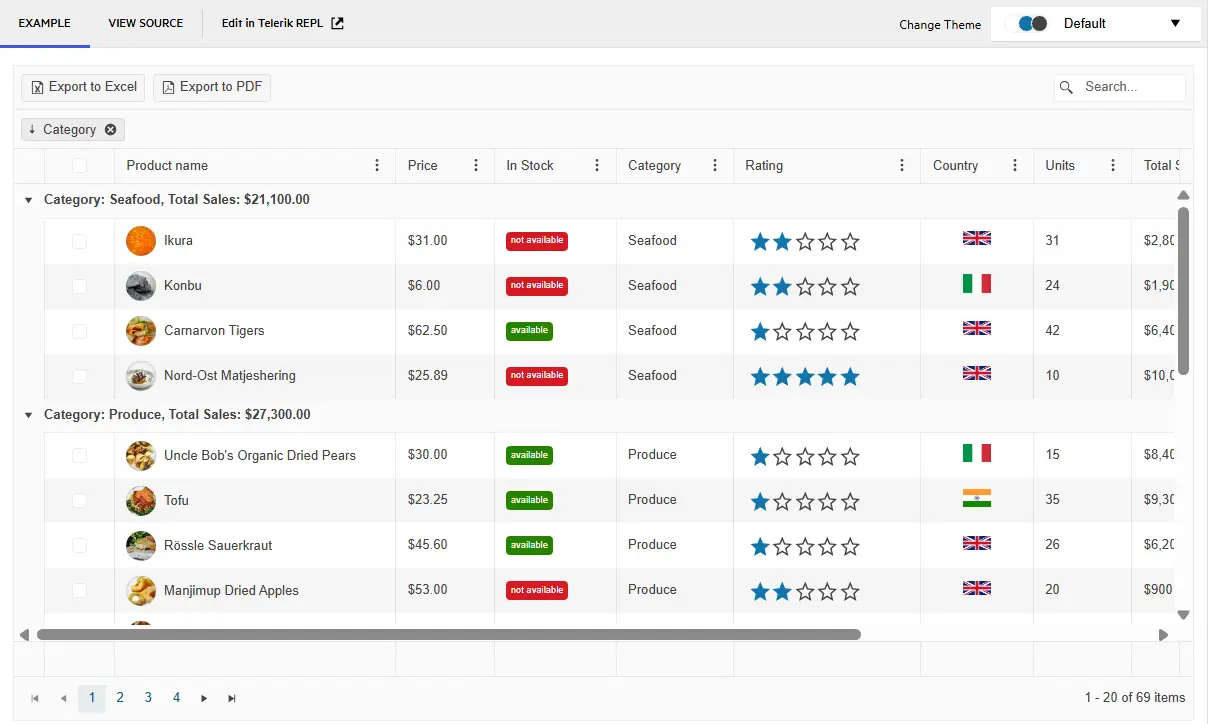
  • Added: Client mode for operations like sorting, paging, filtering and grouping
  • Added: Global row template
  • Added: Keyboard navigation
  • Added: Yahoo-style paging (cumulative virtual scrolling)
  • Improved: Modified Editor Templates to use For() extension
  • Improvement: Made Grid header cell rendering more consistent by adding a span.t-link wrapper for non-sortable non-template columns

What’s Fixed

  • Fixed: Grid custom command button ignores ImageHtmlAttributes
  • Fixed: BatchEditing requires field message popup and no changes to Save
  • Fixed: Cannot subscribe with inline handler to the OnDetailViewExpand/Collapse events
  • Fixed: ClientTemplates bound to more than one field fail in cell editing
  • Fixed: Column format is not applied to group header value when using server binding
  • Fixed: Column is not hidden when column settings are used and grid is populated through ajax binding
  • Fixed: Decimal validation fails on input type text elements
  • Fixed: Editing does not work if group aggregates are enabled
  • Fixed: Error is thrown when an aggregate is specified and custom server binding is used
  • Fixed: Error is thrown when binding to a dynamic object collection and using InCell/InLine edit mode
  • Fixed: Changes are not correctly tracked in InCell editing mode
  • Fixed: Header filter icon obtains active state even when no filtering is applied to that column
  • Fixed: In some cases edited items are posted even when there are validation errors using InCell editing
  • Fixed: It is not possible to pass additional values from delete or submitchanges client-side events
  • Fixed: Javascript error is thrown if invalid value is entered in datetime column during InCell editing
  • Fixed: Loading indicator is not updated during editing
  • Fixed: Data item is not cleared if insert form is opened in an empty grid
  • Fixed: Numeric textbox in Grid filter dropdown does not have correct font size when blurred
  • Fixed: OnEdit client-side event is not raised when a new item is added during InCell edit mode
  • Fixed: PageSize dropdown's value is not posted when custom server binding is enabled
  • Fixed: Paging after inserting a row in batch edit mode fails to clear the new row
  • Fixed: Popup insert form no loger works after clicking the "close" button of the window
  • Fixed: Pressing enter key in nested grid's edited/inserted item will edit/insert that item twice
  • Fixed: Resizing does not work properly after grouping a column
  • Fixed: TimePicker and Slider are not populated correctly when inside grid edit form
  • Fixed: Unobtrusive validation does not work as expected when InCell edit mode is used
  • Fixed: Validation is not enabled when there is more than one editable, server bound grid on the page
  • Fixed: When clicked no records item switches the grid to edit mode when batch editing is enabled
  • Fixed: When in InCell edit mode an item is deleted while it is been inserted, no other records can be edited
Menu MVC Icon

Menu

What’s Fixed

  • Fixed: Select event is triggered when selecting items in other components
NumericTextBox MVC Icon

NumericTextBox

What’s New

  • Improved: Allow to define special key for decimal separator in the NumericTextBox component

What’s Fixed

  • Fixed: Inability to focus NumericTextBox when clicking on the formatted value in IE
  • Fixed: Display value (formatted value) is not changed correctly on form reset
  • Fixed NumericTextBox fails to show formatted value in disabled state in Internet Explorer
  • Fixed: Globalized NumericTextBox allows Del button from NumPad, but does not append correct decimal separator
  • Fixed: Input value of the NumericTextBox is colored incorrectly in red
  • Fixed: Issue on setting negative value, when previous value is not NULL
  • Fixed: NumericTextBox appends pasted text instead of replacing selected text
  • Fixed: Cannot enter digits in NumericTextBox component using Slovak/Czech keyboard layout
PanelBar MVC Icon

PanelBar

What’s Fixed

  • Fixed: Calling expand() on expanded items breaks clicks on panelbar
Splitter MVC Icon

Splitter

What’s Fixed

  • Fixed: Single non-resizable collapsible pane can be resized after it gets expanded
TabStrip MVC Icon

TabStrip

What’s Fixed

  • Fixed: Select event cannot be prevented
TreeView MVC Icon

TreeView

What’s New

  • Added: Allow custom logic for handling drag&drop within TreeView
Upload MVC Icon

Upload

What’s New

  • Added: Anti-Forgery token is now submitted automatically to the Save and Remove actions

What’s Fixed

  • Fixed: The name of the input element does not match the name of the Upload
  • Fixed: User data is now submit as form fields instead of query string parameters
Window MVC Icon

Window

What’s Fixed

  • Fixed: Center() client-side method does not take body scroll offset into account
  • Fixed: Creating window with title on the client side breaks the title() client-side method

OTHER RELEASE NOTES

NEXT STEPS

Start your evaluation now

Download 30-day Free Trial With dedicated technical support!

Play with the demos

See Kendo UI in action and check out how much it can do out of the box.

Compare prices

Check out the offers. Purchase an individual suite or treat yourself to one of our bundles.