Resizable panels
One of the two main applications of RadSplitter is for implementing resizable panels, similar to frames. When the user drags the splitter bar, the panels on the left and/or right of the splitter are resized using one of the following 3 algorithms:
• AdjacentPane (default) - only the adjacent panes of the dragged split bar will be affected.
• EndPane - only the left (top) adjacent pane and the right (bottom) most pane will be affected.
• Proportional – the width (height) of the affected panels will be adjusted proportionally.
Sliding panels
Another interface implementation possible with RadSplitter are sliding panels that appear over the content, just like in Visual Studio .Net. Those can be pinned in order to be always visible, or expandable on hover/click depending on the settings.

Unlimited nesting
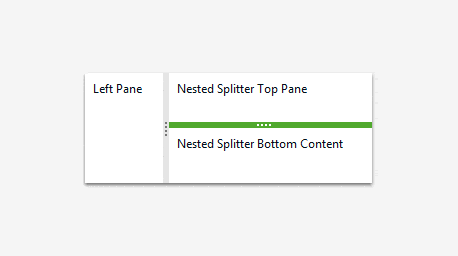
RadSplitter allows for unlimited nesting of panels, which is appropriate for more complex interfaces. By default the nested splitters will be resized when the pane is resized. You can, of course, change this behavior by simply setting the ResizeWithParentPane property to false.
Horizontal/Vertical splitter orientation
Splitter panels can be configured to split the allotted horizontally or vertically, and collapse/expand in those directions respectively.

Support for 100% height/width
RadSplitter panels can be easily configured to accommodate 100% of the available width/height, just like tables. If the containing window is resized the splitter will adjust its layout accordingly.
Persisting layout state
All changes to the layout (resizing, collapsing, pinning, etc.), performed by the user are automatically persisted on the server. As a result you don't have to reconfigure it every time to maintain the same appearance after each postback.
Save/Load layout state
The RadSplitter server-side API allows you to save/load the current layout state. As a result you can easily implement interface customization features in your applications.
Control over the initial panel state
Developers have full control over the initial state, dimensions, and settings of each pane.
Loading external content
Individual RadSplitter panels can accommodate content from different sources, similarly to the way frames work.
Live resize
RadSplitter can be configured to show the panel content during resizing. Although user experience is improved in this mode, there is more CPU load associated with the real-time redrawing of the content.
Printing individual panels
RadSplitter provides an interface for printing individual panel content. Due to the security mechanism of browsers, if you are using external content its URL must be from the same domain as the parent page in order to be printable. If the panel is not displaying external content then you can specify a stylesheet, which will be used to format the printed content.